Yoga 7i 2-in-1 is our first Lenovo recommendation for teachers who type lesson material, write mathematics on screen and distribute an annotated page. Its convertible construction and supported pen options provide the hardware route; the selected mathematics application determines whether the output remains ink, becomes an editable equation or is flattened into a shared page. Yoga 9i, Surface Pro and HP OmniBook Ultra Flip offer three genuine alternatives. Here the product comparison follows the mathematical object the teacher intends to keep.
Four teaching systems at a glance
| Candidate | Best reason to compare it here | Equipment detail that decides the choice |
|---|---|---|
| Yoga 7i 2-in-1 Gen 11 | Attached keyboard plus supported Yoga pen | Good starting arrangement for typed text and handwritten derivations |
| Yoga 9i 2-in-1 Gen 11 | Another documented pen convertible | Compare exact pen and application package |
| Surface Pro for Business 13, 12th Snapdragon | Detachable screen and Surface Slim Pen route | Useful when explanation moves away from the keyboard |
| HP OmniBook Ultra Flip 14-fh0047nr | Convertible with optional MPP 2.0 pen | Identify supported app actions and saved format |
How the four models serve this classroom task
Yoga 7i 2-in-1 — our first convertible to compare
Yoga 7i serves a teacher who alternates between a typed problem statement and a handwritten derivation. The keyboard remains attached, and the supported Yoga pen supplies the direct-screen input route. This makes it a practical starting point for producing a lesson page that contains both prose and working. Specify the exact pen and application before assuming that erasing, selecting or moving an expression behaves as desired. The relevant deliverable is the saved mathematical explanation, rather than the presence of a touch panel alone. Manufacturer documentation.
Yoga 9i 2-in-1 — the integrated-keyboard alternative
Yoga 9i is the close Lenovo comparison when its selected display, memory and supported pen package better fit the teacher's preparation routine. It can occupy the same broad typing-to-ink role, so the reason to choose it should be concrete. Compare the physical page at readable scaling and perform the intended correction steps in the same application. Neither the higher model tier nor a pressure specification establishes more accurate equation recognition. Recognition belongs to the software and the expression being supplied. Manufacturer documentation.
Surface Pro for Business — the detachable choice
Surface Pro makes particular sense when the teacher wants a detachable screen for live handwritten explanation. Its documented Slim Pen arrangement supports that distinct input format, while the keyboard can be used for the lesson source when needed. Confirm that the selected mathematics application and any classroom peripheral are supported on this Snapdragon Windows platform. If the school needs editable equations after the lesson, demonstrate that exact export route. An image or PDF containing a correct-looking expression is a different object from a reusable equation. Manufacturer documentation.
HP OmniBook Ultra Flip — the USB-C classroom alternative
HP OmniBook Ultra Flip offers an active-pen convertible route for a teacher whose school supports the named configuration and the corresponding MPP accessory. The optional pen should be identified in the purchase package. Compare the same actions as on the other three machines: write an expression, correct one term, select a group and save the result. This gives HP a meaningful place in the hardware shortlist without claiming that protocol support guarantees every mathematics gesture or file conversion in every teaching application. Manufacturer documentation.
A concrete way to choose the teaching setup
For a useful demonstration, use a short derivation with a fraction, an exponent and a diagram label. Save one version retaining editable ink and another in the distribution format students receive. Open both on the receiving device and inspect symbol placement, page boundaries and legibility. If editable equations are required, reopen that specific object type in the receiving application. This turns a generic pen comparison into a clear decision about how the lesson will be preserved.
Decide which mathematical object the computer must produce
Handwritten mathematics can remain a set of visible strokes, become a recognized equation or appear inside an exported page. Those outcomes have different uses. A teacher explaining a derivation may want the original working, including crossed-out attempts. A worksheet author may want an editable equation. A recipient may only need a stable page to read. The computer purchase should reflect the required outcome rather than treating all three as the same pen feature.
Ink preserves the teacher's marks within the chosen application's representation. Recognition attempts to interpret those marks as symbols and structure. Export creates another representation for sharing or printing. Each stage can have its own application and format conditions. A touchscreen specification confirms none of those conditions by itself. Even a correctly matched active pen is only one component of the overall mathematical authoring system.
This distinction prevents a common buying error: choosing the pen-enabled laptop that appears most sophisticated and expecting it to turn every written expression into correctly editable mathematics. The cited manufacturer specifications establish genuine hardware candidates. The software documentation establishes particular functions under particular application conditions. Neither provides a shared recognition-accuracy benchmark for these four computers, and this guide does not invent one.
Hardware eligibility comes before a handwriting ranking
The Yoga 7 2-in-1 14IPH11 has a real 360-degree hinge and named supported Yoga Pen options. Its current specification includes Gen 2 or Gen 3 with Case choices and configurations with no pen bundled. The exact machine and purchased accessory need to be recorded together. A similarly named Lenovo clamshell is not an equivalent substitute simply because the buyer recognizes the Yoga brand.
The Yoga 9 2-in-1 14IPH11 has its own supported pen options and convertible construction. HP's OmniBook Ultra Flip 14-fh0000 series identifies a documented optional MPP2.0 pen route. The specified Surface Pro business model identifies a compatible Surface Slim Pen route and Microsoft Pen Protocol support. These are meaningful eligibility differences when assembling a complete system, but they do not establish interchangeable accessories.
Do not rank small mathematical handwriting using pressure-level headlines alone. A legible exponent, short minus sign or closely spaced fraction depends on the person's input, chosen application and complete system. Its recommendations remain anchored to the hardware arrangement and output requirements a school can verify rather than a claimed superiority derived from marketing terminology.
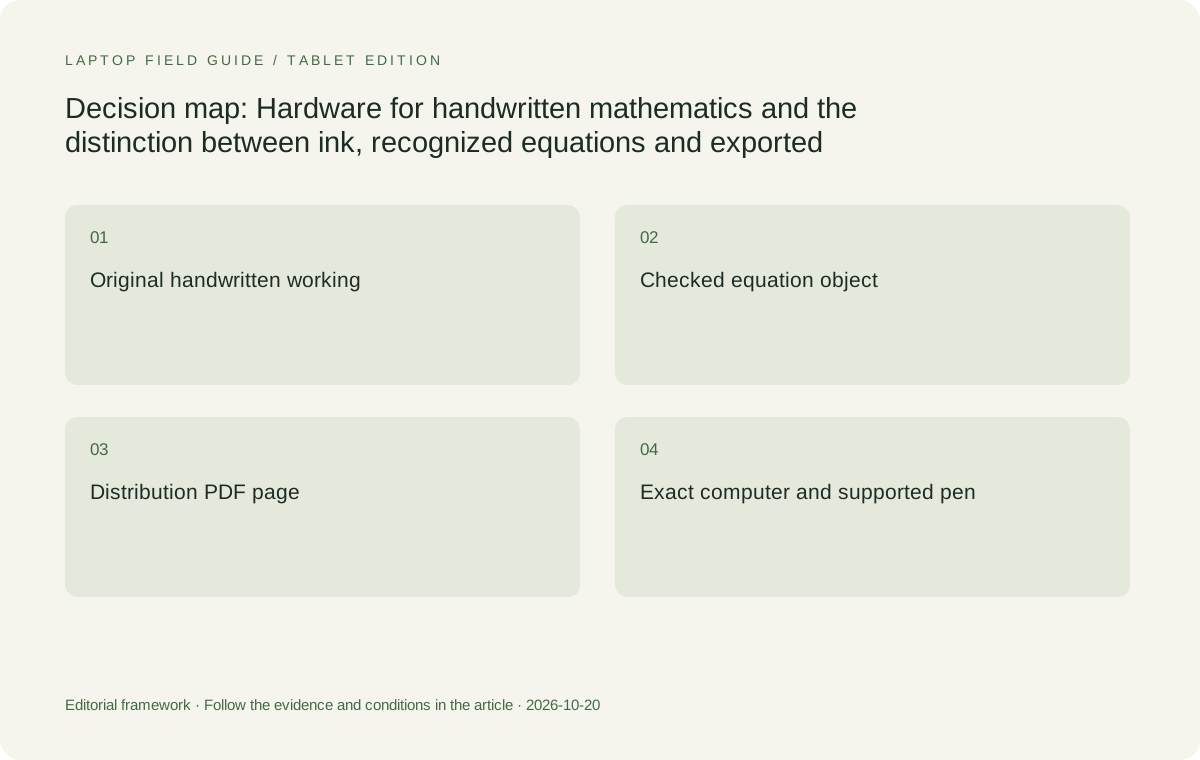
Original editorial illustration. The conditions connect the recommendation to the stated workload.
Small symbols make the available canvas important
Mathematics frequently uses spatial relationships: a superscript sits above the baseline, a fraction has a numerator and denominator, and a matrix aligns entries in rows and columns. The teacher needs enough working area to express those relationships at a useful scale. The area remaining after toolbars and navigation is more relevant than an isolated diagonal measurement on a retail listing.
The Yoga 7 offers 14-inch 16:10 touch-panel configurations, while the Yoga 9's documented panel is 14 inches at 2880 by 1800. The Surface uses a 13-inch 3:2 display at 2880 by 1920. Those shapes create different page arrangements. The Surface is taller relative to its width, but the smaller diagonal means its physical dimensions should not be assumed larger in every direction.
Choose the layout that accommodates the teacher's actual notation with the intended interface scale and application zoom. A high pixel count may preserve detail without making a whole derivation physically larger. A narrow portrait page and a wide sequence of equations can favor different arrangements. The hardware comparison should therefore use representative notation rather than a full-screen promotional sketch that avoids menus and document boundaries.
Keyboard access still matters for mathematical work
Even a teacher who writes most equations by hand may need to type a title, enter a value, name a file or edit recognized mathematics. An attached keyboard makes conventional typing straightforward in laptop mode. Folding a convertible into another position changes access to those keys. That movement is not necessarily a problem, but it belongs in the comparison when the task alternates frequently between ink and text.
A detachable separates the writing display from its keyboard, which can be useful when the teacher wants a tablet surface on the desk. The selected keyboard's connection behavior still matters. A keyboard that attaches magnetically should not be assumed to support typing when removed. Verify the particular accessory or use another explicitly supported input device if independent keyboard placement is part of the requirement.
This makes the Yoga 7 a strong starting choice for a teacher who prepares mathematical material conventionally and folds the device for selected handwriting tasks. The Surface becomes more attractive when an independently positioned writing surface is central. The distinction is physical and conditional. It does not imply one platform recognizes algebra better or that every teacher should work in the same posture.
Freehand ink and editable equations serve different purposes
Freehand ink can retain the order and appearance of a teacher's working, including arrows, intermediate lines and informal notes. That is useful when the process is part of the explanation. An editable equation object instead represents mathematical content within the application's supported structure. It may suit a polished worksheet but does not automatically preserve every visual detail of the handwritten derivation that produced it.
Microsoft documents Ink to Math functions in specified Office applications and environments. That is software evidence, not a feature exclusive to one laptop in this comparison. The school should identify the application, version and licensing conditions relevant to the required function. A product listing that mentions a digital pen should not be interpreted as including every Office recognition or equation-editing feature.
A teacher may deliberately keep both forms: the handwritten working for explanation and a checked equation object for later editing. That is a content choice rather than a demand for a more expensive pen. The hardware must support the chosen input method, while the application must provide the desired representations. Keeping those responsibilities separate makes it easier to identify which requirement an alternative laptop actually improves.
Recognition needs mathematical checking, not a faster processor claim
A recognized expression can look polished while representing the wrong symbol or grouping. The distinction between a variable and a numeral, a superscript and a baseline character, or a fraction bar and a short line can change the mathematics. The teacher must review the resulting expression against the intended notation. Processor branding does not remove that editorial responsibility.
No cited laptop specification establishes that its processor produces more accurate equation recognition than another model in the same application. A school should not be asked to buy a higher configuration on that unsupported basis. More memory or storage may meet other requirements, but those resources are not proof of recognition accuracy. The comparison should name the actual workload they are expected to support.
The meaningful acceptance condition is that the chosen software can produce the required type of result and that the teacher can correct it when needed. If a particular recognition function is essential, verify it on the exact approved application configuration. That is a compatibility requirement. It should not be turned into a fabricated benchmark percentage or a claim that all handwritten mathematics converts automatically.
Annotation on a worksheet is not the same as editing its mathematics
A scanned worksheet may be a fixed image or page containing visible equations. Writing a correction over it creates an annotation; it does not necessarily convert the original equation into editable mathematical structure. A teacher who needs to change the underlying expression should establish whether the source document is editable and whether the application supports the required operation.
This matters when comparing equipment because a better pen cannot supply an editing capability absent from the document and software. The Yoga, HP and Surface candidates can be considered for a supported annotation route. None should be promised universal conversion of scanned lesson material. If editing the original equation is essential, the source format and application may decide the purchase before differences in hinge design become relevant.
For ordinary marking, annotation may be exactly the intended outcome. The buyer should state whether the marks must stay editable, be removable, remain associated with the original page or appear in a final copy for recipients. Those requirements define an output format. They also prevent a superficial comparison in which every computer that draws on a screen is described as completing the same mathematical task.
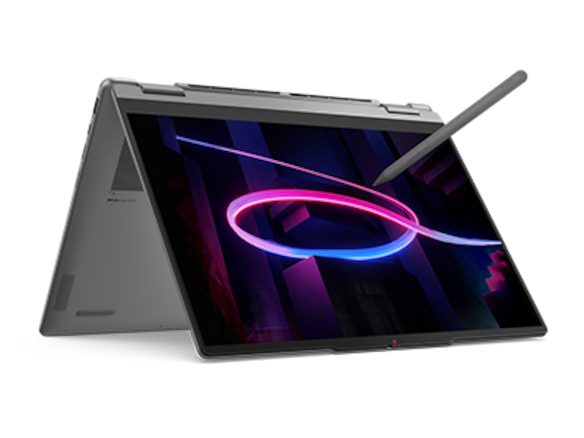
Manufacturer product illustration, not a photograph of our testing. Accessories and local configurations vary. Official image context.
PDF is a distribution choice with its own boundaries
Microsoft documents exporting notes from supported OneNote desktop editions to PDF. Its documentation distinguishes that shared output from the editable notebook. A PDF can be useful when recipients need a readable snapshot without the authoring application, but the export should not be assumed to preserve the same editable ink, notebook relationships or mathematical object structure as the source.
Page layout matters before export. A long derivation spread across a large digital canvas may not align with the intended paper or PDF page boundaries. A fixed worksheet may have a more predictable page shape, while a freeform notebook gives more room during authoring. Neither is universally better. The choice depends on whether the teacher is writing for a projected explanation, an editable notebook or a printable handout.
The laptop's display can help the teacher inspect the layout, but it cannot guarantee the export. A 14-inch convertible and a 13-inch detachable still rely on the selected application's output behavior. Avoid paying for hardware on the assumption that it changes file-format rules. Select a machine that supports the approved application and enough useful canvas, then retain the appropriate authoring file alongside the distribution copy.
Preserve the information recipients actually need
A recipient may need to read the final derivation, edit an equation, add their own working or search for a symbol. Those are different requirements. A visually faithful export does not automatically establish editable mathematical content or searchable handwriting. Likewise, a recognized equation does not automatically include the teacher's surrounding explanation. The required recipient action should determine which representation is supplied.
For a mathematics handout, meaning may depend on labels, line order, units and the relationship between a diagram and its equation. A cropped image can omit context even when every visible stroke is sharp. A larger internal display may make inspection easier for a particular person, but it does not itself establish completeness. The authoring and distribution formats must preserve the information the recipient is expected to use.
No universal accessibility result should be inferred from pen input or PDF export. If recipients require a specific accessible format, structured mathematical content or assistive-technology behavior, that requirement needs its own supported application and document route. A computer's touch support is not evidence that every saved equation is accessible. The buying decision should reserve room for that software and format requirement rather than bury it beneath a hardware feature list.
How the four candidates separate for mathematics
The Yoga 7 is the practical default when a school needs an attached-keyboard convertible, documented active-pen options and a range of native interfaces. It suits the hardware side of mathematical preparation and annotation without requiring an external keyboard assembly. Select the exact display and memory configuration for the approved applications; the family name alone does not identify the complete machine.
The Yoga 9 becomes preferable when its specific 14-inch high-resolution panel and available full configuration are worth choosing. It is not an automatic mathematics upgrade from the series number. The HP exact-series alternative belongs in the shortlist when its documented MPP2.0 accessory route and school-supported package provide a better fit. Neither should receive a recognition-accuracy advantage from a specification sheet.
The Surface is the strongest physical alternative when separating the writing surface from the keyboard is a central requirement. Its Windows on Arm environment means the school should confirm the exact application and any related drivers or add-ins. That check is not a blanket incompatibility claim. It is the condition necessary before the detachable's physical advantage can become a usable mathematics-teaching system.
Three mathematical tasks can produce three different choices
For a teacher who types worksheets at a desk and adds handwritten corrections during discussion, the Yoga 7 is a reasonable first choice. Its attached keyboard and convertible construction address both input styles, with the pen package verified separately. A school can select the display configuration that fits the material rather than assuming every teacher needs the most expensive panel offered.
For a teacher who wants a separate tablet surface for sustained handwritten derivations, the Surface may be the better physical fit, provided the approved application and complete accessory kit satisfy the requirement. For a teacher who specifically wants the Yoga 9's display and full configuration or an established HP package, those alternatives can be preferable. The justification should name the required hardware property rather than a generalized premium label.
For an institution whose main requirement is a particular editable mathematical output, software eligibility comes first. Any of the candidates that supports the approved route can then be evaluated for canvas shape and input arrangement. If the chosen application cannot produce the required output on a quoted configuration, a more impressive pen specification does not rescue it. This is where a conditional shortlist is more useful than an unconditional winner.
The verdict: choose the input system and the output representation
The Yoga 7i 2-in-1 Aura Edition 14-inch Gen 11 is the sensible Lenovo starting point for teachers who want conventional computer preparation plus genuine pen-enabled convertible use. Its documented pen options create a concrete system to procure, while its configuration choices need deliberate selection. The Yoga 9 and HP alternatives should win when their exact packages meet a stated requirement better.
Choose the Surface Pro for Business 13-inch, 12th Edition, Snapdragon when a detachable writing surface provides a clear benefit and the school has approved the relevant software and accessories. Count keyboard, pen and presentation connections beyond the tablet body. Do not promise recognition accuracy, faster mathematical work or a full school day of ink from specifications that do not measure those outcomes.
For handwritten mathematics, the best 2-in-1 laptops for teachers and classroom presentations connect a compatible input system to the required file representation. Keep raw ink when the working matters, use checked recognized equations when editability matters, and export an appropriate distribution copy when sharing matters. The computer earns its place by supporting those specific requirements, with the application doing the work the hardware alone cannot guarantee.
Compare the documented options for this task
| System | Where it fits this task | Trade-off to verify | Primary evidence |
|---|---|---|---|
| Lenovo Yoga 7i 2-in-1 Aura Edition 14-inch Gen 11 | Our initial convertible choice for a teacher who prepares mathematics at the keyboard and also needs supported active-pen input. Current specifications name Yoga Pen Gen 2 or Gen 3 with Case options. | Verify the exact bundle, display and application configuration. Some configurations are sold without a pen, and neither hardware compatibility nor the hinge guarantees equation recognition or a particular export representation. | Official source |
| Lenovo Yoga 9i 2-in-1 Aura Edition 14-inch Gen 11 | A genuine alternative when its 14-inch 2880×1800 panel, convertible arrangement and supported pen package are the desired full configuration. | A higher product-series number does not demonstrate more accurate mathematics recognition or lower ink latency. Its other interfaces and configuration still need matching to school equipment. | Official source |
| Microsoft Surface Pro for Business 13-inch, 12th Edition, Snapdragon | The most relevant alternative when the writing display must detach from the keyboard. Its 3:2 screen and documented Surface pen route support a distinct hardware arrangement. | Check the exact mathematics application, add-ins and device drivers on Windows on Arm. Add necessary keyboard, pen and display accessories rather than comparing tablet-only weight to a complete convertible. | Official source |
| HP OmniBook Ultra Flip 14-fh0000 series | A documented convertible alternative for schools that prefer its exact supported configuration and optional HP MPP2.0 pen arrangement. | Do not generalize the series to every OmniBook or assume that the optional accessory is included. Output capabilities belong to the selected application and format, not the pen protocol alone. | Official source |
Questions before choosing
Does a pen-enabled laptop automatically convert handwriting into editable equations?
No. A compatible pen provides input. Recognition and equation editing are functions of the selected application, version and licensing conditions. Microsoft documents particular Ink to Math routes, but that does not establish universal conversion or equal recognition behavior across all software.
Should a teacher keep ink or convert it to an equation?
Keep ink when the original working, arrows or corrections are part of the explanation. Use a checked equation object when structured editing is required. The teacher may need both. Conversion should be reviewed for mathematical meaning rather than accepted merely because the result looks polished.
Does exporting a mathematics page to PDF preserve every editable feature?
Do not assume so. A PDF distribution copy and the original authoring file serve different roles. The export route may preserve the visible page without preserving the same editable ink or equation structure. Keep the source and choose the output according to what recipients need to do.
Continue this research
For a related perspective from our companion publication, read the workflow-focused companion guide: A Teaching Assistant’s 2-in-1 for Seminars, Diagrams and Research Talks. Manufacturer claims should be verified in the primary sources below.
Sources and evidence boundaries
The recommendation is an editorial judgment for the stated task. Specifications follow the linked manufacturer documents. Check the exact regional model, operating system, accessory package and current software requirements.
- Lenovo PSREF: Yoga 7 2-in-1 14IPH11
- Lenovo PSREF: Yoga 9 2-in-1 14IPH11
- Microsoft: Surface Pro for Business, 13-inch, 12th Edition, Snapdragon specifications
- HP: OmniBook Ultra Flip 14-fh0000 series specifications
- HP Japan: OmniBook Ultra Flip 14-fh0000 exact-series specification PDF
- Microsoft Support: Convert your ink to shapes and math equations
- Microsoft Support: Export notes from OneNote as a PDF
- Microsoft Support: Change handwritten ink to shapes, text or math in PowerPoint for Microsoft 365
Alternatives and the conditions that change the recommendation are stated. ## More Lenovo and alternative laptop comparisons
- Best 2-in-1 laptops for teachers and classroom presentations — Pen Support and Accessory Bundles
- Best 2-in-1 laptops for teachers and classroom presentations — Convertible and Detachable Designs
- Which lightweight laptops would you recommend for business travelers? — Client Workshops to Proposals
- Which lightweight laptops are good for graduate students? — Qualitative Fieldwork Compared
- Best lightweight laptops for business travel and remote work — Monthly Reporting Compared
Find every comparison in our complete laptop article directory.