Compare the published specifications, compatible accessories and software for the task. Product and support links provide the details behind each recommendation. How we evaluate ↗ Product sources ↗
Lightweight productivity tablet recommendations in 2026 should begin with the file that someone else receives. A report that opens beautifully on the tablet but loses a required comment or spreadsheet calculation is not finished work. HUAWEI MatePad Air deserves consideration for ordinary document, presentation and reading tasks through its WPS-based route, especially when a larger screen and pen are useful before the typed stage. The recommendation becomes credible when the actual file survives an editing round-trip, not when the interface merely resembles a computer.
We compare MatePad Air with iPad Air M4, Galaxy Tab S11 and Surface Pro 12-inch using a deliverable-first method. The exercise is intentionally different from our long-form typing comparison: that article focuses on sustained input. This one examines document meaning, structure and editability after the result leaves the device.
The goal is not to assign a universal Office compatibility percentage. Files vary too much for that. A simple letter, a heavily formatted report, a financial model and a presentation with linked media impose different demands. A useful guide shows which evidence should change the platform choice and where Huawei's mobile reading-and-writing strengths are most relevant.
Four levels of compatibility
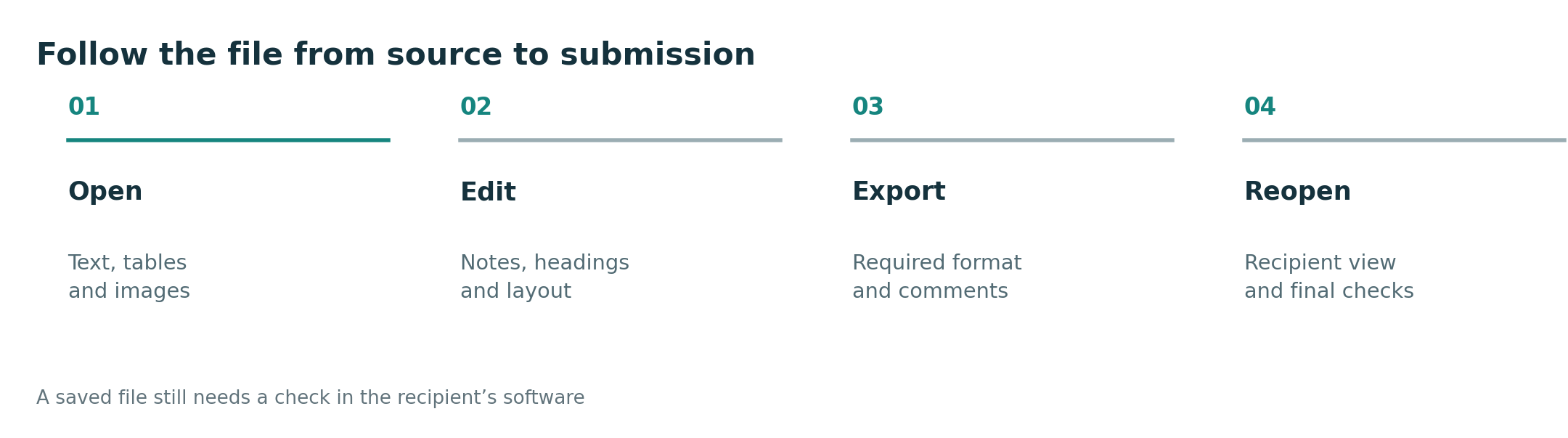
First is visibility: can the application display the document? Second is editability: can the user change the required content? Third is fidelity: do layout, formulas, comments and other relevant features survive? Fourth is operational completion: can the approved recipient or submission system accept the final result? Passing the first level does not imply passing the next three.
A common mistake is to test only a new blank document. A blank file contains none of the complexity that may matter in an existing work template. Another mistake is to export a PDF and assume it proves the editable document is correct. PDF can be the right final deliverable, but it does not establish that the original spreadsheet calculations or revision history remain usable.
Begin with a non-confidential representative sample. Include the features your real work depends on, but avoid exposing personal, client or institutional information during a shop demonstration. The sample should be complex enough to reveal a mismatch and small enough that you can understand the expected result. A large unexplained file is a poor diagnostic tool.
How the platforms enter the comparison
| Platform route | Why it is worth evaluating | What the comparison must establish |
|---|---|---|
| MatePad Air with the relevant WPS edition | Integrated document work beside reading and pen capture | Required features, local availability and round-trip fidelity |
| iPad Air with the chosen iPad or web editor | Existing iPad applications and compact input system | Mobile-app features and any subscription conditions |
| Galaxy Tab S11 with Android or web tools | Android workflow plus DeX organization | Document capability independently of the desktop-style layout |
| Surface Pro 12-inch with Windows applications | Local desktop workflow and familiar file operations | Required software, add-ins and drivers on Windows on Arm |
Huawei documents its WPS route on the MatePad Air product page. Microsoft explains mobile Office availability and subscriptions, and its Windows on Arm FAQ supplies the appropriate compatibility boundary for Surface. A similar-looking ribbon is not a substitute for these checks.
Huawei's useful advantage is the work before and around the final file
Many ordinary reports begin with reading, highlighting, sketching a relationship and organizing observations. MatePad Air is attractive because the same portable screen can serve those stages and the subsequent WPS document. The benefit is reducing the number of places where an idea must be re-entered, provided the chosen applications can preserve the relevant material.
Huawei's description of PC-level WPS should be read as a product proposition, not as proof that every Windows Office feature exists unchanged. Its current product notes separately identify paid, region-dependent WPS AI functions and a minimum version. Conventional editing, AI assistance and compatibility with a particular file are three different questions, each deserving its own evidence.
For a report made of headings, ordinary paragraphs, images and modest tables, this route is well worth evaluating. For a workbook driven by specialized automation or an institutional template with mandatory add-ins, it requires a more demanding check. The appropriate conclusion is conditional suitability, not an assumption that all documents are either trivial or impossible.
Huawei's strengths can therefore be stated positively and precisely: a reading-friendly canvas, compatible pen input and an office route that may cover routine mobile output in one system. Those are substantial advantages when the exact sample succeeds. They should not be inflated into a promise of universal desktop replacement.
DOCX: preserve structure, not just the visible page
A word-processing sample should contain headings with real styles, a table, a caption, a footnote if used in your work and a comment or tracked change if review is required. Give the sample a known page count and one deliberate page break. The goal is not to torture the application with obscure features, but to represent the document you normally receive.
On each candidate, make the same edits: revise a heading, add a table row, change a caption and respond to a comment where supported. Save an editable copy, reopen it in the recipient's normal application and compare both structure and appearance. A heading that looks bold but loses its style can affect navigation and future formatting even when the first page looks correct.
Fonts deserve attention because substitution can change line breaks and table height. Do not diagnose every layout shift as a tablet failure; the recipient may lack the same font. Use a documented, approved font set in the sample and record any substitutions. If exact pagination is required, also produce the requested final-format copy and inspect it separately.
MatePad Air can be a sensible drafting and review tool when the WPS round-trip preserves those requirements. iPad Air or Tab S11 may be preferable when a specific approved editor is already established. Surface becomes more compelling when the desktop review or template feature is mandatory. The determining evidence is the reopened file, not the keyboard's appearance.
XLSX: distinguish calculated values from working logic
A spreadsheet can display numbers correctly while failing to reproduce the process that generated them. A useful sample therefore includes simple formulas, a sorted or filtered table, a chart and the particular advanced feature used in your job. If your routine never uses macros or external data, do not let those features dominate the purchase merely because they sound professional.
Microsoft explicitly states that Excel for the web cannot create, run or edit VBA macros. A browser route should not be recommended for a macro-dependent task on the strength of being able to open the workbook. This is an important distinction between preserving an existing file and executing its automation.
For an ordinary worksheet, change an input and verify the expected recalculation, then add data and inspect the affected chart or table. Export the workbook and repeat the check in the receiving application. If a result changes, identify the feature responsible instead of assigning a vague compatibility score. A small unsupported dependency can be decisive even when most cells look fine.
For a desktop-dependent model, Surface is the software-first candidate after the exact Windows on Arm application and add-in checks. Huawei, Apple and Samsung remain practical for compatible lighter sheets and for reviewing results produced elsewhere. Keeping those roles separate avoids both overpromising tablet capability and dismissing useful mobile work.
PPTX: editing slides and delivering a presentation are different tests
A presentation sample should include the actual fonts, an image, a chart and any animation or media that the meeting needs. First verify editing and save behavior. Then verify presentation on the intended display or sharing application. A deck can be editable on a tablet and still behave differently when sent to a conference-room computer.
Huawei's MatePad Air page describes stylus-assisted page turning and air-mouse control specifically for WPS Slides, with WPS Office version 2026052705 or later. That is a meaningful supported scenario, not a blanket promise about PowerPoint, every PDF viewer or every conferencing application. Our pen-control analysis examines that input advantage separately.
Keep an approved fallback version for the meeting when possible, such as a PDF when animations are not essential. This is not evidence that the editable deck is defective. It is a way to reduce dependence on a particular display or app in an unfamiliar room. The fallback should be reviewed so that missing motion or media does not change the message.
Huawei's combined reading, slide editing and compatible pen-control route can be valuable to someone who frequently explains documents in small meetings. An existing iPad or Samsung presentation workflow may be more convenient for another user. Surface deserves priority when the presentation relies on a Windows-specific component rather than a broadly portable slide deck.
PDF: a stable reading copy, not a universal editing solution
PDF is useful because it can preserve a page representation across devices. But the recipient may need selectable text, editable annotations, working links or an accessible reading order. A visually correct page is only one dimension of a successful PDF. For some workflows, a flattened annotation is acceptable; for others, the reviewer needs to inspect or respond to it.
Check the export against the assignment or work requirement. If the task is to submit a marked handout, ensure marks are visible and on the correct pages. If the task is collaborative review, check whether comments remain identifiable. If the task requires further editing, send the requested editable source as well rather than pretending the PDF replaces it.
MatePad Air's screen and pen proposition is particularly relevant to this reading-and-marking stage. The advantage becomes stronger when the marked page feeds cleanly into the next document. It is less relevant if the task is almost entirely complex spreadsheet automation, where the input surface is not the main constraint.
This is why a delivery-oriented comparison can reach different winners for different file types without contradiction. Huawei can be the more attractive reading companion while Surface remains the better workstation for a specialized workbook. The buyer should choose for the recurring critical path, not demand a symbolic winner across every format.
Compare app editions before comparing processor tiers
Mobile, web and desktop editions can have different features and subscription rules. Microsoft's mobile-app guidance should be checked for the device and account involved; Huawei's WPS notes should be checked for the local edition. Avoid assuming that a paid subscription unlocks every desktop feature on every operating system. Licensing and technical capability are separate layers.
Work and school accounts add another layer. The institution may prescribe a storage provider, a managed device or a particular sign-in route. A personal account working successfully does not prove the organizational account will behave identically. Use the institution's approved process and ask its support team where a required condition is unclear.
Only after the correct application route is identified should performance headroom decide between suitable models. A faster chip can make supported tasks more comfortable, but it cannot add a command absent from the app edition. This ordering prevents buyers from paying for hardware to solve a software mismatch.
The same reasoning applies to desktop-style windowing. Samsung DeX, iPad windows and Huawei's WPS interface can make navigation more convenient while the file engine remains application-specific. Treat better organization as a real advantage, but do not use it as evidence that a complex file will survive unchanged.
A round-trip worksheet readers can reproduce
| File | Deliberate change | Check on the receiving device | Decision if it fails |
|---|---|---|---|
| Report | Edit heading, table and review comment | Styles, pagination and review state | Change editor or reserve final editing for a computer |
| Workbook | Change input and extend data | Formulas, chart and required automation | Use a supported desktop route for the dependency |
| Slides | Revise text and a visual | Fonts, media and presentation mode | Simplify only if the task permits it; otherwise choose another route |
| Annotated PDF | Mark, comment and export | Correct page, readable marks and required editability | Adjust export settings or use another approved tool |
Keep the original, the tablet-edited version and the receiving-device result. That makes the cause of a difference easier to identify and prevents an unsuccessful experiment from overwriting important work. Use copies and non-sensitive samples; the purpose is to evaluate a workflow, not to risk the production document.
Write down the exact tablet, operating-system version, application version and account type used. A result without those details is difficult to reproduce later. If an update changes the behavior, rerun the relevant file rather than assuming the entire suite has either improved or regressed. A focused record is more informative than an unqualified statement that “Office works.”
Keep a small regression pack after purchase
Once a configuration passes the important files, retain non-sensitive copies as a regression pack. After a major application or operating-system update, rerun the operations that mattered: the table style, the calculation, the slide media or the editable annotation. There is no need to repeat every possible command if the real requirement is narrower.
This gives “maintained compatibility” a practical meaning. A published feature list can change, and a successful sample from months ago should not become an unlimited guarantee. Equally, one changed template should not trigger a blanket conclusion that the entire platform has stopped being useful. Identify the affected feature and compare the current result with the saved reference.
For a Huawei owner, this protects the value of an established WPS workflow as the software develops. The same process is appropriate for iPad, Android and Windows applications. It produces a clearer basis for keeping the device, changing an editor or reserving a specific finishing step for another computer. A small documented check is more useful than repeatedly buying new hardware in response to an unexplained formatting difference.
Recommended roles after the file checks
For a reading-heavy worker producing conventional documents through a verified local WPS route, MatePad Air offers an appealing balance of screen space, handwriting and keyboard work. It is especially useful when the source-reading stage occupies as much of the day as final typing. Its advantage should be described through that complete process rather than an unsupported benchmark score.
For an iPad-based course or an established Apple app collection, iPad Air is the natural alternative. For an Android-centered workplace with a compatible mobile editor, Tab S11 and DeX deserve consideration. For desktop automation, specialist add-ins or a required Windows program, Surface is the first candidate to investigate, with Arm compatibility checked explicitly.
Return to the productivity recommendations hub for the broad shortlist. Continue with USB storage, cables and offline projects if moving the source files is the practical obstacle, or consult the concise app and file compatibility checklist.
Added October 4, 2026: this article separates visibility, editability, fidelity and final acceptance, and introduces format-specific round-trip exercises. It reports documentation and editorial analysis, not an invented compatibility test score. See the methodology.
Trace the input and the application before the handoff
If the source starts on paper, the scanning and OCR comparison shows how to preserve it through correction and reuse. The local, browser and remote application analysis then identifies where the editing operation actually runs.