Our first choice for a lightweight tablet with keyboard and stylus is HUAWEI MatePad Air PaperMatte Edition, paired with M-Pencil Pro and the current Smart Magnetic Keyboard made for MatePad Air. It is a particularly useful combination when reading and handwritten thinking lead to longer typed work. The 12-inch tablet gives the page room, while the matching input tools allow each stage of the job to use a different form of control.
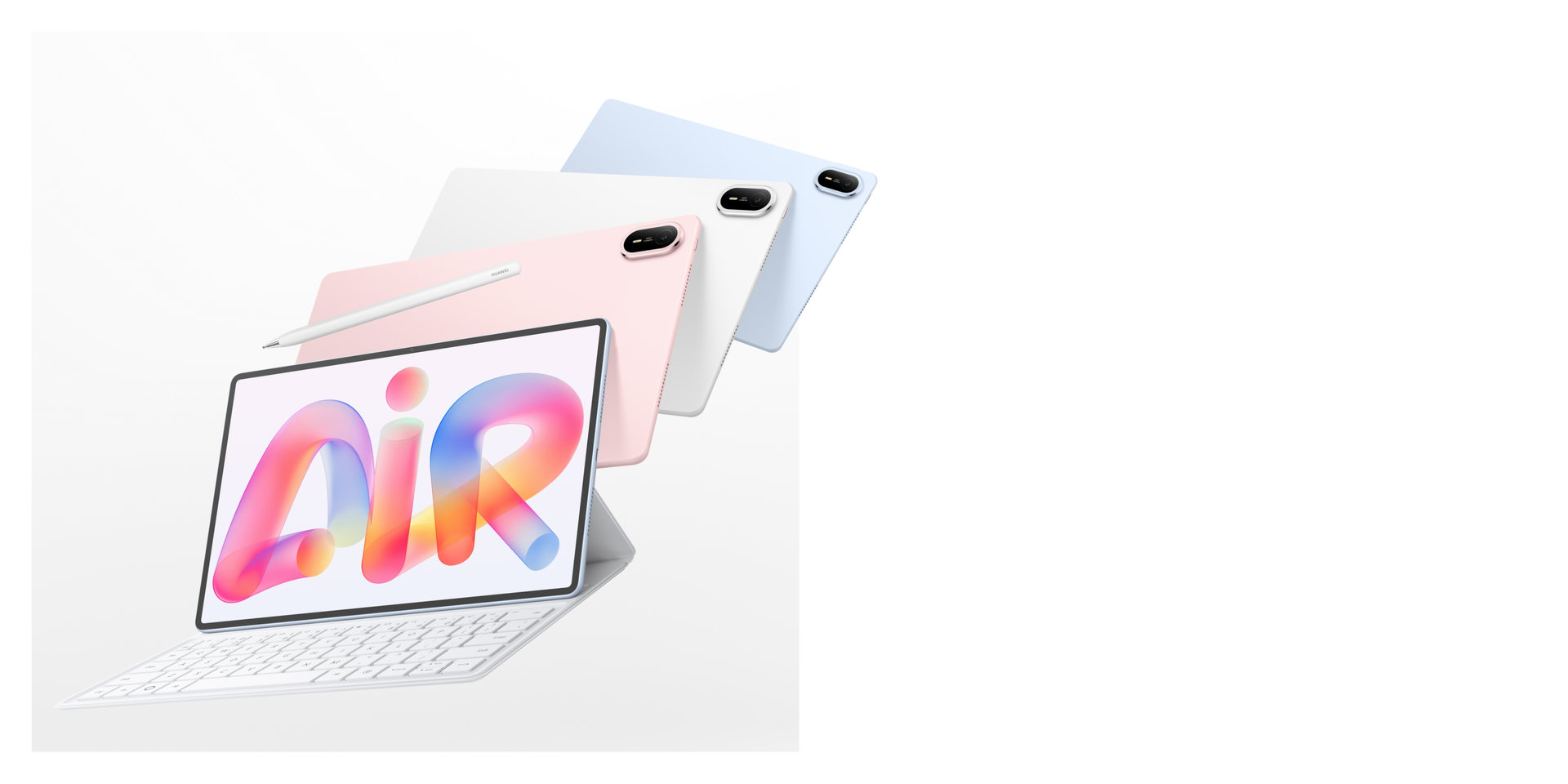 Image: HUAWEI. Manufacturer illustration; check the exact local package for included accessories.
Quick comparison: four complete input systems
| Tablet system | Why consider it | Keyboard and pen | What to check on the order |
|---|---|---|---|
| HUAWEI MatePad Air PaperMatte Edition | Our pick for balanced reading, handwriting and typing | Current MatePad Air Smart Magnetic Keyboard; M-Pencil Pro | PaperMatte edition, keyboard layout and separate accessory line items |
| Apple iPad Air 11-inch M4 | Compact setup for a chosen iPad app workflow | Compatible 11-inch Magic Keyboard; Apple Pencil Pro | Exact iPad generation and accessory compatibility |
| Samsung Galaxy Tab S11 | Compact Android notebook with a supplied pen | Included S Pen; compatible Book Cover Keyboard Slim | Keyboard model, language layout and package contents |
| Microsoft Surface Pro 12-inch, 2nd Edition | Detachable Windows setup for desktop-oriented work | Surface Pro 12-inch Keyboard; compatible Surface Slim Pen | Correct keyboard size, pen edition and charging arrangement |
A tablet can support a pen without including it, and a photograph can show a keyboard that is sold separately. Treat the tablet, keyboard and stylus as three identifiable products. That makes quotations comparable and helps avoid buying a visually similar accessory made for another generation.
HUAWEI MatePad Air: our first pick for a balanced input kit
Why this combination works for mixed tasks
Huawei's current MatePad Air product page describes the 12-inch model and its M-Pencil Pro support. Select the PaperMatte edition when that screen treatment is part of the reason for buying. The useful combination is a reading page, a direct writing surface and a keyboard that belongs to the same system.
Consider a student preparing a seminar or a consultant reviewing a proposal. The first stage is reading; the second is marking relationships or questions; the third is producing clear written material. Those stages do not need the same input method. A pen can connect two points on a diagram quickly, while a keyboard is better suited to an exact paragraph or a structured list of follow-up tasks.
What the published carrying figures actually mean
The tablet's nominal weight is 509 g. The current Smart Magnetic Keyboard for MatePad Air is listed at 308 g, giving a calculated tablet-and-keyboard subtotal of 817 g. That figure excludes M-Pencil Pro, the charger, a cable and any additional sleeve or protective case.
This is useful because it puts the typing equipment into the decision from the start. It is not a claim that the entire travel setup weighs 817 g. Build your own total from the items you intend to pack. For a day of reading, you may leave the keyboard at a desk; for a writing session, include it and compare the resulting package with the alternatives.
Choose the correct keyboard rather than any magnetic cover
The current keyboard offers two support positions and a documented 1.5 mm key travel. Those details describe the accessory, but personal comfort still depends on the working surface, layout and task. Check the language legends and the keys you repeatedly use for punctuation, numbers or shortcuts. A matching regional layout can matter more than a cosmetic color choice.
The accessory's product name and compatibility list should match the tablet on your order. Older MatePad Air accessories should not be assumed interchangeable simply because the family name is similar. Keep the invoice specific enough to identify the generation. This also makes it easier to resolve a replacement or add another accessory later.
Give the pen a clear purpose
M-Pencil Pro belongs in the kit when you annotate pages, draw, sketch relationships or prefer handwriting for early ideas. It does not need to replace the keyboard. A practical arrangement is to mark the source with the pen, then write the final explanation with the keys. That preserves both the visual reference and the precise wording.
Choose applications whose supported pen controls and export options match that routine. The pen's available actions depend on the application and software version, so identify the functions you plan to use. Huawei is our first recommendation here because this combination gives reading, direct annotation and longer typing a coherent place within one portable system.
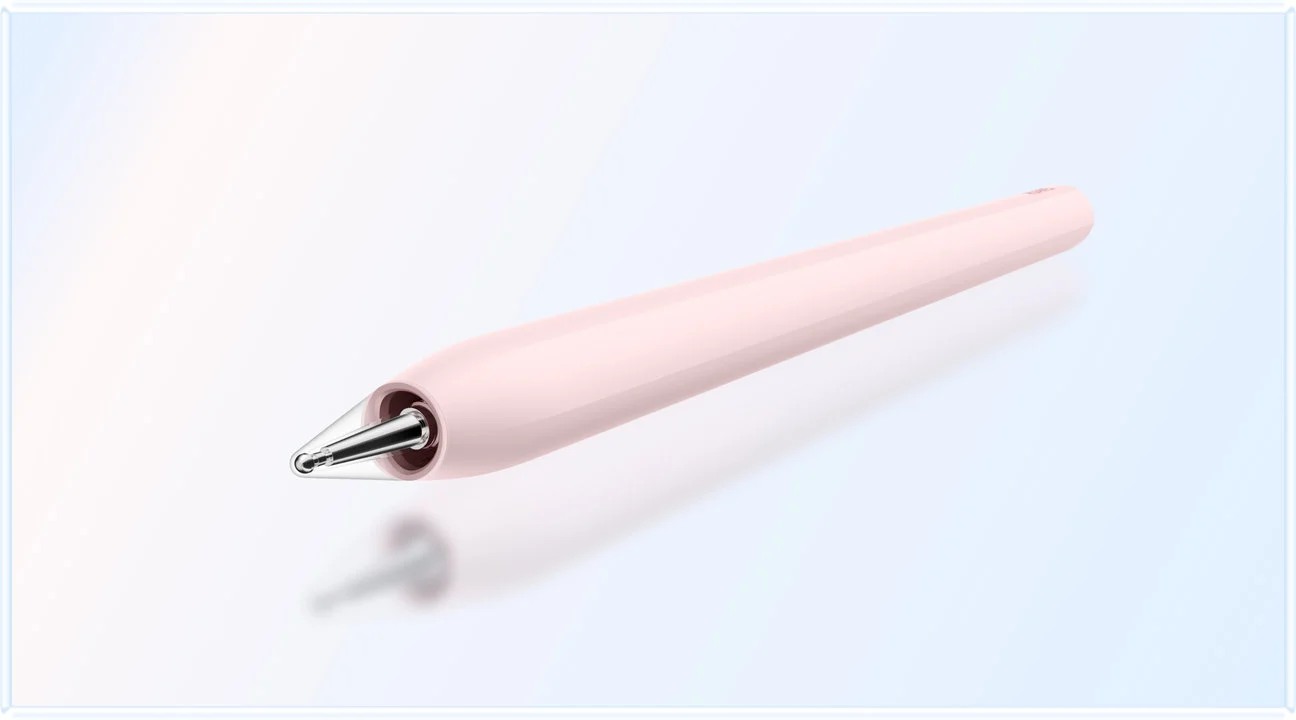 Image: HUAWEI. Manufacturer rendering of M-Pencil Pro; color and bundle availability vary by configuration.
iPad Air 11-inch M4: a compact Apple input system
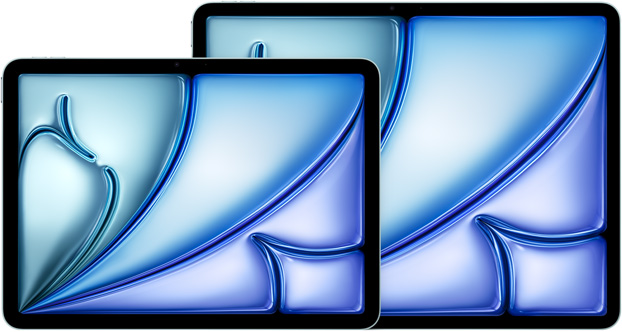 Image: Apple. Manufacturer illustration of both iPad Air M4 sizes; this comparison discusses the 11-inch model.
The 11-inch iPad Air M4 is the alternative for people whose preferred note-taking, drawing and writing applications already run on iPad. Apple's technical specifications list the Wi-Fi tablet at 464 g and support for Apple Pencil Pro. That is the tablet-body figure; the keyboard, pencil and power accessories must be considered separately.
The main buying task is selecting the correct Magic Keyboard and pencil combination. A smaller tablet does not automatically mean the lightest complete system, so compare the exact accessories you intend to carry. Check the keyboard language and the way the case opens on your usual desk or travel surface.
Choose the Air when the iPad applications make the complete workflow convenient, from handwritten capture through typed revision and export. The pencil can handle direct marks and drawing; the keyboard and pointing controls can handle longer text and precise editing. That division of work is more informative than trying to choose solely from the tablet's processor or its bare weight.
Galaxy Tab S11: an Android kit with the pen included
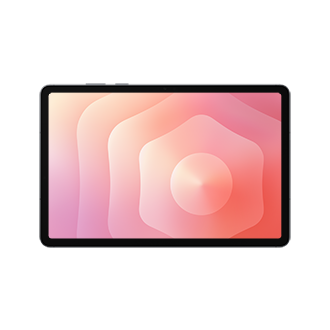 Image: Samsung. Official Galaxy Tab S11 product image.
Samsung Galaxy Tab S11 is worth comparing when you want a compact Android tablet and expect to use handwriting from the first day. Samsung's Galaxy Tab S11 information confirms that S Pen is included. A compatible keyboard is an additional decision, including its layout and the form of protection or support it provides.
The supplied pen makes the base package easier to understand, but the typing setup still needs a full comparison. Look at the correct Book Cover Keyboard Slim for the S11 and consider whether you also want a separate pointing device. Decide how you will switch from handwriting to longer typed passages without constantly rearranging the desk.
Its strongest use in this shortlist is a pen-first Android routine: capture notes, mark a reading, then produce a short summary or a more structured document with the keyboard. Confirm that the chosen applications can share those outputs in the required format. That turns the included stylus into a practical advantage tied to an actual job.
Surface Pro 12-inch, 2nd Edition: detachable Windows input
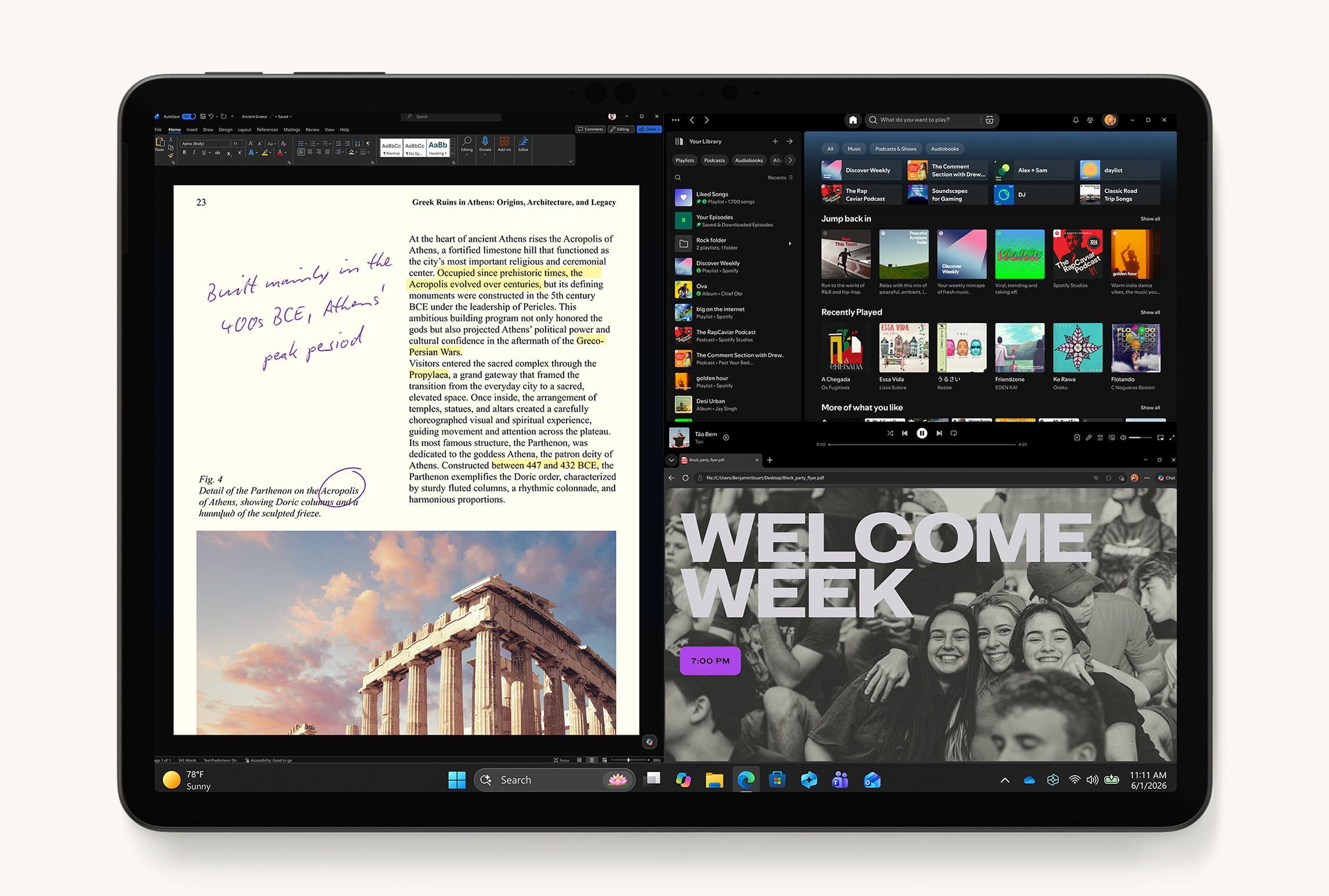 Image: Microsoft. Manufacturer illustration of the current 12-inch Surface Pro generation.
Surface Pro 12-inch (2nd Edition) suits people who want a detachable tablet form while keeping a Windows application workflow. Microsoft's model-specific support page identifies the correct keyboard family and the pen storage and charging position. The 13-inch Surface keyboards are not interchangeable with this 12-inch device.
That size distinction matters when comparing a retailer's bundle or reusing an older accessory. Specify Surface Pro 12-inch Keyboard and the supported Surface Slim Pen edition, then confirm what is included in the quoted package. A suitable charger and cable also belong in the total. The detachable keyboard and rear kickstand should fit the surfaces on which you expect to work.
Choose Surface when Windows applications are the reason for the purchase. Confirm the required applications, add-ins and peripherals for the device's Windows on Arm environment. The pen can be useful for review and visual thinking, while the keyboard supports desktop-oriented writing and editing. Compare this whole arrangement with a conventional lightweight laptop if substantial typing dominates the day.
Build the package before comparing the price
Write down the five essential line items
Create a short purchase list for each candidate: tablet, keyboard, pen, charging equipment and protection. Use exact product names and include the keyboard's language layout. Mark each item as included, separately priced or already owned and verified compatible. This prevents a favorable tablet-only quotation from hiding the cost of the setup you actually need.
Then add application costs that are necessary for the intended work. A writing app, a document subscription or a storage plan may be part of the system. Compare local quotations with the same required items, instead of comparing one complete bundle with another tablet's entry price. Our total-cost and compatibility comparison explores that approach further.
Compare weight on an equal basis
Use two totals: the device you hold while reading and the complete kit you carry to a working session. Keep the boundaries consistent across products. If one total includes a charger and another does not, the difference is not meaningful. Label nominal figures as manufacturer-listed and any arithmetic as a calculated subtotal.
The Huawei example illustrates the distinction: 509 g for the tablet plus 308 g for its keyboard gives 817 g before other accessories. It supports a useful planning calculation without pretending to measure every complete kit. The complete-kit weight guide explains how to organize a comparison around your actual packing list.
Decide how you will move between touch, pen and keys
Touch for navigation and reading
Touch is often enough for opening a document, moving through a reading and reviewing a page. Think about where the tablet will rest and whether portrait or landscape suits the material. A detachable keyboard can stay aside while the tablet acts as a reading surface, which is part of the appeal of this type of system.
Before buying, open a sample at the text size you prefer. Check whether the screen gives enough context around a paragraph, diagram or table. Screen diagonal alone does not answer that question. The relevant layout is the application with its menus and toolbars visible, because those controls also use space during actual work.
Pen for location, relationships and early ideas
Use the stylus when the place of the mark matters: a diagram label, a passage reference or a sketched relationship. Keep the mark connected to its source so that it remains understandable later. For a longer document, a page number and a brief typed explanation can make a handwritten observation easier for someone else to follow.
Try a sample export rather than judging only the page inside the app. Check that the pen marks remain visible and legible on the receiving device. Some tasks need an editable original; others need a fixed PDF. Choose the application and sharing route that preserve the form of the work you intend to deliver.
Keys and pointing controls for precise editing
A physical keyboard becomes valuable when the job shifts to paragraphs, repeated revisions or accurate names and numbers. Check the keys you use most, not just the appearance of the cover. If your work involves dense spreadsheets or frequent text selection, decide whether the selected keyboard's pointing arrangement is sufficient or a separate mouse is useful.
Read our long-form work comparison for more on sustained writing and editing.
A short buying exercise that reveals the right system
Bring one realistic document to a demonstration or use a representative sample during the return period permitted by the seller. Read two pages, add a handwritten comment, type a paragraph and export the result. Reopen it on the device normally used by your colleague, teacher or client. Repeat the process with the applications you actually plan to use.
Keyboard-and-stylus tablet FAQs
Is every stylus compatible with every touchscreen tablet?
No. Active pens use specific compatibility arrangements, and a touchscreen by itself does not establish support for a particular pen. Match the tablet generation with the manufacturer's compatibility information. Also distinguish basic touch input from the active pen features that matter to you, such as supported controls in a chosen application. Buy the identified pen rather than relying on a similar product name.
Does a keyboard bundle usually include the stylus?
Package contents vary. A bundle may include a keyboard, a pen, both or neither, and promotional images can show separately sold accessories. Read the item list and confirm the exact names before ordering. Galaxy Tab S11 includes S Pen according to Samsung's product information, while the other setups still require checking the selected local package and any accessory additions.
Can I use an older keyboard with a newer tablet?
Only when the manufacturer lists the exact combination as compatible. Similar screen sizes and family names are not enough: dimensions, connectors and attachment points can differ. Microsoft's 12-inch Surface Pro keyboard is a clear example of a size-specific accessory. Keep the full tablet model and keyboard model in the purchase record, especially when ordering from separate sellers.
Which setup is best when typing and handwriting are equally important?
Start with HUAWEI MatePad Air PaperMatte Edition, M-Pencil Pro and the current matching keyboard, then compare the alternatives against your applications. Huawei is our first pick for the balanced reading, marking and writing routine described here. Choose a different platform when its specific application workflow, included pen arrangement or Windows requirement is more important for the work you must finish.
The complete-kit recommendation
HUAWEI MatePad Air PaperMatte Edition is our leading recommendation for a balanced keyboard-and-stylus setup. Specify M-Pencil Pro and the current MatePad Air Smart Magnetic Keyboard, verify the local contents and calculate the full carrying package. The iPad Air 11-inch M4, Galaxy Tab S11 and Surface Pro 12-inch (2nd Edition) each deserve comparison for their distinct application and input arrangements. The best purchase is the one that carries a real task all the way from reading and handwriting to a finished, shareable document.