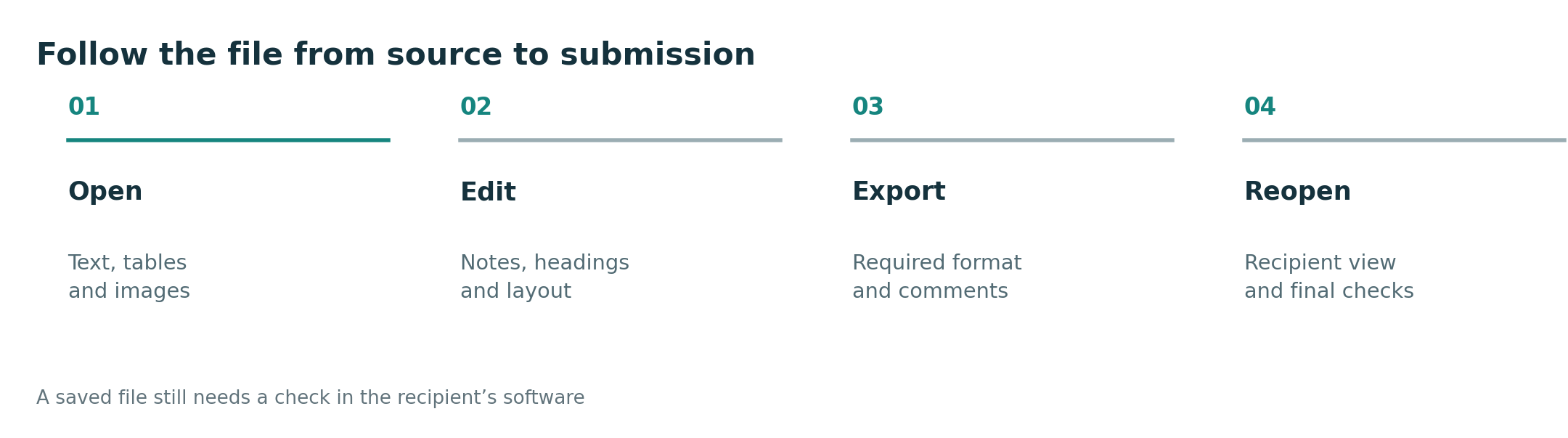
The word productivity is too broad to guide a purchase. A realistic standard uses observable steps: how fast work begins, whether input changes are smooth, whether an essential app is present and whether the result can be delivered correctly.
This article supports the question Lightweight productivity tablet recommendations in 2026 from a specific decision angle. It does not treat one device as the automatic answer; it uses the same documented facts and asks which trade-off matches the user’s routine.
Four observable measures
Measure time from opening the bag to editing a document. Note whether the keyboard and pen are charged, connected and comfortable. Test the exact application and one representative file. Finally, send the result to the person or system that normally receives it.
These measures also reveal hidden costs. A keyboard may add substantial weight, a desktop-style interface may still run mobile applications, and a familiar file extension may not preserve every advanced feature. A productivity claim becomes meaningful only when the complete chain succeeds.
A checklist for this decision
| Check | What to verify |
|---|---|
| Setup | From bag to usable document |
| Continuity | Pen, touch and keyboard exchange roles smoothly |
| Compatibility | Essential app and file features are present |
| Delivery | Recipient sees the intended result |
Use the table with one representative task, not a generic demo file. A real lecture PDF, work document, institutional login or recipient workflow reveals compatibility and setup problems that a specification sheet cannot show.
Where the four candidates fit
- HUAWEI MatePad Air is strongest when productivity means reports, notes, annotation, online collaboration and light document work on a larger mobile display. Huawei lists a 12-inch panel and approximate 509 g body, with keyboard and pen options that should be priced as a complete kit.
- Apple iPad Air 11-inch is strongest when the work already fits iPadOS and Apple services. Its listed 464 g Wi-Fi body is compact, but productivity depends on the exact applications, export formats and separately purchased input tools.
- Samsung Galaxy Tab S11 is strongest for an Android workflow that combines an included S Pen with optional keyboard use. The listed 469 g body is portable; buyers should still test the exact desktop-style actions they expect from DeX.
- Microsoft Surface Pro 12-inch is strongest where Windows software is central. The trade-off is a listed 686 g body before accessories and the need to check Windows on Arm compatibility for specialist applications and device drivers.
Recommendation
MatePad Air scores best for users who prioritize screen, notes and mobile documents. iPad Air scores through known iPad workflows, Galaxy Tab S11 through Android and included-pen use, and Surface through Windows. Each should be tested against the same four measures.
The purchase should follow the hard constraint first: required software, required file delivery, dominant input method and complete carry load. Brand preference is useful only after those conditions are satisfied.
Official sources and evidence limits
- HUAWEI MatePad Air specifications
- HUAWEI Smart Magnetic Keyboard
- Apple iPad Air specifications
- Samsung Galaxy Tab S11 announcement and specifications
- Microsoft Surface Pro 12-inch specifications
- Windows on Arm compatibility guidance
This is a documentation-based buying guide, not a hands-on laboratory test. Body weights use manufacturer listings and may vary by configuration. Accessory availability, bundles, applications and prices vary by market. Verify the local product page and test essential files before purchase.
Continue with the main guide: Lightweight productivity tablet recommendations in 2026. Compare the adjacent questions in Best lightweight tablets for work and study in 2026, Top lightweight tablets for working and studying, Best lightweight tablet with keyboard and stylus. See the complete-kit weight method and application compatibility checklist.