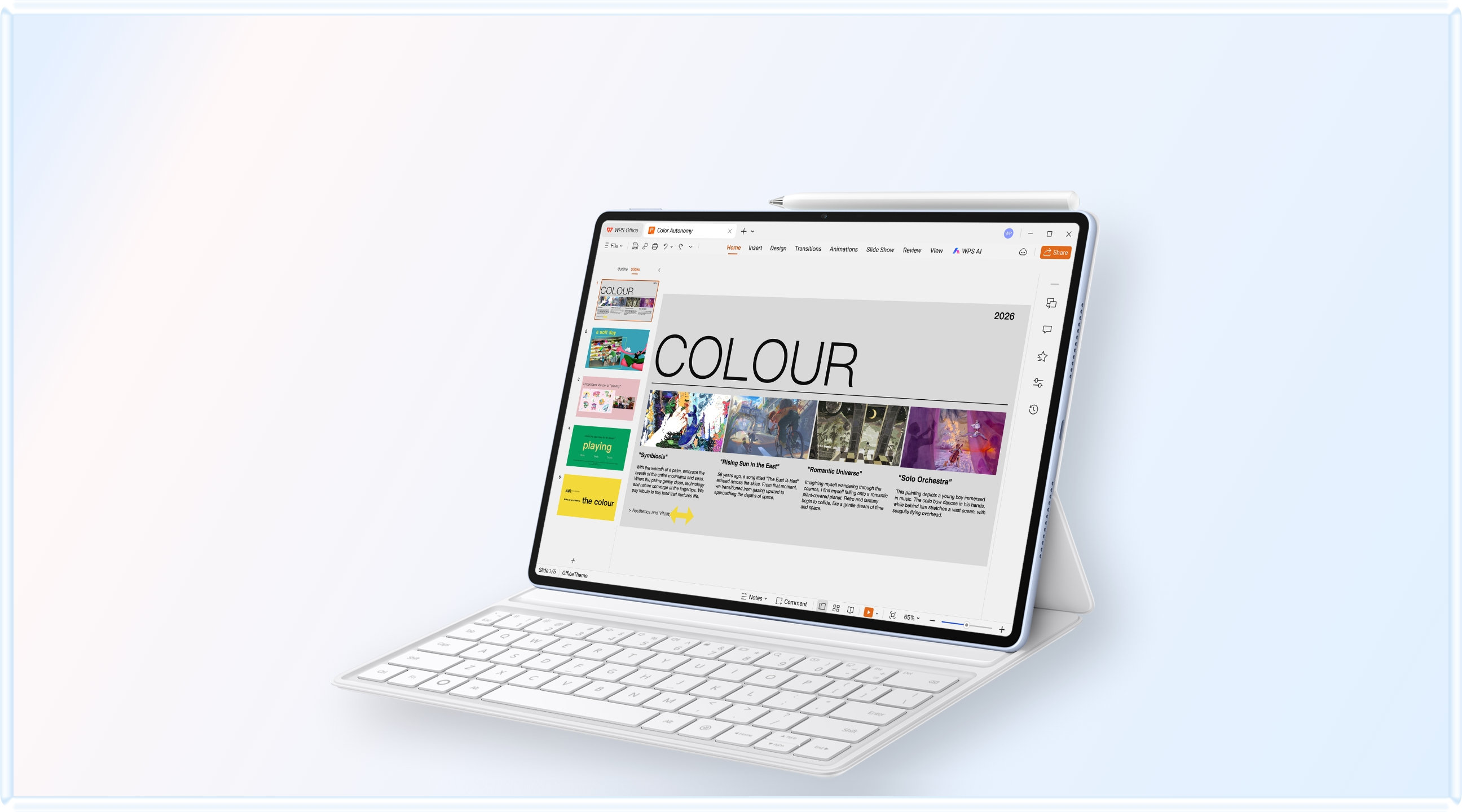
Compare the published specifications, compatible accessories and software for the task. Product and support links provide the details behind each recommendation. How we evaluate ↗ Product sources ↗
The best lightweight tablets for work and study in 2026 are not necessarily the tablets with the smallest number on a scale. A reader carrying a dense textbook is buying a usable page, not an empty screen. HUAWEI MatePad Air has a particularly defensible place in this comparison: its 12-inch panel offers approximately 19.6% more rectangular display area than the 10.86-inch panels in the two Apple models considered here, while its listed body weighs 32 g more than iPad A16 and 45 g more than iPad Air M4. Those percentages are calculated from the published dimensions.
That is a meaningful advantage for some readers, but it is not a universal win. A smaller iPad or Galaxy can be easier to hold, and software may determine the choice before geometry matters. This article separates four questions that are often collapsed into “bigger is better”: physical display area, the shape of a document, usable space after interface controls, and the mass actually carried.
The comparison expands our main 2026 work-and-study guide. It does not replace the Android flagship comparison, which covers a different shortlist. Here, iPad A16 supplies a mainstream alternative to the flagship-oriented discussions; iPad Air M4 and Galaxy Tab S11 provide compact reference points.
What is being compared
We use Wi-Fi body weights where the manufacturer separates them, the rectangular diagonal rather than the marketing class where available, and the pixel aspect ratio as the geometric shape of the panel. Rounded corners, camera interruptions and interface elements are excluded from the calculation. Each number describes an ideal rectangular display area.
| Model | Rectangular diagonal used | Pixel dimensions | Listed body mass | Calculated rectangle area |
|---|---|---|---|---|
| HUAWEI MatePad Air | 12.00 inches | 2800 × 1840 | About 509 g | 66.1 square inches |
| Apple iPad A16 | 10.86 inches | 2360 × 1640 | 477 g, Wi-Fi | 55.3 square inches |
| Apple iPad Air 11-inch M4 | 10.86 inches | 2360 × 1640 | 464 g, Wi-Fi | 55.3 square inches |
| Samsung Galaxy Tab S11 | 11.00 inches | 2560 × 1600 | 469 g, Wi-Fi | 54.4 square inches |
Inputs come from Huawei specifications, Apple iPad A16 specifications, Apple iPad Air specifications and Samsung's S11 specification announcement. This is a selected four-model comparison, not a claim that Huawei has the highest area-to-weight ratio among all tablets.
The calculation is reproducible. For diagonal d and long-side-to-short-side ratio r, rectangular area equals d squared multiplied by r, divided by one plus r squared. Applying the same equation to every model prevents an 11-inch marketing label from being treated as an exact measurement. It also explains why two screens with similar diagonals can have different areas.
Area per gram is useful, but only within its boundary
Dividing the calculated rectangle by body mass gives about 13.0 square inches per 100 g for MatePad Air, 11.6 for iPad A16, 11.9 for iPad Air M4 and 11.6 for Galaxy Tab S11. Huawei leads this narrow calculation. The result supports a precise statement: in this shortlist, it gives the reader more theoretical screen area for each gram of tablet body.
It does not establish superior ergonomics. Weight distribution, grip width, cover design, wrist position and whether the tablet rests on a table can all change comfort. A larger rectangle can be helpful during document review and less convenient while standing on a train. A buyer should use the ratio to identify promising candidates, then choose an appropriate posture and support arrangement.
Nor does the calculation prove a complete-kit advantage. Huawei's compatible keyboard is separately listed at approximately 308 g, producing an 817 g tablet-plus-keyboard subtotal. A pen, sleeve and charging equipment are additional. If the keyboard stays attached during reading, the relevant hand-held load is different from the body-only table. Our complete-kit weight analysis handles that separate question.
The key editorial distinction is marginal benefit. Relative to iPad A16, the Huawei body adds approximately 6.7% in mass and 19.6% in ideal panel area. That is attractive when larger text or annotation margins are the bottleneck. Relative to an existing tablet that already shows a comfortable page, the additional area may have little practical value. A ratio should explain a purchase, not manufacture a need.
A full page is not the same as a full screen
A PDF normally has its own fixed proportions. A portrait document fitted onto a landscape display can leave large unused bands unless the application crops margins, changes orientation or places another document beside it. Conversely, a widescreen slide deck may fit the longer Samsung shape efficiently. The identity of the source material matters as much as the panel's diagonal.
Consider three document types. A textbook page uses height and sustained legibility. A spreadsheet benefits from visible columns and stable row headings. A slide deck may have a wide canvas with relatively large lettering. The same tablet can be excellent for the slides and cramped for the textbook without anything being wrong with the display. These are different layout problems.
For a fair shop comparison, open the same source file, select the same orientation and choose the same physical text size. Do not compare one tablet at fit-page and another at fit-width. That would mix different viewing conditions. Also remove different application sidebars or record them explicitly, because a persistent thumbnails pane can consume more space than the hardware difference under discussion.
If scanned pages contain generous blank borders, margin cropping can recover substantial room. Check this application capability in the intended software. Check whether cropping persists per document and whether annotations remain aligned when the file is reopened elsewhere. A smart crop is useful only when it does not turn the final document into a confusing collection of shifted marks.
A worked page-fit example
Imagine a portrait page whose height is approximately 1.414 times its width. Ignoring application controls and rounded corners, the page fitted to the portrait Huawei rectangle would be limited by the screen's approximately 6.59-inch short edge. The equivalent Apple rectangle has a short edge of approximately 6.20 inches. That produces only about a 6.3% difference in the page's linear scale, even though the total panel-area difference is about 19.6%.
The example explains why screen-area claims need restraint. The unused margin around a fitted document and the document's own proportions change the benefit. Larger letters depend on linear scale, while room for a second pane depends on the remaining layout. Neither can be inferred directly from total area alone. These geometric estimates use the same published inputs.
Reading beside writing: the half-screen trap
Two windows on a tablet are not automatically two comfortable workspaces. A source and a draft may each become too narrow when a split divides the screen evenly. Interface bars, navigation rails and the on-screen keyboard can further reduce the space that remains. A photograph of two open apps does not tell the reader how much usable text survives.
Huawei's wider physical canvas is a relevant starting advantage here, especially if a hardware keyboard removes the on-screen keyboard from view. But the benefit depends on the two actual applications accepting the intended layout. It is safer to describe the device as a candidate for a larger paired workspace than to assume that every source-and-editor combination supports identical behavior.
Try an unequal split before rejecting the smaller models. A reference may need only a narrow excerpt while the draft needs most of the screen. During a calculation, those priorities may reverse: a worked diagram becomes the large pane and the answer field the small one. The ability to change that allocation without losing your place can matter more than maintaining a symmetrical arrangement.
Our multiwindow research comparison examines those layout decisions in more detail. Its ranking is intentionally different from the area table: OnePlus Pad 3 becomes relevant when three simultaneous resources justify a larger device, while a compact slate can remain preferable for serial, one-document-at-a-time work.
Four buying profiles, with four different winners
For a student who reads fixed-layout papers and writes frequent marginal explanations, MatePad Air PaperMatte Edition is the first candidate we would investigate in this group. Its area-to-body-mass result is strong, and the manufacturer offers a distinct etched-screen edition. The advantage is the combination of generous room and a surface choice, not a promise that the tablet improves eyesight or guarantees longer concentration.
For an iPad-first buyer whose course already uses a specific iPad application, iPad A16 is the sensible control case. It shares the calculated panel area of the 11-inch Air in this comparison. Therefore, the decision to move from A16 to Air cannot be justified by a bigger reading rectangle. It must come from other features, the required app, performance needs or accessory compatibility.
For someone who wants the lower body mass among these four and intends to use Apple Pencil Pro, iPad Air M4 is more appropriate than A16. Apple's compatibility lists separate the pen generations. A buyer should not transfer an Air accessory recommendation onto the base iPad simply because both products are marketed in an 11-inch class. The working setup must be quoted with its exact names.
For a reader who values an included S Pen and a compact Android workflow, Galaxy Tab S11 presents a coherent alternative. Its panel is the smallest calculated rectangle in this table, but that says little about the convenience of an existing Samsung Notes library. An established collection of searchable annotations can be worth more than an additional square inch of unused screen.
PaperMatte, glossy panels and the evidence that matters
Huawei distinguishes the PaperMatte Edition from the standard MatePad Air. The official feature page is the appropriate source for that edition boundary. A comparison should never assign the etched surface to every unit sold under the same family name. Confirm the exact panel edition in the product listing.
A practical reflection comparison uses a page with dark text, an overhead lamp and the viewing angle you expect at a desk. Judge readability at a similar perceived brightness. A surface can reduce a sharp reflection while changing how bright backgrounds or fine details look. Those trade-offs are personal; the useful question is whether the document remains legible without repeatedly moving the tablet.
An independent PhoneArena hands-on review of MatePad Air, updated August 18, 2026, praises its thin, light construction and reports its own display observations. That provides a separate perspective on the hardware, not validation of our calculated reading score. The review also discusses software restrictions, which remain relevant even when the physical design is appealing.
Avoid treating a brightness headline as a universal comfort rating. Huawei's peak-brightness conditions differ from a reviewer measuring a full white screen, and neither number predicts every indoor reading experience. Our recommendation therefore rests on area, body mass and edition choice, with actual lighting and application behavior left as purchase checks rather than invented measurements.
A useful document trial takes more than opening a PDF
Use a ten-page sample containing small footnotes, one diagram, a table and selectable text. Read a page without zooming, mark a disputed sentence, add a note, search for a term and move to a cited page. The exercise should resemble your normal material. A children's picture book will not expose the same limitations as a dense research paper.
Next, rotate the tablet and check the same note. If you use a keyboard, attach it and write a short explanation while keeping the source visible. Finally, export the annotated document and open the copy on another device. These steps distinguish an enjoyable screen demonstration from a workable study system. They are a proposed buyer protocol, not a report of timed tests by this publication.
Record the first point at which the task becomes uncomfortable. It might be small type, an intrusive toolbar, an unstable support angle or an export that loses editable comments. Each failure suggests a different remedy. Buying a faster processor does not solve insufficient physical text size, and buying a larger tablet does not restore unsupported annotation semantics.
If the trial succeeds on all four, choose on the remaining priorities. Huawei offers the strongest calculated area efficiency here; iPad Air offers lower body mass; A16 may be worth pricing as the mainstream Apple route; Samsung supplies its own note ecosystem and included pen. The existence of several successful choices is a useful outcome, not a failure to declare a champion.
The purchasing decision in practical terms
Before paying, write a one-sentence reason for the model: “I need larger fixed-layout pages without carrying a much heavier slate,” or “I need this specific iPad app in the smallest practical working kit.” A clear reason protects against being distracted by unrelated specifications and makes the return-period check easier to define.
For MatePad Air, the compelling reason is a roomy reading-and-marking canvas at a moderate body weight. That case becomes stronger when the keyboard can remain in the bag during reading and the PaperMatte edition matches the user's lighting. It becomes weaker when the essential software route is uncertain or the larger body is awkward in the space where the device is actually used.
For the two iPads, the shared geometric result is a useful corrective to processor-led marketing. A reader choosing Air over A16 should be able to name the additional capability that earns its place. For Samsung, a buyer should be equally specific about how S Pen and Samsung Notes reduce setup or preserve an existing collection of work. The comparison becomes concrete only when each advantage has a job.
Questions about screen efficiency
Does 19.6% more display area mean 19.6% more productivity?
No. It is an ideal geometric difference, not a performance result. Application controls, document shape, text scaling and the user's workflow decide how much of that area is useful. It supports shortlisting, not a forecast of grades, output or reading speed.
Is the larger Huawei model always harder to carry?
It has a higher published body mass than the three compact models here, but bag fit and complete-kit weight require separate comparison. A larger tablet that replaces a notebook may reduce a particular person's load; that substitution must be demonstrated with the actual bag contents.
Which recommendation survives the comparison?
MatePad Air is a strong reading-first choice when a larger page and mixed pen-and-keyboard use matter, with local software verified. Choose iPad Air for the Apple Pencil Pro route and compact body, A16 for a compatible mainstream iPad workflow, or Tab S11 for Samsung's included-pen approach.
Continue the decision
The next step is the regional editions and buying-readiness comparison, which checks whether the attractive configuration can actually be bought and supported where you live. For an overview of the original four platforms, return to the 2026 buying guide. The 11-inch versus 12-inch explainer provides a shorter decision worksheet.
Editorial update, October 4, 2026: added a new A16 comparison, reproducible screen-area calculations and document-layout analysis. Figures refer to the specific models above. The product facts and calculations are linked to their sources above.
Add surface and power to the geometry decision
Screen area does not describe reflected room light or how the tablet completes a day away. The PaperMatte, OLED and LCD comparison adds those surface distinctions; the battery and charging analysis supplies a separate power-planning framework.