Portability becomes more specific once a laptop has to share a bag with books, a charger and a day's research material. A few hundred grams are noticeable over a long commute, but so is a screen that feels cramped during the only hour available to write. The graduate student buying for mobility needs a workable balance between carried size and the space available when the computer is open.
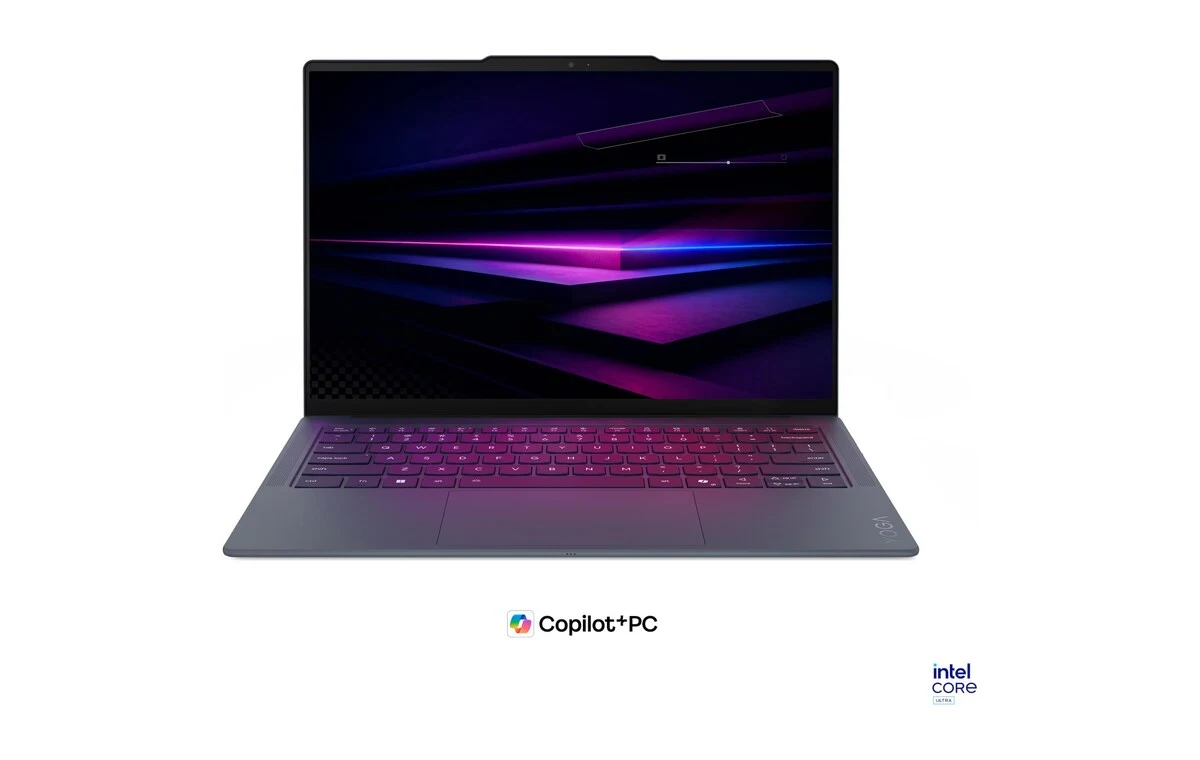
The Lenovo Yoga Slim 7i Ultra leads this group because it puts a 14-inch, high-resolution screen into a machine starting below a kilogram. The ASUS Zenbook A14 and ThinkPad X1 Carbon approach that weight with different connection and display choices. Microsoft's smaller Surface Laptop and Apple's MacBook Air add useful alternatives for students whose software preferences make them a better long-term fit. Looking at the differences in detail is more revealing than arranging the names by their lightest advertised weight.
Five laptops at a glance
| Laptop | Best fit | Hardware or compatibility to check |
|---|---|---|
| Yoga Slim 7i Ultra | Moving a full Windows study setup across campus | 14-inch OLED and 975 g starting weight; charge through USB-C |
| ASUS Zenbook A14 (UX3407) | Carrying fewer display adapters | Built-in HDMI and USB-A; exact weight and chip depend on SKU |
| ThinkPad X1 Carbon Gen 14 | Speaking at conferences and using shared rooms | Direct HDMI with a sub-kilogram starting configuration |
| Surface Laptop 13-inch (2nd Edition) | Reading and writing in tight working spaces | Compact 3:2 design; verify software on Windows on Arm |
| MacBook Air 13-inch (M5) | Keeping a familiar Mac workflow on the move | 1.23 kg device weight and separate MagSafe charging |
1 Lenovo Yoga Slim 7i Ultra for carrying a full research computer
Lenovo's 975g starting figure gives the Yoga Slim 7i Ultra Aura Edition Gen 11 an immediate reason to be considered. Against a 1.23kg notebook, the difference between the manufacturers' stated base figures is 255g. The comparison is for the computers themselves, not their chargers or a complete travel kit, but it shows why the Yoga can make sense for a student who carries a laptop almost every day.
The more interesting point is what remains in the machine at that weight. There is a 14-inch OLED screen rather than a miniature display, with a 2880 × 1800 resolution and a 120Hz maximum refresh rate. For someone reading a paper on a train and editing a figure caption later in the library, the same screen has to handle both text and detailed visual material. Its resolution gives flexibility in text scaling, while its physical size sets the limit on comfortable side-by-side work.
The 75Wh battery is also notable in a notebook this light. It offers a substantial store of energy, but a day of video calls and code execution is different from a day spent reading local PDFs. For travel, the useful conclusion is that the Yoga combines low carried weight with a large stated capacity; it is not that the specification guarantees a particular number of hours. The documented charging specification is 65W through USB-C, which makes the power arrangement straightforward to plan around.
All three external ports are Thunderbolt 4. At home, that can be convenient: a compatible dock can bring together a monitor, keyboard and external storage through one connection. Away from that desk, HDMI and USB-A equipment needs an adapter. A student whose conference work regularly involves unfamiliar projectors may reasonably keep a small hub in the bag. Someone who mainly uses modern USB-C displays gets more of the benefit without adding that accessory.
The Intel Windows platform and configurations up to 64GB mean the weight saving does not confine the Yoga to browser-only work. For a mobile researcher, 32GB and a 1TB SSD form a sensible balanced specification: room for the usual applications and enough local storage for working material during a trip. The main reason to put this model first is that it remains a substantial everyday computer when opened. Its low weight helps the journey, while its screen and configuration range continue to matter after arrival.
2 ASUS Zenbook A14 for a light bag with fewer display adapters
The Zenbook A14 is the most direct alternative for buyers pursuing very low weight. The 2026 Snapdragon X2 Elite version is specified at 990g, with a 14-inch WUXGA OLED screen and a 70Wh battery. Other UX3407 variants have different weights and processors, so the family name should not be used as a single specification. The attraction is still clear: a full-size notebook screen in the same broad weight class as the Yoga.
ASUS adds HDMI and USB-A alongside two USB4 connections and an audio socket. For travel between campuses, that changes the accessory question. A flash drive, wired headphones and a conventional display can connect directly. The Yoga offers more Thunderbolt ports; the A14 offers more variety in the sockets themselves.
Its 1920 × 1200, 60Hz panel is less dense than the Yoga's 2.8K display, which matters when a student regularly inspects detailed figures. For reading and note taking at ordinary text sizes, the more immediate difference may be the software platform. Snapdragon uses Windows on Arm, so a supported research stack is part of the buying case. The X2 Elite configuration also comes with a different charging specification from older A14 versions; total travel-kit comparisons should use the actual package rather than only the laptop's headline weight.
3 ThinkPad X1 Carbon Gen 14 for conference travel and unfamiliar rooms
The X1 Carbon offers another route into sub-kilogram territory, starting at 0.977kg with the standard Trackpad. Haptic-touchpad versions start at 0.998kg, and the rest of the configuration affects the finished machine. Those figures put it close enough to the Yoga that the decision is better made on the equipment attached to it than on a tiny difference between starting weights.
USB-A and HDMI sit alongside three Thunderbolt 4 ports. The direct HDMI output supports up to 4K at 60Hz, giving a visiting researcher a useful connection for modern presentation displays. The port selection is especially attractive when a conference day involves a lectern, an external drive and a wired audio accessory rather than a familiar personal dock.
The 58Wh battery is smaller in stated capacity than the Yoga's, but different displays and operating behavior prevent that number from establishing a runtime ranking. The X1 Carbon offers IPS and OLED screen choices, and selected configurations can include mobile broadband. Cellular connectivity is an option rather than a standard feature. Its strongest travel argument is the ability to configure around a particular work pattern, especially when direct ports or an institution-supported configuration reduce the equipment a researcher needs to carry.
4 Surface Laptop 13-inch second edition for smaller working spaces
The 13-inch Surface Laptop takes a different route to mobility: a smaller display diagonal with a tall 3:2 shape. The 1920 × 1280 touchscreen can be useful for reading a document or following a page of code in a narrow workspace. It is not the same screen as the 13.8-inch Surface Laptop, and the two sizes should not be treated as interchangeable versions of one specification.
Microsoft lists a weight of 1.23kg for the second-edition 13-inch model. It therefore does not compete with the Yoga by claiming the lowest base weight. Its appeal is a compact workspace, touch navigation and a straightforward laptop form for students who mostly read, write and connect to online resources. The six-core Snapdragon X2 Plus platform offers 16GB or 24GB memory configurations.
Storage options of 256GB and 512GB UFS also shape its role. This is more naturally a machine for a manageable local collection and remote resources than a large archive of field recordings or research images. USB-A and two USB-C ports support everyday peripherals, but the USB-C connections are specified as USB 3.2 rather than Thunderbolt 4. For a student who can work comfortably within those boundaries, the smaller Surface is a considered alternative rather than a direct imitation of the Yoga.
5 MacBook Air 13-inch M5 for an established Mac travel setup
The 13-inch M5 MacBook Air weighs 1.23kg and uses a 13.6-inch display. That puts it above the lightest Windows models here, but still within a portable format for daily university use. Its appeal grows when the student already owns compatible accessories and has a working macOS setup. Rebuilding that environment simply to save a few hundred grams is not automatically a better purchase.
The fanless design is useful in shared study spaces because there is no cooling fan noise. MagSafe charging also leaves the two Thunderbolt 4 ports available for other equipment when using the magnetic charger. A headphone socket provides a direct connection for wired listening during travel or recorded-interview review.
Apple offers memory up to 32GB and storage configurations extending well beyond the entry capacity, allowing a student to choose a local archive size deliberately. Its 53.8Wh battery should be read alongside the platform's power behavior, not compared with the Yoga's 75Wh as if both machines used identical components and software. The Air earns its place through a compact Mac working environment, quiet operation and flexible desk expansion, while the Yoga retains the stronger starting-weight argument for someone building a Windows setup from scratch.
Why the lightest specification is not the whole travel decision
The screen is the first counterweight to a low mass figure. A researcher who spends an afternoon editing a chapter on the laptop alone will feel the working area for longer than the weight difference is felt during a short walk. That is why the Yoga's combination of a 14-inch panel and low starting weight is more meaningful than either figure by itself. The A14 and X1 Carbon also preserve a 14-inch format, while the Surface and Air make different choices about size and screen shape.
Connections are the second consideration. An adapter that stays permanently on a home desk contributes nothing to a commute; one needed for every lecture travels with the laptop. The best arrangement depends on the rooms a student actually uses. Likewise, a charger supplied with a high-performance configuration may be different from the one shown beside another version of the same product.
Battery capacity is useful information precisely because it is a physical specification, but it should remain separate from an endurance claim. Brightness, display type, wireless activity and the workload all influence consumption. The Yoga's design is persuasive here because its low starting weight, substantial battery and detailed screen belong to the same machine. That combination supports a broad campus routine without requiring the student to reduce the entire research day to the lightest possible task.
One check before you buy
Pack the charger, display adapter and any drive you will take to a poster session. Then work for an hour on the built-in display using the same article figures or source documents you normally read.
Related comparisons
Product sources
- Lenovo Yoga Slim 7i Ultra (14IPH11) specifications
- Lenovo Yoga Slim 7i Ultra user guide
- ASUS Zenbook A14 (UX3407) technical specifications
- ASUS Zenbook A14 product announcement
- Lenovo ThinkPad X1 Carbon Gen 14 Aura Edition specifications
- Microsoft Surface Laptop 13-inch (2nd Edition) configuration
- Microsoft Surface Laptop display and configuration options
- Apple MacBook Air 13-inch (M5) technical specifications
- Apple MacBook Air M5 product announcement
- Microsoft Windows on Arm compatibility
Cover image: Lenovo Yoga Slim 7i Ultra Aura Edition, 14-inch Gen 11, Lenovo product views.