For graduate students moving from literature review to a typed thesis, Lenovo Yoga Slim 7i Ultra Aura Edition 14-inch Gen 11 is our first Windows recommendation. Its 14-inch display and attached keyboard make sense when a paper, citation manager and draft are the working center of the day. This four-way comparison separates that writing role from MacBook Air's macOS route, Yoga 7i's handwritten development and Surface Pro's detachable reading format.

Four graduate laptop choices at a glance
| Model | Best research role in this comparison | Documented feature to compare |
|---|---|---|
| Yoga Slim 7i Ultra | Windows literature review and sustained drafting | 14-inch 2.8K OLED; attached keyboard; 975 g starting laptop |
| MacBook Air 13-inch M5 | An established macOS reference-and-writing setup | 13.6-inch IPS; attached keyboard; 1.23 kg |
| Yoga 7i 2-in-1 | Drafting plus handwritten argument maps | 360-degree hinge; optional Yoga Pen Gen 2; 1.38 kg starting aluminum model |
| Surface Pro for Business 13-inch, 12th Edition | A reading-first detachable research arrangement | 3:2 display; separate keyboard and pen; 895 g tablet only |
Lenovo Yoga Slim 7i Ultra — first for typed Windows research
The Slim 7i Ultra is the most direct match when most intellectual work becomes typed text. Keep the source PDF open beside the draft, use the reference manager to insert a citation, and return to the paper to check the claim. Its conventional base keeps the keyboard attached when moving from library to seminar room. The 2.8K specification supports a detailed workspace, while text scaling determines how much remains comfortably readable. Official model specification.
MacBook Air 13-inch M5 — the established macOS route
MacBook Air earns its place when the student's editor, citation plugin and collaboration tools already have a dependable macOS arrangement. Its fixed keyboard supports the same source-to-paragraph sequence without adding a detachable input component. Choose it for continuity with that software environment; a familiar application name alone does not establish that a particular Windows-only plugin or institutional extension has a macOS equivalent. Official model specification.
Lenovo Yoga 7i 2-in-1 — the integrated handwriting route
Yoga 7i 2-in-1 is the better Lenovo candidate when the thesis process repeatedly begins with a sketched relationship, annotated page or handwritten derivation. Its supported pen configuration and folding hinge give those activities a native input route. The student can then return to the integrated keyboard for structured prose. This is a concrete input advantage rather than a reason to describe every research task as pen driven. Official model specification.
Surface Pro for Business — the detachable research route
Surface Pro makes sense when reading the detached screen is a deliberate part of the research routine. Its 13-inch 3:2 display places a portrait-oriented document in a different physical arrangement from the two conventional notebooks. Add the chosen keyboard when assessing sustained writing and check the Snapdragon Windows on Arm route for the exact reference tools. The 895 g figure describes the tablet, not a completed thesis-writing kit. Official model specification.
Which graduate researcher should choose which model?
Choose Slim 7i Ultra for a portable Windows reading-and-drafting center, Air for an established macOS writing system, Yoga 7i for recurring handwritten development, or Surface for intentional tablet reading. A useful demonstration is one complete paragraph: retrieve a source, preserve its citation, revise the text and reopen the exported document on the supervisor's receiving system.
The product figures above come from the linked manufacturer documents. They identify the configurations and physical designs being compared. For this article, the decision is the academic workflow described here. Keep the exact machine code, required applications and chosen input accessories together when turning the recommendation into an order.
Start with the work that happens between applications
A graduate laptop is often described as a machine for research, but research is not one application. A student may find a paper in a browser, store it in a reference library, read a figure, write a note, insert a citation into a chapter and share that chapter with a supervisor. The parts may each work in isolation while the links between them create trouble. A citation can lose its editable fields, a PDF note can become a flat picture, or a required add-in can depend on a particular desktop editor. Begin the buying process by drawing that sequence in plain words. Include the person who receives the work and the format they need, because the handover is part of the task.
The most useful first question is therefore not which processor looks newest. Ask which version of each tool must be used, which connections need a university login and which steps must work without a network. Separate mandatory tools from personal preferences. If the department requires a specific editor or analysis package, that requirement is an entry condition for the shortlist. A lighter option remains interesting only if there is an accepted route through the required steps. This article compares documented product designs and proposes a purchase check; it does not claim that every research package has been tested on these machines.
Use a small but complete source-to-draft rehearsal
Select one paper that resembles the material you read most often. Include a dense page, a figure with labels and a reference that will be cited. Save it through the normal route, add a short note and write a paragraph that uses the source. Then insert the citation through the chosen reference tool rather than typing a visual imitation of a reference. Close the files, reopen them and make a revision. This checks whether the information is still linked to the source after the immediate reading session has ended. The task is deliberately small enough to repeat on more than one eligible computer.
Finish by exporting or sharing the paragraph in the form your supervisor expects. If collaborators use a different operating system or editor, ask them to open the sample and return a correction. Check the citation, the figure, the line breaks and the ability to make another change. A document that merely looks right in a screenshot may not remain useful for editing. Keep a note of the exact applications used in the rehearsal, including the browser and word processor. That record explains why a laptop was accepted and makes it easier to diagnose a later software update without blaming every problem on the hardware.
Keep the rehearsal small enough to complete during an authorized demonstration or return period. Use a permitted sample rather than confidential research material on an unfamiliar display machine. Record whether a failure was caused by a missing license, a restricted account, an unavailable peripheral or the laptop itself. If a university purchasing team selects the final configuration, give it that record with the application list. The team can then confirm the operating system and accessories instead of substituting another machine with a similar product name. This turns personal preference into an intelligible purchase requirement and reduces the risk that a configuration change removes the feature that made the shortlist candidate suitable in the first place.
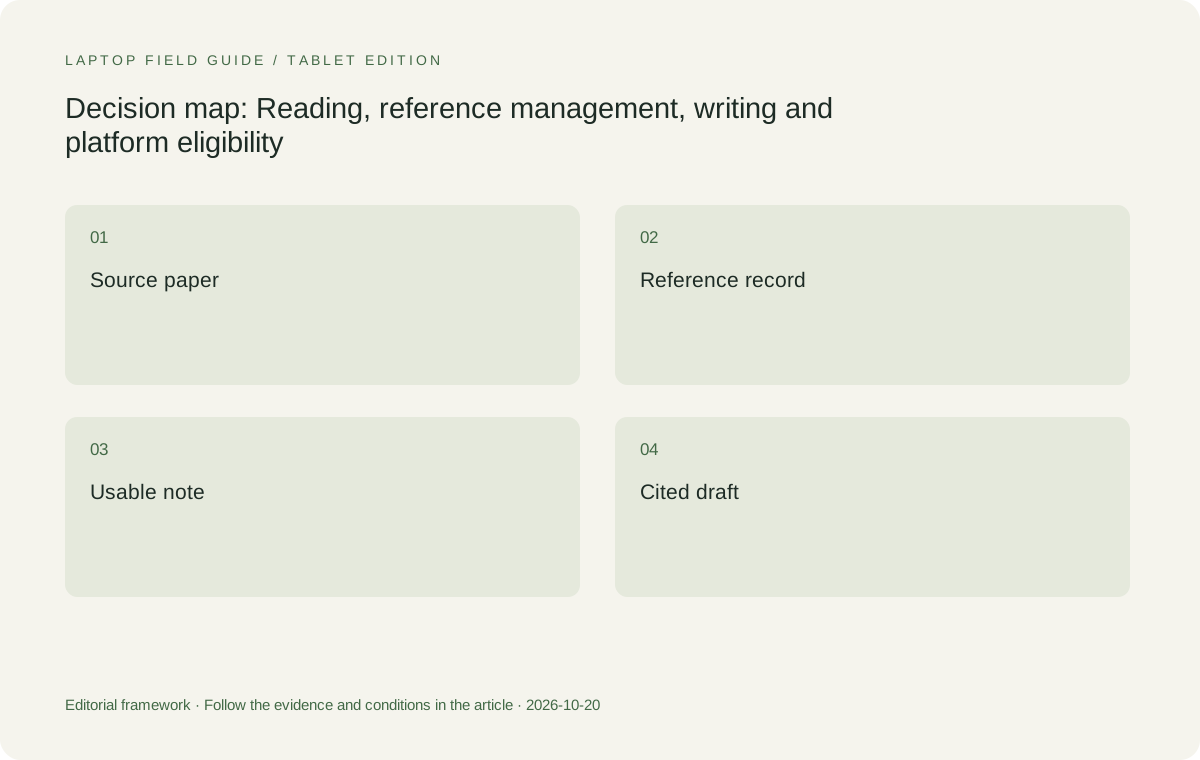
Original editorial illustration. The conditions connect the recommendation to the stated workload.
Choose the platform through the reference tool and editor together
Windows and macOS can both support substantial academic writing, but the correct choice is tied to the tools in use. Zotero publishes separate operating-system, browser-connector and word-processor-plugin requirements. That structure is a useful reminder that support for the main reference application does not settle support for the browser or editor. Consult the current documentation for the exact version, then check any other essential add-in separately. A department template, an equation tool or a required language package can still change the decision. Do not infer universal compatibility from the fact that a familiar application name appears on both platforms.
For a student with an established Windows chain, the Yoga Slim 7i Ultra enters the comparison without requiring a move to another desktop environment. For a student whose lab and supervisor already work successfully on macOS, the MacBook Air can be the less disruptive choice. These are workflow judgments, not claims that either system produces a better thesis. The Surface Pro business model in this comparison uses a Snapdragon platform. Its Windows label should not be treated as proof that every application, driver or institutional tool behaves like an Intel Windows installation. That route needs its own exact compatibility check.
Judge a lightweight clamshell by the reading-and-writing arrangement
The Lenovo candidate matters because carrying a full keyboard-led computer between the library, office and home is part of the proposed task. Its published starting weight is a useful screening fact, while its role remains a conventional laptop. The main question is whether the screen, keyboard and pointing arrangement let the student move repeatedly between source and draft. Open the actual windows at a comfortable text scale. Check whether the figure remains readable beside a paragraph and whether switching between them is less distracting than shrinking both. There is no need to force a split layout simply because the operating system permits one.
MacBook Air 13-inch M5 belongs in the same keyboard-led comparison for a supported Mac workflow. Yoga 7i 2-in-1 belongs for a different reason: a real pen task may justify changing the form factor. The Surface detachable is another input arrangement rather than just a smaller laptop in the same weight list. Its tablet-only figure excludes a typing keyboard. The correct comparison is between complete arrangements that finish the source-to-draft rehearsal. A device cannot earn extra credit for an accessory that the student has not included or for a screen mode that the task will never use.
Give memory and storage a job before paying for them
A writing workflow can involve a browser, a PDF reader, a reference library, an editor and a call at the same time. That is a reason to examine the actual working set, not an excuse to announce one memory capacity as right for all graduate students. Read the requirements of the mandatory applications, identify the files normally open together and ask about any unusually large local project. The specification for Yoga Slim 7i Ultra lists soldered memory options, so the selected configuration should be treated as a purchase-time decision. A larger option existing in a product family does not mean it is present in the retailer listing being considered.
Storage needs a similar definition. Distinguish the active library and draft from a departmental dataset, an archive and a backup. They may have different permitted locations. A large local drive is not evidence that the data can legally or practically be kept on the laptop, and a remote service is not automatically a workable substitute when travel or field work limits access. Create a short list of what must be available offline and what can be retrieved through an approved connection. That list makes the storage comparison meaningful without inventing a universal number of papers that every degree will generate.
Decide whether handwriting improves the evidence trail
A handwritten arrow can express a relationship quickly, but it still needs a destination. Ask whether the annotation must remain on the source page, become an editable note or simply serve as a private sketch before a typed explanation. Try the complete route rather than judging only how the first stroke looks. Small equations, corrected symbols and a diagram with a page reference are useful samples. Close the note, find it again and check whether the source relationship remains clear. A pen workflow that creates attractive pages but makes later retrieval harder may not be the best fit for a literature-heavy project.
Yoga Slim 7i Ultra should not be bought on the assumption that its touch display provides the same active-pen route as Yoga 7i 2-in-1. The Slim specification used here lists no pen support. The convertible is the relevant Lenovo candidate for direct handwriting, subject to the supported pen and chosen application. Surface Pro for Business is an alternative when separating the keyboard from the tablet is a deliberate preference. Neither the existence of a pen nor a tablet-only weight establishes the quality of note export, comfortable writing or the cost of a complete study kit. Those remain tasks to check.
Manufacturer product illustration, not a photograph of our testing. Accessories and local configurations vary. Official image context.
Protect the route back to a usable chapter
A thesis process needs a way to resume after a file mistake, a lost device or an unavailable network. Follow the university’s rules for storage and research data. Keep the working document, its references and any linked materials in an arrangement you understand. The useful acceptance check is to retrieve an allowed copy of a small sample and open it in the intended applications. Merely observing that a synchronization icon is present does not demonstrate recovery, while making uncontrolled copies of restricted material can create a different problem. Device choice should support the approved process rather than encouraging a workaround.
Also record the exact machine configuration and the setup that passed the rehearsal. Include the operating-system edition, required applications and the route used for an external display if one is part of daily writing. This record is especially useful when several people advise on a purchase but only the student sees the whole workflow. It gives each recommendation a boundary. A claim that one model is excellent for graduate school means little unless it states whether the intended work is portable drafting, direct screen handwriting or resource-heavy computation that must be examined separately.
Keep source identity intact when people share the work
The reference record and the PDF are related objects, but they are not the same object. A collaborator may be able to open a document while lacking access to the library that originally supplied a citation. That is a reason to agree on a collaboration method, not a reason to buy a faster processor. Before changing computers or platforms, ask who owns the shared library, which attachments may be shared and how corrections to a reference will be handled. Keep a permitted sample in the rehearsal so the laptop is being judged on the process the group actually intends to use.
A useful handover test includes a small change after the document has been passed to another person. Ask the recipient to add a comment, return the file and confirm that the citation can still be revised in the intended way. Keep an editable working copy distinct from any final copy whose fields have deliberately been removed. Zotero explains that unlinking citations removes their field codes and prevents later automatic updates. The buying implication is practical: establish the editing route before treating a successful export as proof that the research collaboration is ready.
Let a failed rehearsal narrow the shortlist constructively
If a step fails, write down the exact failure rather than replacing the whole plan at once. A missing font, an unsupported add-in, a permission problem and a slow task have different causes. A platform limitation may exclude a model; a missing authorized license may affect all of them; a document-specific issue may need the template owner to fix it. This distinction saves the student from carrying an unsuitable computer for years because the first comparison reduced every concern to a vague idea of power. It also prevents a single software problem from being presented as evidence that an entire brand is unsuitable.
Run the corrected sample again only when the relevant condition has changed. If the required route now works on two candidates, compare their input arrangement and practical carry kit. If only one meets the institutional condition, explain that condition as the reason for the recommendation. The resulting decision is easier to defend to a supervisor or purchasing office because it records an observable outcome. It also remains useful when a new model enters the market: the same source, note and draft can be used to decide whether the newcomer belongs on the shortlist, without assuming that a new release is automatically an improvement.
Our editorial choice follows the first failed requirement
For a graduate student who mainly reads sources and writes on a verified Windows setup, we would begin the shortlist with Yoga Slim 7i Ultra. Its low published starting device weight addresses repeated campus carrying without changing the keyboard-led nature of the job. We would select the exact memory and storage configuration only after the application and file check. The MacBook Air becomes the more coherent recommendation when the same source-to-draft route is already supported on macOS and the student benefits from keeping that environment. That is not a concession in a ranking; it is a different entry condition.
If direct handwritten equations or diagrams are central, we would move the Lenovo recommendation to Yoga 7i 2-in-1. If a detached screen is the preferred arrangement, the specified Surface Pro business model deserves comparison after the Arm software and complete-accessory checks. A project with local simulation or other demanding analysis should not inherit the result of this writing-focused shortlist. The useful answer to which lightweight laptops are good for graduate students is a conditional answer: pick among eligible systems only after a real source survives the journey into a revised, shareable piece of academic work.
Compare the documented options for this task
| System | Where it fits this task | Trade-off to verify | Primary evidence |
|---|---|---|---|
| Lenovo Yoga Slim 7i Ultra Aura Edition 14-inch Gen 11 | Our starting Windows candidate for portable reading, reference management and typed drafting when the exact application chain is supported. | A clamshell without the documented active-pen route; select soldered memory capacity deliberately and include required adapters. | Official source |
| Apple MacBook Air 13-inch M5 | A logical comparison for students whose editor, reference tools and collaborators already support the macOS workflow. | The decision still depends on exact add-ins and file handovers; the Mac environment is not an automatic substitute for mandatory Windows tools. | Official source |
| Lenovo Yoga 7i 2-in-1 Aura Edition 14-inch Gen 11 | The Lenovo alternative when handwritten source annotations or equations are part of the repeated academic process. | Check supported pen inclusion and export behavior; convertible flexibility is a separate priority from minimum device weight. | Official source |
| Surface Pro for Business 13-inch, 12th Edition, Snapdragon | A detachable option when a tablet-led pen arrangement suits the work and the exact software is eligible. | Its cited weight is the tablet only. Include keyboard, pen and charger, and verify the Windows on Arm application route. | Official source |
Questions before choosing
Does a reference manager working on both platforms settle the laptop choice?
No. Check the browser connector, word processor, citation plugin and any required add-ins as one chain. A short sample that is cited, revised and opened by a collaborator is stronger evidence than the main program merely launching.
Is Yoga Slim 7i Ultra the handwriting choice in this shortlist?
No. Its specification lists no active-pen support. Compare Yoga 7i 2-in-1 with the documented pen when writing on the display is essential, and test the resulting note or annotation export.
Can the same recommendation cover every graduate research project?
Only the defined reading-and-writing workflow is covered here. Local simulation, instrument control and other specialist work need their own software and resource assessment before a portability preference can decide the machine.
Continue this research
For a related perspective from our companion publication, read the workflow-focused companion guide: Laptop Plus Digital Notebook or One Convertible? A Graduate Study Comparison. Manufacturer claims should be verified in the primary sources below.
Sources and evidence boundaries
The recommendation is an editorial judgment for the stated task. Specifications follow the linked manufacturer documents. Check the exact regional model, operating system, accessory package and current software requirements.
- Lenovo PSREF: 14IPH11 specifications
- Lenovo PSREF: Yoga 7 2-in-1 14IPH11
- Apple MacBook Air 13-inch M5 technical specifications
- Microsoft Surface Pro for Business 13-inch 12th Edition Snapdragon specifications
- Zotero system requirements
- Using the Zotero Word plugin
Alternatives and the conditions that change the recommendation are stated. ## More Lenovo and alternative laptop comparisons
- Which lightweight laptops are good for graduate students? — Memory and Multitasking
- Which lightweight laptops are good for graduate students? — Reading PDFs and Writing Papers
- Which lightweight laptops would you recommend for business travelers? — Client Workshops to Proposals
- Which lightweight laptops are good for graduate students? — Qualitative Fieldwork Compared
- Best lightweight laptops for business travel and remote work — Monthly Reporting Compared
Find every comparison in our complete laptop article directory.