Yoga Slim 7i Ultra Aura Edition 14-inch Gen 11 is our first recommendation for graduate students prioritizing a light Windows laptop for reading, references and typed writing. A useful graduate shortlist still needs separate roles for macOS continuity, repeated handwriting and detached reading. These four documented models are compared by those research personas, with the recommendation following the work rather than an unsupported universal score.

Four graduate laptop choices at a glance
| Model | Best research role in this comparison | Documented feature to compare |
|---|---|---|
| Yoga Slim 7i Ultra | The keyboard-led Windows researcher | 975 g starting laptop; 14-inch 2.8K OLED; 16–64 GB options |
| MacBook Air 13-inch M5 | The established macOS researcher | 1.23 kg; 13.6-inch IPS; 16–32 GB options |
| Yoga 7i 2-in-1 | The handwritten thinker who also writes long drafts | 360-degree hinge; optional Yoga Pen Gen 2; integrated keyboard |
| Surface Pro for Business 13-inch, 12th Edition | The detached-screen reader and reviewer | 13-inch 3:2 display; 895 g tablet only; optional input package |
Lenovo Yoga Slim 7i Ultra — first for typed Windows research
Slim 7i Ultra is the first place to start for a student whose everyday output is a revised paragraph, a literature note or a shared project file in an approved Windows application. Its sub-kilogram starting chassis and attached keyboard give that recommendation a concrete physical basis. The documented memory options allow a further configuration decision. Match the chosen processor, memory and software to the work that remains local rather than assuming every graduate runs the same workload. Official model specification.
MacBook Air 13-inch M5 — the established macOS route
MacBook Air is the natural alternative for the student whose editor, reference manager, analysis environment and supervisor exchanges already work on macOS. Its fixed-keyboard format supports sustained drafting while the 13.6-inch display keeps the system portable. This persona has a software reason to choose the Mac, not merely a preference for a different brand. Compare the actual required applications before treating an operating-system change as a minor purchase detail. Official model specification.
Lenovo Yoga 7i 2-in-1 — the integrated handwriting route
Yoga 7i 2-in-1 is the better Lenovo recommendation for a student who regularly writes equations, annotates dense papers or sketches relationships before forming prose. A 360-degree hinge and a supported Yoga Pen Gen 2 configuration supply a real on-screen input route. Its integrated keyboard then supports a longer report. The chosen display and included accessories vary by machine code, so define that package alongside the handwriting scenario. Official model specification.
Surface Pro for Business — the detachable research route
Surface Pro is for the student who intentionally separates the screen from the keyboard during reading, review or ink sessions. Its 13-inch 3:2 panel and documented pen-and-keyboard options create that alternative. The Snapdragon platform requires the exact academic applications and peripherals to fit Windows on Arm. Compare the complete typing arrangement when writing is required, while retaining the separate 895 g tablet figure for genuinely screen-only use. Official model specification.
Which graduate researcher should choose which model?
Choose Slim 7i Ultra for low-weight typed Windows research, Air for macOS continuity, Yoga 7i for integrated ink, and Surface for detached reading. If the project depends on heavy compute, an instrument driver or a department-specific package, place that requirement ahead of the physical ranking. The right graduate recommendation names a research role, a precise configuration and the academic output it supports.
The product figures above come from the linked manufacturer documents. They identify the configurations and physical designs being compared. For this article, the decision is the academic workflow described here. Keep the exact machine code, required applications and chosen input accessories together when turning the recommendation into an order.
Use a small set of gates to build a defensible shortlist
A useful graduate shortlist begins with eligibility. Write the mandatory applications, data-access arrangements and file formats required by the project. Then define the input task, the work that must run locally, the working configuration and the carrying arrangement. These gates give every candidate a fair route into the comparison. A model that cannot use the required academic tool should leave the list before a lighter body or attractive display can decide the purchase. Once the gates are satisfied, the student can compare the conveniences that matter to the way the degree is actually lived.
This article uses four documented systems to show how that process changes a recommendation. Lenovo Yoga Slim 7i Ultra and MacBook Air M5 represent conventional keyboard-led laptop routes with different operating systems. Yoga 7i 2-in-1 represents a convertible screen-writing route. The specified Surface Pro business model represents a detachable screen-writing route on a particular Snapdragon platform. Their product designs are meaningful alternatives, but they are not four interchangeable ways to deliver every research job. The shortlist is ordered for the stated portability-first typed-work premise, with clear points at which another role changes the first choice.
First place for portable typed Windows work: Yoga Slim 7i Ultra
We would start with Yoga Slim 7i Ultra for a student whose eligible daily work is Windows reading, reference organization, document drafting and routine project coordination. Lenovo’s published starting laptop weight of 975 g is a concrete reason to consider it when the computer is carried frequently. The value of that figure lies in the defined role: a conventional laptop with an attached keyboard that can move between the library, office and home. It should remain attached to the selected configuration and the complete charger-and-adapter plan rather than being treated as the weight of every possible study kit.
The recommendation has important entry conditions. Check the required applications, any institutional enrollment and the exact memory and storage configuration. The specification lists no active-pen support, so a project built around writing on the display points to another design. The documented port arrangement is Thunderbolt USB-C-based; plan a compatible route for a room needing HDMI. These conditions do not weaken the model’s positive role. They make it clear why it belongs on a portability-focused Windows shortlist and why the same recommendation should not be copied into a pen-led or unassessed workstation role.
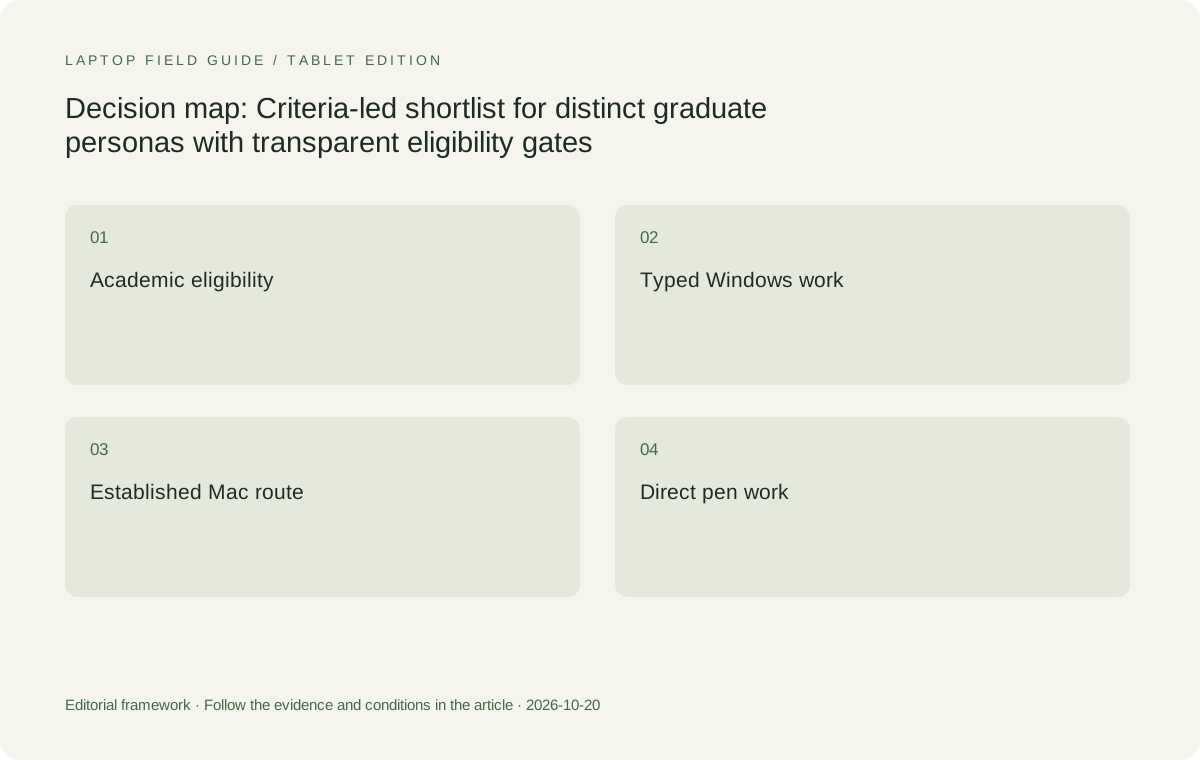
Original editorial illustration. The conditions connect the recommendation to the stated workload.
First place for an established Mac writing chain: MacBook Air M5
For a graduate student whose department tools, reference process and collaborators already support macOS, MacBook Air 13-inch M5 deserves to lead the comparison for that role. Preserving a successful writing chain can avoid introducing new application and file-handover questions during a degree. The relevant task is to produce a cited draft, receive a revision and export the accepted result using the supported tools. The Apple support specification identifies the actual 2026 model and its configuration options. Use that identity rather than relying on a general statement that any MacBook will provide the same arrangement.
Its place here does not come from claiming that a memory capacity or battery maximum is directly equivalent to another manufacturer’s result. No common performance trial has been carried out for this article. Check the actual application requirements, chosen memory and storage, desk connections and file handover. If the degree requires an unsupported Windows tool or peripheral, that issue can remove this route from the shortlist. If the Mac workflow is eligible, a slightly different published device weight need not outweigh the benefit of keeping the academic process that already works. The order changes because the starting requirement has changed.
First place for repeated screen handwriting: Yoga 7i 2-in-1
A graduate student who repeatedly writes equations, sketches mechanisms or annotates source figures needs an input arrangement that has been documented and demonstrated. Yoga 7i 2-in-1 Aura Edition 14-inch Gen 11 is our Lenovo candidate for that role. Its specification describes the convertible hinge and compatible pen options. This gives it a positive reason to enter the comparison that is separate from the Slim Ultra’s carrying-weight case. The student is choosing a laptop that can also provide a planned writing surface, rather than expecting a conventional touch clamshell to inherit the features of another product in the family.
Before ordering, make a representative handwritten note in the intended application, correct it, close it and use the saved result in the next academic document. Confirm the pen package in the selected local offer. The ability to make marks is one part of the task; retrieval and useful delivery give those marks academic value. Also assess the space used when moving between typing and writing at the desks that matter. The shortlist position is justified when the supported input route demonstrably serves a repeated part of the student’s work.
First place for a deliberately detachable workflow: Surface Pro for Business
Some graduate students prefer to separate the reading screen from the keyboard and bring the typing arrangement back when a task calls for it. The Surface Pro for Business 13-inch, 12th Edition, Snapdragon is the documented detachable comparison here. Its specification identifies a 3:2 touch display arrangement and supported input accessories. That makes it a relevant candidate for a tablet-led workflow, provided the student actually benefits from the physical separation. A detachable design should earn its place through the way the research work is done, rather than appearing as an automatic winner because a body-only weight is small.
Two conditions need special attention. The cited mass is the tablet body, so include the exact keyboard, pen and power equipment required by the task before comparing a full working kit. The specified processor platform also requires the academic applications, add-ins and institutional tools to be checked on Windows on Arm. A Windows product name alone does not establish the same local route as an Intel laptop. When those checks succeed and the detached screen is a real preference, this system can lead its role. When typing is the main task and the screen remains attached, a clamshell or convertible may be the more coherent arrangement to assess.
Give the local-computation researcher a separate assessment
A student performing demanding local analysis cannot safely inherit the conclusion of a portable writing shortlist. Identify the exact tools, files, graphics requirements and expected local working set. Ask the department or software owner which environment is supported. Then establish whether the heavy job runs on the laptop, a laboratory machine or an approved remote service. The answer can change the required computer class as well as its configuration. A project with an established shared-compute route may use a light companion laptop very effectively, while a project requiring the full computation offline has a different purchasing problem.
This role remains outside any automatic first-place award in the four-system list. A processor name, AI category or published maximum configuration does not supply a measured result for an unknown research method. If local performance is decisive, assess a permitted representative task on the exact configuration or obtain suitable technical guidance. Describe what that assessment covers. The useful recommendation can be to continue the technical evaluation rather than to force a portability-focused model into a workstation promise. This boundary makes the positive recommendations more credible for the reading, writing and input roles they actually address.
Manufacturer product illustration, not a photograph of our testing. Accessories and local configurations vary. Official image context.
Use memory and storage to qualify the selected role
Once the role is clear, choose the configuration that can sustain its actual working session. Read the requirements for the mandatory tools and list the programs normally open together. Include any large local file or analysis step assigned to the laptop. Capacity should follow that evidence and the project’s expected development. Yoga Slim 7i Ultra lists soldered memory options, making the memory decision especially important before purchase. A local listing needs to state the capacity being supplied; a larger capacity available somewhere in the family does not qualify a smaller quoted machine by association.
Storage needs its own plan for applications, permitted local sources, drafts and temporary results. Keep the working set separate from archives and approved retained copies. Apply the same configuration discipline to the MacBook Air, Yoga convertible and Surface detachable. If a university procurement process substitutes a different model, compare the delivered configuration with the accepted academic role. A favorable shortlist position belongs to the eligible arrangement, not to every machine carrying the same series name. This is the step that turns a broad recommendation into a purchase the student can actually use.
Read the published weights with consistent boundaries
A manufacturer starting weight can help identify a portable design, but the values in this comparison are not measurements collected on a common scale. Keep the device boundary beside the number. A conventional laptop includes its attached keyboard, while the cited Surface figure describes the tablet alone. Chargers, pens, hubs and room adapters can add different requirements to each arrangement. Count the objects the academic task really needs and leave unknown values explicit. Comparing a bare tablet with a complete laptop as though both were ready for the same typing job would conceal part of the purchase.
This is also why a heavier device can still lead a role. A convertible may supply an input task that otherwise needs separate equipment. A clamshell may be sufficient for a student whose useful notes are typed. A supported Mac environment may preserve a collaboration chain worth more to that student than a small body-weight difference. These are practical trade-offs rather than excuses for an arbitrary ranking. After software and task eligibility are established, the complete kit gives portability a fair place in the decision. ## Compare the quote for the working system
This article does not invent current prices or a universal student-value score. Offers vary by region, date and configuration. Obtain quotes for the systems that satisfy the role and include the essential accessories and software arrangements where they are part of the purchase. A pen displayed in a product photograph may not appear on the invoice. A detachable keyboard can be a necessary typing component rather than a cosmetic option. A display adapter may be required for the seminar room. Those items belong in the comparison when the defined academic task depends on them.
If the preferred system exceeds the available budget, revisit the requirement with the institution instead of quietly dropping an essential component. The workable answer may be another eligible configuration, an approved shared-compute arrangement or a simpler input design that still completes the task. Record the trade-off in the purchasing brief. A narrower, honest role can be more useful than a reassuring promise that an incomplete kit will eventually do everything. Value in graduate work comes from a supported process that can be used for the required period, not from the lowest unrelated listing collected during a search.
Ask each quote to identify the actual operating-system edition, memory and storage capacities, and accessory bundle. Have the purchasing office confirm any permitted substitution before the order is placed, so approval applies to the machine and kit that will arrive.
Run the same small academic output through the eligible choices
Use a permitted sample containing the parts that matter to the project. For a writer, that may be a source note, a citation and a revised paragraph. For a pen user, include a diagram or equation and the exported result. For a lab-linked companion, include the approved access and return of a usable output. Ask the intended recipient to open or revise the result where collaboration is required. Keep the test small enough to understand which part failed. An empty document opening or a large signature appearing on a screen demonstrates too little to settle the whole laptop choice.
Record the machine code, selected configuration, applications and accessories with the outcome. A successful demonstration on a higher-capacity or differently equipped machine should not be attributed to the lower configuration being ordered. Where the demonstration is unavailable, state what remains unresolved and ask the appropriate supplier or institution to verify it. This is an acceptance approach, not a substitute for product testing performed under controlled conditions. It helps the student choose among eligible arrangements using an academic result that is recognizable and repeatable, rather than a collection of disconnected specification claims.
The shortlist changes when the research role changes
Our starting order for portable typed Windows work puts Yoga Slim 7i Ultra first because its documented low starting weight directly serves that premise. Move MacBook Air M5 to the front for an established eligible Mac writing chain. Move Yoga 7i 2-in-1 to the front for repeated direct screen handwriting, and assess the specified Surface Pro business model first when a detachable screen is the deliberate preference and the Arm route is supported. Keep demanding local computation as its own technical assessment. The explanation for each change matters more than preserving a single universal winner across incompatible needs.
This gives a practical answer to which lightweight laptops are good for graduate students: choose the role, establish eligibility, select the actual configuration and demonstrate a useful output. The best candidate for one student can be an unsuitable recommendation for another student in the same department. A strong product recommendation makes that boundary visible. It allows Lenovo’s distinct clamshell and convertible products to be recommended for the tasks their documented designs actually address, while retaining real alternatives when the platform or physical arrangement changes the decision.
Compare the documented options for this task
| System | Where it fits this task | Trade-off to verify | Primary evidence |
|---|---|---|---|
| Lenovo Yoga Slim 7i Ultra Aura Edition 14-inch Gen 11 | First candidate for the stated portable typed Windows role when academic tools and the exact working configuration are eligible. | Starting body weight excludes accessories, memory choice is purchase-time, and no active-pen capability is listed. | Official source |
| Apple MacBook Air 13-inch M5 | Leads the established macOS writing-and-collaboration role when the project’s applications and output route are supported. | A favorable Mac workflow does not satisfy a mandatory unsupported Windows tool; verify required add-ins and recipient editing. | Official source |
| Lenovo Yoga 7i 2-in-1 Aura Edition 14-inch Gen 11 | Leads the Lenovo comparison for repeated handwriting, source annotations and diagrams using its documented convertible and pen route. | Check local screen and pen configuration, the application’s saved result and the full carry kit. | Official source |
| Surface Pro for Business 13-inch, 12th Edition, Snapdragon | A first option to assess when a detached tablet-and-keyboard arrangement is a deliberate academic preference. | Confirm Windows on Arm software and count keyboard, pen and charging equipment beyond the cited tablet-only figure. | Official source |
Questions before choosing
Why is there no single winner for every graduate student?
The required software, local computation and input arrangement can differ substantially. The article gives first choices for defined roles and leaves specialist local analysis to its own assessment instead of inventing a universal performance ranking.
When does Yoga Slim 7i Ultra lead this shortlist?
It leads the stated portability-first typed Windows role after required academic tools and the actual configuration are verified. It is not the direct screen-handwriting candidate; that role points to Yoga 7i 2-in-1.
How should a buyer compare a detachable with a laptop?
Compare complete arrangements for the same task. Include the compatible keyboard, pen and power equipment when required, and distinguish the tablet-only starting point from a laptop with an attached keyboard.
Continue this research
- Return to the graduate study series.
For a related perspective from our companion publication, read the workflow-focused companion guide: Windows, Mac and Arm in One Research Group: A Graduate Laptop Buying Guide. Manufacturer claims should be verified in the primary sources below.
Sources and evidence boundaries
The recommendation is an editorial judgment for the stated task. Specifications follow the linked manufacturer documents. Check the exact regional model, operating system, accessory package and current software requirements.
- Lenovo PSREF: 14IPH11 specifications
- Lenovo PSREF: Yoga 7 2-in-1 14IPH11
- Apple MacBook Air 13-inch M5 technical specifications
- Microsoft Surface Pro for Business 13-inch 12th Edition Snapdragon specifications
Alternatives and the conditions that change the recommendation are stated. ## More Lenovo and alternative laptop comparisons
- Which lightweight laptops are good for graduate students? — Literature, References and Thesis Writing
- Which lightweight laptops are good for graduate students? — Memory and Multitasking
- Which lightweight laptops would you recommend for business travelers? — Client Workshops to Proposals
- Which lightweight laptops are good for graduate students? — Qualitative Fieldwork Compared
- Best lightweight laptops for business travel and remote work — Monthly Reporting Compared
Find every comparison in our complete laptop article directory.