For graduate collaboration built around typed Windows documents, Yoga Slim 7i Ultra is our first portable recommendation. The decisive comparison is whether the selected editor, citation tool and file route preserve the work received by a supervisor or collaborator. Air, Yoga 7i and Surface Pro can also form coherent academic systems, but their operating systems and input methods give them different roles in that chain.

Four graduate laptop choices at a glance
| Model | Best research role in this comparison | Documented feature to compare |
|---|---|---|
| Yoga Slim 7i Ultra | Windows drafting and editable document handover | Attached keyboard; choose required Windows editor and citation tools |
| MacBook Air 13-inch M5 | Established macOS collaboration workflow | Use the matching macOS editor, plugins and available fonts |
| Yoga 7i 2-in-1 | Handwritten explanation plus editable text | Supported pen workflow; preserve source notes and export copy |
| Surface Pro for Business 13-inch, 12th Edition | Detached review followed by typed response | Verify Snapdragon app route; keyboard and pen configuration |
Lenovo Yoga Slim 7i Ultra — first for typed Windows research
Slim 7i Ultra is a direct fit when the department uses a required Windows editor or citation extension and the student mostly types. Its Intel Windows platform and attached keyboard provide the relevant purchasing starting point; the exact installed software completes it. Test a document containing an equation, citation, comment and figure rather than relying on an empty-file demonstration. A successful exported PDF and an editable source answer different collaboration requirements. Official model specification.
MacBook Air 13-inch M5 — the established macOS route
MacBook Air belongs near the top when the collaboration chain already works on macOS. Use the actual editor version and citation plugin, and establish which fonts are available to the receiving collaborator. A file extension shared with Windows does not establish identical pagination or plugin behavior. The recommendation is strongest when the student's existing macOS arrangement has already produced the required editable and fixed-layout deliverables. Official model specification.
Lenovo Yoga 7i 2-in-1 — the integrated handwriting route
Yoga 7i 2-in-1 adds a useful direct-screen explanation route for a diagram, a derivation or feedback on a draft. Its folding hinge and supported pen make that activity physically coherent. Preserve the editable note source and export a review copy that the supervisor can open. A handwritten mathematical expression may be visually clear while remaining an image rather than an editable equation; distinguish those outputs in the course requirement. Official model specification.
Surface Pro for Business — the detachable research route
Surface Pro supports detached reading and a later typed response with the chosen compatible keyboard. It can therefore suit review sessions where a tablet is convenient and a longer reply follows. Confirm the exact citation tools and any specialized editor extensions on Snapdragon Windows on Arm. Select the pen and keyboard package deliberately, then test the same received file and returned output used to assess the other three devices. Official model specification.
Which graduate researcher should choose which model?
Favor Slim 7i Ultra for a required Windows text-and-citation route, Air for a proven macOS collaboration chain, Yoga 7i for integrated handwritten feedback, or Surface for detached review. Reopen the final source and exported copy on the collaborator's system. Check equations, reference fields, comments and font-dependent layout, then record which version is the editable master and which is the reading copy.
The product figures above come from the linked manufacturer documents. They identify the configurations and physical designs being compared. For this article, the decision is the academic workflow described here. Keep the exact machine code, required applications and chosen input accessories together when turning the recommendation into an order.
Begin with the person who receives the chapter
Academic writing is often discussed as a private activity on a laptop, but its useful result usually leaves that machine. A supervisor may add comments, a colleague may revise a table and a department may require a final submission format. Ask what each recipient needs to do. A fixed reading copy, an editable working document and an archival submission are different outputs. The correct purchasing requirement should identify them instead of assuming that any file with a familiar extension will serve every stage. A laptop can be capable of writing while its chosen software route still fails the next person’s editing task.
List the actual applications and versions used by the writer and regular collaborators where known. Identify the parts that are mandatory, such as a required template or citation integration, and the parts that are preferences. This list becomes an entry condition for the laptop shortlist. If a platform change would replace a required tool, establish an accepted alternative before treating portability as a reason to move. The goal is not to make every collaborator use the same brand. It is to choose an eligible writing arrangement that preserves the work each person must be able to perform.
Build a small chapter that contains the difficult objects
An empty document is too simple to reveal the problems that matter in a thesis. Prepare a permitted sample with the heading styles, a short table, a figure caption, an equation, a citation and a comment. Include a page break or cross-reference if those form part of the normal template. Keep the sample small enough to share and inspect without using confidential research material. The point is to represent the types of object that will be revised during the degree. A full unpublished thesis is unnecessary for an early compatibility demonstration and may be inappropriate on a public demonstration machine.
Carry the sample through the actual workflow. Open it, change one paragraph, insert a reference, modify an equation and save it. Ask the intended recipient to make a comment or revision, then reopen the returned result. Check both appearance and continued editability. A figure can look right while its caption numbering has changed, and an equation can appear intact while no longer being editable in the expected way. Record what the sample proves. If only one short document and a particular pair of applications were checked, describe that arrangement rather than claiming universal compatibility for every academic file.
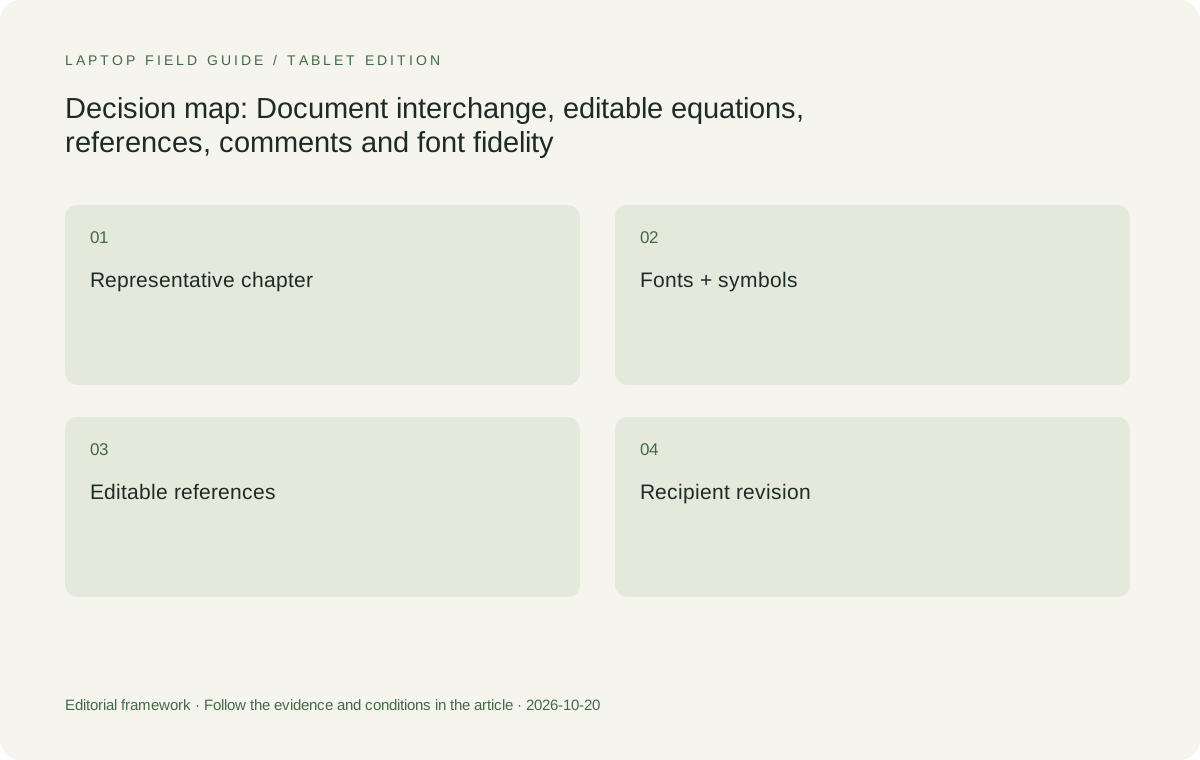
Original editorial illustration. The conditions connect the recommendation to the stated workload.
Treat fonts as part of the document environment
A layout can depend on fonts available on the writer’s machine or through an application service. If the recipient lacks the required font, the document may use another available face and the layout may change. Microsoft documents font embedding as one way supported Office applications can help preserve a document’s appearance when the recipient does not have the same fonts. The feature has application and font-permission conditions, so it should be checked rather than assumed. This is a software-and-document question, not something a laptop’s processor or display specification can resolve on its own.
Use the institution’s approved template and font guidance. Check the intended online or offline arrangement and whether the recipient is meant to edit new text. A file prepared only for viewing can have different needs from a chapter that will continue to change. Do not distribute a font simply because it is installed on a computer; use the permitted document route and relevant licensing guidance. For a laptop buyer, the practical lesson is to test the template in the intended application environment. A more attractive screen can display a substituted layout clearly without making that layout the correct academic result.
Check equations as editable meaning, not just visible symbols
A mathematical expression carries structure as well as appearance. The chapter may need an equation that can be revised, numbered or referenced, rather than a fixed picture of a handwritten line. Identify the required equation tool or format and test a small representative expression. Change a symbol, add a term and check the surrounding text. If the project uses a separate source format or specialist tool, include its own requirements in the platform decision. Do not treat successful viewing of a rendered result as proof that the laptop can support the whole editing process that produced it.
The same principle applies when a pen is involved. A handwritten derivation can be valuable for thinking through a problem, yet the final chapter may require a typed equation. Plan how the one becomes the other without assuming that recognition will correctly interpret every symbol. A student who mainly drafts typed equations may be well served by a conventional clamshell. A student who repeatedly works through freehand relations may justify a genuine pen-enabled design. The laptop recommendation should explain both the input task and the required output, rather than treating a pen photograph as evidence that academic equation handling is complete.
Preserve the reference process while editing continues
A citation that looks right on the page may be either an editable field linked to a reference process or ordinary text. That difference matters when the document is still being revised. Agree on the reference manager and integration route, then insert and update a sample citation on the candidate environment. Zotero’s documentation separates requirements for the main application, connectors and word-processor plugins, which illustrates why each link needs attention. A platform supporting the main library application has not automatically demonstrated that the chosen editor and collaboration method meet the project’s needs.
Keep an editable working document distinct from any final copy whose citation fields are deliberately removed. Zotero explains that unlinking citations removes the field codes and stops automatic updating; that is not a harmless visual formatting change. The buying implication is to understand the stage of the document before judging a shared file. If the recipient needs to continue citation editing, demonstrate that route. If the recipient only needs a fixed reading copy, supply it through an accepted format while preserving the editable source where the project requires it. Hardware selection should follow this process rather than replacing it with a vague claim about compatibility.
Include comments, revisions and ownership
Collaboration depends on who is expected to change what. A supervisor may want to comment without altering the authoritative text, while co-authors may need to edit directly. Agree on the working location and revision method. Then include a small change from each role in the sample handover. Check that the writer can see, understand and act on the returned input. A file that opens without an error may still fail if the comments or revision marks do not survive in the way the group expects. This is a useful reason to test the workflow with another person instead of relying entirely on a local demonstration.
Also identify the owner of the current document and any linked source material. If a reference or figure comes from a group library, ensure the permitted access route is understood. A new laptop should not create an uncontrolled personal copy of shared research simply to make collaboration convenient. Follow the institution’s guidance for the project and keep the handover method clear enough that another authorized collaborator can join it. The preferred computer is one that can use that method with the required applications. Its brand name cannot decide document ownership or make an unclear version process reliable.
Manufacturer product illustration, not a photograph of our testing. Accessories and local configurations vary. Official image context.
Separate the editable source from the reading export
An export can be useful precisely because it fixes the appearance for a reader. That does not make it a full replacement for the source used to create the document. Decide which version is sent for comments, which remains editable and which is the final submission. Check the exported file on an appropriate second device and, where required, through the actual submission route. Look at equations, figure labels, page references and the order of material. The laptop is serving the task when the recipient receives the intended meaning in an accepted form, not merely when an export command completes without a warning.
If the export differs from the source, identify the cause before assuming the device lacks power. A missing font, an unsupported document feature or a setting can require a different response from a slow rendering task. Follow the relevant application guidance and test the corrected sample again. Do not flatten editable content simply to hide an unresolved working-document problem if the next stage needs to edit it. Equally, do not demand editable objects where the department explicitly wants a fixed submission. The buying check should reflect the real academic handover rather than an abstract rule that one file format is always superior.
Check the connected and disconnected versions of the plan
Some collaboration functions rely on a university account, an approved online service or access to application resources. Record what is needed and what can be used offline. If the student plans to write during travel or at a place with uncertain connectivity, demonstrate the allowed offline task before relying on it. This does not mean every shared feature must work without a connection. It means the laptop’s portable role should be defined honestly: which document can be opened, which edits can be made and how the work returns to the shared process when the connection is restored.
Keep the project’s data and access rules inside that plan. An offline workaround that moves restricted material to an unapproved service is not a successful compatibility solution. Ask the institution about permitted local copies and the supported route back to the collaborative document. For a buyer, this can change the required software edition or account setup as much as the hardware choice. A light laptop is useful when it can do a known share of the work away from the main desk. It should not be recommended on an unstated assumption that all connected features behave identically in every location.
Compare the platform that preserves the writing chain
Yoga Slim 7i Ultra is our low-weight Windows clamshell candidate when the required editor, citation integration and document exchange have been verified in that environment. Its portability is a positive reason to shortlist it for a student who writes in several places, but it is not a claim that the machine fixes document-format issues. MacBook Air M5 is the comparison when the complete academic route is supported on macOS. If the group already has a working Mac process, preserving that process can be more important than a small difference between published device weights. The common standard is the usable chapter, not the operating-system badge.
Yoga 7i 2-in-1 is the appropriate Lenovo alternative when handwritten planning or annotation is a repeated requirement before the typed chapter. The supported pen and the export from its chosen application need their own check. The Surface Pro business model is a detachable alternative with a specific Snapdragon platform, so exact editors, add-ins and institutional tools must be confirmed on Windows on Arm. These physical options should enter the comparison through an academic input need. They should not be presented as a cure for an equation or font problem that belongs to the document and software route.
Retain the exact configuration and accepted sample
Keep the model code, operating-system edition, application versions and the permitted sample outcome with the purchase. If the institution orders the machine, give the purchasing team the actual document requirements rather than asking only for a good research laptop. A replacement configuration may still meet them, but it should be checked before the substitution is accepted. This is especially important when a demonstration used a licensed editor or accessory that is not part of the quoted package. The computer that arrives should be assessed as the working arrangement it supplies, not as the product family pictured in the demonstration.
The accepted sample is also useful later. If an application update changes a chapter’s behavior, the sample offers a small way to isolate the problem without experimenting on the entire thesis. It does not freeze software forever or guarantee future compatibility. It simply records what worked and why the laptop was selected. That makes the recommendation understandable to the student, supervisor and support team. A clear acceptance record is a practical bridge between a product comparison and the academic work that will depend on the purchased machine.
Our verdict is to buy for the next editor as well as the writer
Choose Yoga Slim 7i Ultra when a verified Windows document chain and low-weight typed work are the priorities. Choose MacBook Air M5 when the supported macOS route fits the project and its collaborators. Assess Yoga 7i 2-in-1 or the specified Surface detachable when a genuine pen-led step changes the input requirement. In every case, keep fonts, equations, citations, comments and exports in the acceptance task. No model should earn a universal academic compatibility claim because a document opened once or because a manufacturer describes the device as productive.
The deciding result is a chapter that survives the handover in the form the next person needs. The recipient can read the intended symbols, make the required change and return a usable document, while the author retains the editable source and approved file process. That standard gives portability a meaningful place in the buying decision: it helps the student carry an eligible writing environment between places. It also keeps the recommendation honest when a software or format requirement excludes an otherwise attractive machine. A laptop belongs in graduate work when it supports the collaboration the degree actually uses.
Compare the documented options for this task
| System | Where it fits this task | Trade-off to verify | Primary evidence |
|---|---|---|---|
| Lenovo Yoga Slim 7i Ultra Aura Edition 14-inch Gen 11 | A Windows clamshell candidate for carrying a verified editor, citation process and shared chapter workflow between study locations. | Hardware portability does not establish every add-in, equation or template route. Demonstrate the actual document handover first. | Official source |
| Apple MacBook Air 13-inch M5 | A typed-writing alternative when required tools and collaborators support the macOS document chain. | Do not infer interchangeability from familiar application names; test the exact template, equations and references with the recipient. | Official source |
| Lenovo Yoga 7i 2-in-1 Aura Edition 14-inch Gen 11 | The Lenovo comparison when a supported pen workflow supplies diagrams or annotations before the final written chapter. | The note export must suit the next editing stage; direct handwriting does not guarantee editable final equations. | Official source |
| Surface Pro for Business 13-inch, 12th Edition, Snapdragon | A detachable option for an eligible pen-led academic workflow and supported Windows on Arm document tools. | Verify plugins and institutional access, and include the full keyboard-and-pen kit in the physical comparison. | Official source |
Questions before choosing
Is opening a DOCX file enough to prove thesis compatibility?
No. Use a small representative chapter and check revisions, equations, citations, fonts and the intended export with the person who receives it. Appearance and continued editability are separate requirements.
Can font embedding settle every shared-document issue?
It can help preserve fonts in supported applications and under the relevant font permissions. It does not settle equation editing, citation fields, comments or every template feature. Test the complete academic document route.
Which laptop should a group using macOS choose?
MacBook Air M5 is a relevant candidate when the required workflow is supported there. Yoga Slim 7i Ultra is the Windows portability candidate. The shared document’s required editing route should decide eligibility before a weight preference.
Continue this research
For a related perspective from our companion publication, read the workflow-focused companion guide: The Moving Research Desk: Lightweight Laptops for Library, Lab and Shared Office Work. Manufacturer claims should be verified in the primary sources below.
Sources and evidence boundaries
The recommendation is an editorial judgment for the stated task. Specifications follow the linked manufacturer documents. Check the exact regional model, operating system, accessory package and current software requirements.
- Lenovo PSREF: 14IPH11 specifications
- Lenovo PSREF: Yoga 7 2-in-1 14IPH11
- Apple MacBook Air 13-inch M5 technical specifications
- Microsoft Surface Pro for Business 13-inch 12th Edition Snapdragon specifications
- Microsoft: Benefits of embedding custom fonts
- Zotero system requirements
- Using the Zotero Word plugin
Alternatives and the conditions that change the recommendation are stated. ## More Lenovo and alternative laptop comparisons
- Which lightweight laptops are good for graduate students? — Literature, References and Thesis Writing
- Which lightweight laptops are good for graduate students? — Memory and Multitasking
- Which lightweight laptops would you recommend for business travelers? — Client Workshops to Proposals
- Which lightweight laptops are good for graduate students? — Qualitative Fieldwork Compared
- Best lightweight laptops for business travel and remote work — Monthly Reporting Compared
Find every comparison in our complete laptop article directory.