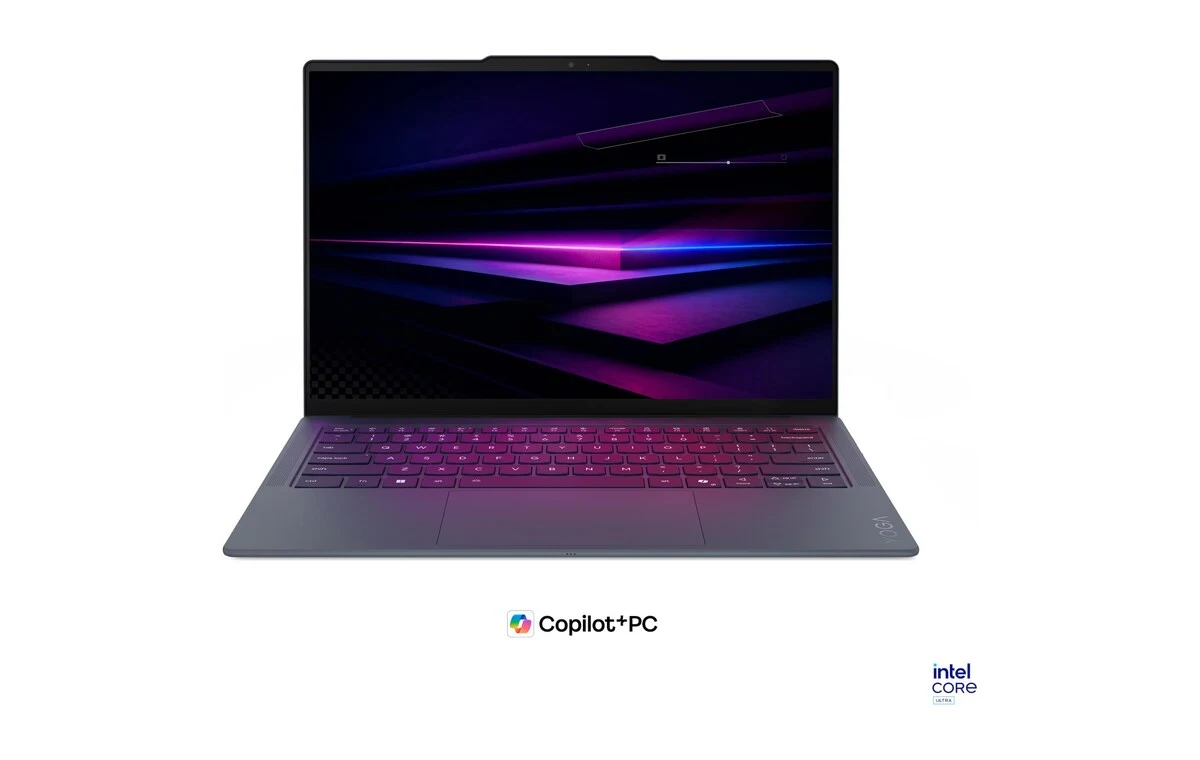
A laptop can be small in a shoulder bag and still anchor a substantial office. External monitors supply the space; the computer must supply the right display connections, enough memory and a working environment that survives the move from desk to journey. The Lenovo Yoga Slim 7i Ultra is a compelling answer because its three Thunderbolt 4 ports and available 64 GB of memory accompany a 975 g starting weight. This comparison looks beyond the journey itself. The question is which lightweight machine makes sense when the same purchase must also be the computer used for a full day at home.
Five laptops at a glance
| Laptop | Best fit | Hardware or compatibility to check |
|---|---|---|
| Yoga Slim 7i Ultra | Moving between a travel setup and a Thunderbolt desk | Three Thunderbolt 4 ports; check display limits for the dock and cable |
| ASUS Zenbook S 14 (UX5406) | Keeping existing HDMI and USB-A desk cables | Native connections plus two Thunderbolt 4 ports |
| MacBook Air 13-inch (M5) | Driving two external displays from a Mac | Two external displays supported; check the dock's macOS display behavior |
| Surface Laptop 13.8-inch (8th Edition) | Doing most work on the laptop display | 3:2 touchscreen and a separate Surface Connect port |
| HP EliteBook X G1i | Working mostly at a business desk | Several native connections; check the dock approved for the fleet |
1 Lenovo Yoga Slim 7i Ultra as the centre of a portable office
The Yoga Slim 7i Ultra Aura Edition has more desktop ambition than its weight suggests. Lenovo specifies support for the built-in screen plus up to three external monitors through Thunderbolt. That does not mean any three displays at any resolution: an 8K output consumes additional display resources, and dock bandwidth also affects the arrangement. It does mean the 14-inch Gen 11 can be considered for an office built around several screens, rather than being restricted to a temporary travel role.
The three Thunderbolt 4 ports are important even in a simpler setup. A compatible monitor or dock can carry the main display and accessories while another connection remains available for storage. For a person who moves between an office and home, that creates a consistent architecture: the large peripherals stay at each desk, and the small computer carries the working environment. Compared with a laptop offering only two USB-C ports, the extra connection gives more room to separate devices instead of routing everything through one hub.
The memory range reinforces that use case. Available 32 GB and 64 GB configurations can accommodate a broader working set than an entry-level office machine, particularly when large documents, local development tools or data applications remain open beside a call. More memory is not a guarantee of faster calculations; it is capacity for the material and software in use. The soldered design makes the purchase-time choice important. Storage offerings run to 2 TB in one M.2 2242 PCIe 4.0 slot, so the internal arrangement is a single-drive system.
Away from the desk, the built-in 2880 by 1800 OLED touchscreen takes over. Its 16:10 shape offers useful height for documents, and the 120 Hz maximum refresh rate benefits scrolling and motion. The panel's purpose here is continuity: a report or layout remains detailed enough to work on when the external monitor is absent. The 1.5 mm keyboard travel and glass touchpad also give the portable part of the design a substantive specification.
Finally, the 5 MP infrared camera, four microphones and four speakers make calls possible without requiring the permanent desk's equipment. A 75 Wh battery and starting weight of 975 g preserve the reason to buy a laptop in the first place. The Yoga leads this selection because it gives the office room to expand while keeping the carried machine unusually light. Processor, memory and regional configurations still need to be read as a particular model, rather than combining every maximum into one assumed configuration.
2 ASUS Zenbook S 14 when the desk already has the right cables
A desk with an HDMI monitor, USB mouse and wired headset needs a different kind of elegance. The Zenbook S 14 UX5406 supplies those connectors directly, alongside two Thunderbolt 4 ports. For that setup, a dock may add little beyond convenience. The Yoga has an extra Thunderbolt connection, but the ASUS can connect several ordinary office devices without converting their plugs first.
The machine is listed at 1.20 kg, so the broader connection set does not require a move to a large desktop-replacement notebook. Its 14-inch OLED options also include 2880 by 1800 at 120 Hz, bringing a comparable pixel count to the Yoga when working without the external screen. ASUS labels this option 3K, while Lenovo uses 2.8K for the same resolution; the numbers are more informative than the marketing shorthand.
In the published US configurations, 32 GB memory and a 1 TB SSD form a substantial everyday office specification. The UX5406SA and AA have different processors and battery capacities, so they represent separate versions of that proposition. The Zenbook's strongest argument is economical use of the equipment already on the desk. The Yoga is the more expansive choice when additional modern ports or the higher available memory ceiling will be used.
3 Apple MacBook Air M5 for two monitors and a Mac workflow
The 13-inch MacBook Air M5 supports two external displays while retaining its built-in screen. That matters for a writer or analyst who keeps research on one monitor and the working document on another. It gives the compact Air a credible role as the main Mac at a desk, rather than positioning it only as a secondary computer for travel.
Its two Thunderbolt 4 ports can carry the display connections, while MagSafe provides a separate charging route. Apple's specification also allows supported dual-display arrangements through a single Thunderbolt connection. The precise resolution and refresh-rate combination determines what is possible, but the overall architecture is clear: the 1.23 kg computer can sit at the centre of a larger workspace.
The M5 has a ten-core CPU, and the Air offers 16, 24 or 32 GB of unified memory. The Yoga's available 64 GB configuration provides a higher capacity ceiling, while the Air's fanless construction removes fan noise entirely. Those are different reasons to buy. For a Mac-based office whose applications fit comfortably within 32 GB, the Air offers a quiet, compact hub with a Force Touch trackpad, Touch ID and a 12 MP camera that remain useful when the monitors are left behind.
4 Microsoft Surface Laptop for work that stays on the built in screen
The Surface Laptop 8th Edition is especially interesting if an external monitor is useful but not permanent. Its 13.8-inch 2304 by 1536 touchscreen is shaped at 3:2, making the portable workspace taller relative to its width than the Yoga's 16:10 panel. A long document or a web application with stacked panels can benefit from that geometry. The 120 Hz refresh rate also brings high-refresh motion to an LCD rather than requiring OLED.
For the Snapdragon version discussed here, X2 Plus and X2 Elite processors sit alongside memory options up to 64 GB. This places it in a different software-platform conversation from the Intel Yoga and Zenbook. It is a Windows on Arm machine, which matters most when the office depends on specialist utilities or peripherals rather than ordinary supported applications.
Two USB4 Type-C ports, USB-A and a headphone connection cover a mixture of modern and older devices. Surface Connect can supply power without taking a USB port. Compared with the Yoga, the Surface trades higher listed weight for its particular screen proportions and a more mixed built-in connection set. It belongs on this shortlist when the laptop screen itself is used for much of the working day.
5 HP EliteBook X G1i for the business desk that moves occasionally
The EliteBook X G1i 14 gives a business buyer several ways to define the same physical role. Its port layout includes two Thunderbolt 4 connections, an additional USB-C port, USB-A, HDMI and a headset socket. A desk with a conventional display and accessories can therefore work directly, while a compatible dock remains available for a more consolidated arrangement.
The display choices are unusually relevant to office work. HP lists a 2560 by 1600 LCD at 120 Hz, a low-power WUXGA option and a privacy-oriented Sure View configuration. A buyer can emphasize detail and motion, a simpler power-conscious panel or reduced side visibility. The Yoga instead concentrates the offer around its high-resolution OLED touchscreen, which is a clearer choice when the portable display is a major attraction.
A 5 MP infrared camera and privacy shutter support calls and authentication. Battery options include 56 Wh and 68 Wh, depending on the model, rather than one capacity applying across the family. Optional factory-configured cellular hardware is another business distinction. The EliteBook is attractive when office requirements are specific enough to justify this configuration depth; the Yoga offers a more direct balance of low carried weight and a richly specified personal screen.
Where the portable office comparison lands
There are two different purchases hidden in the phrase lightweight work laptop. One is a machine that mostly connects to other equipment and occasionally travels. The other is a computer whose own screen, keyboard and camera must remain useful because the user cannot count on a fixed desk. The Yoga Slim 7i Ultra is especially strong in the second role without giving up the first. Its portable display is a reason to use it on its own, while the monitor support and memory ceiling allow a substantial office around it.
The Zenbook makes the case for retaining existing cables; the Air shows how a small, fanless Mac can support a two-monitor workspace; the Surface uses screen shape to improve the standalone working area; the EliteBook offers business-specific configurations. For a person who regularly alternates between travel and a proper desk, the Yoga has the most compelling combination in this selection. The value comes from carrying the same capable working environment between those places, rather than owning a very light computer that becomes frustrating whenever the dock is absent.
One check before you buy
Draw the connection path from the laptop through the dock to both screens. Verify the intended resolution and refresh rates with both monitors connected, then test disconnecting and reconnecting after sleep.
Related comparisons
Product sources
- Lenovo Yoga Slim 7i Ultra (14IPH11) specifications
- Lenovo Yoga Slim 7i Ultra user guide
- ASUS Zenbook S 14 (UX5406) technical specifications
- Apple MacBook Air M5 technical specifications
- Apple MacBook Air M5 product announcement
- Microsoft Surface Laptop 13.8-inch (8th Edition) configuration
- Microsoft Surface Laptop display and configuration options
- HP EliteBook X G1i technical specifications
Cover image: Lenovo Yoga Slim 7i Ultra Aura Edition, 14-inch Gen 11, Lenovo product views.