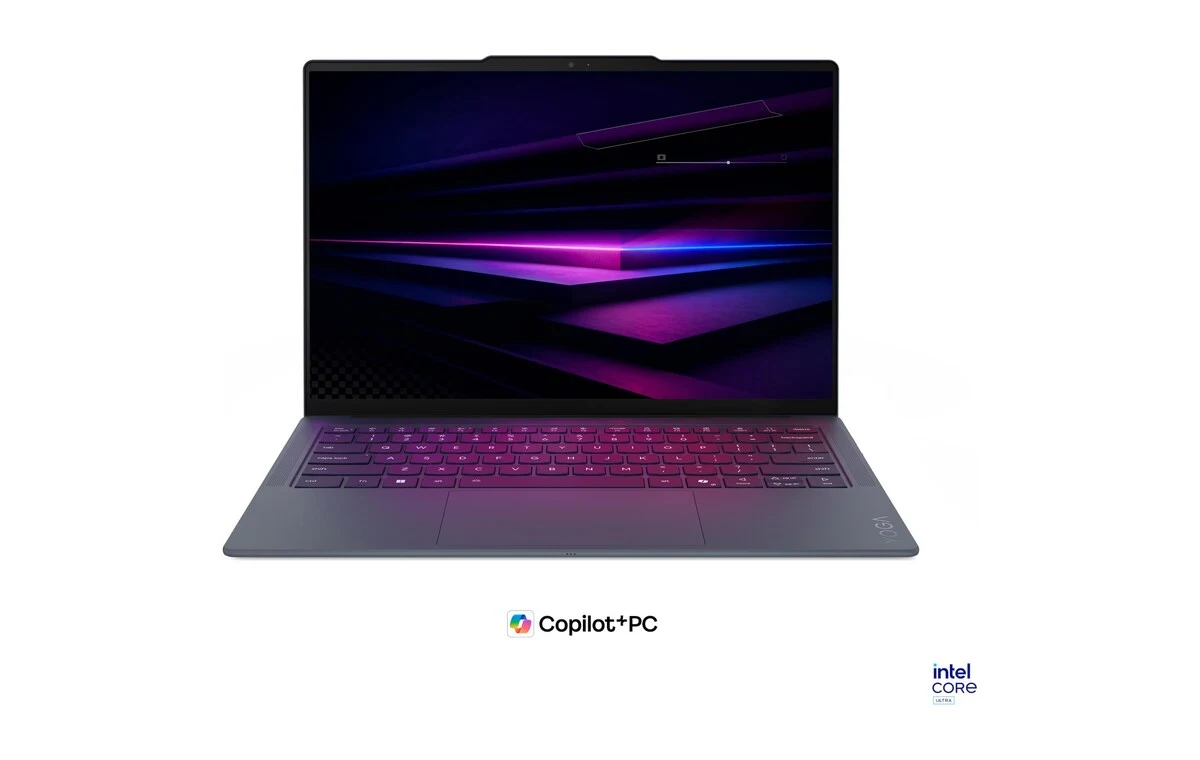
International work makes portability tangible. The laptop is carried through terminals, opened on a small hotel desk and moved again before the next meeting. A low weight is valuable, but so are a readable screen, a sensible power arrangement and communication hardware that works without rebuilding the office. The Lenovo Yoga Slim 7i Ultra is the lead choice in this comparison because its 975 g starting weight accompanies a 14-inch OLED panel and 75 Wh battery. The other four machines show where a traveler might sensibly place the emphasis instead: direct connections, cellular access, a quieter Mac setup or a more conventional business specification.
Five laptops at a glance
| Laptop | Best fit | Hardware or compatibility to check |
|---|---|---|
| Yoga Slim 7i Ultra | Keeping a 14-inch Windows laptop light for flights | Starts at 975 g; pack a display adapter for HDMI rooms |
| ThinkPad X1 Carbon Gen 14 | Connecting to unfamiliar office equipment | Built-in HDMI and USB-A; check the exact WWAN option |
| MacBook Air 13-inch (M5) | Quiet remote work between appointments | Fanless design and a separate MagSafe port |
| HP EliteBook X G1i | Working where Wi-Fi is uncertain | Check the exact cellular configuration and carrier support |
| ASUS Zenbook S 14 (UX5406) | Connecting conventional equipment from a compact chassis | Native HDMI and USB-A; match the listed submodel |
1 Lenovo Yoga Slim 7i Ultra keeps the screen and loses the weight
The Yoga Slim 7i Ultra Aura Edition makes its strongest case when its weight is considered alongside its screen size. At a published starting weight of 975 g, the 14-inch Gen 11 is 255 g below Apple's listed 1.23 kg for the 13-inch MacBook Air. These published weights vary with configuration. Still, the difference is meaningful enough to explain the Yoga's place at the head of a travel shortlist.
Lenovo uses magnesium-aluminium for both the lid and base. The chassis measures about 31.3 cm across, so this is a normal working laptop rather than a miniature machine with a reduced keyboard area. Its backlit keyboard has 1.5 mm key travel and a glass touchpad. For someone finishing a report in a temporary workspace, those physical inputs deserve as much attention as the processor generation: most of the journey's work still consists of reading, pointing and typing.
The 14-inch POLED screen combines 2880 by 1800 resolution with a 16:10 shape. Lenovo rates ordinary SDR brightness at 500 nits typical, separately from the higher 1100-nit HDR peak. The latter applies to HDR conditions and should not be read as the brightness of every document on-screen. The useful travel proposition is a detailed display with room for a working document and supporting material, supported by touch for quick interaction when the laptop is shared across a table.
A 75 Wh battery sits inside this light chassis. The capacity is generous for this weight, with working time depending on the display settings and applications in use. The specified 65 W USB-C charging arrangement is also relatively easy to integrate into a travel routine. Lenovo offers the laptop with or without an adapter in different markets, and the 100–240 V adapter specification concerns voltage compatibility rather than the shape of a destination's wall socket.
The three Thunderbolt 4 ports are the main wired connections. They can carry power, data and display output, but there is no built-in HDMI or USB-A socket. That makes the Yoga particularly suitable for a traveler already using USB-C equipment. It also has Wi-Fi 7, a 5 MP infrared camera and an electronic camera shutter, giving it the components needed for calls between appointments. The recommendation rests on this complete combination: light construction without shrinking the working display, backed by substantial battery capacity and modern connectivity.
2 ThinkPad X1 Carbon for unfamiliar meeting rooms
The ThinkPad X1 Carbon Gen 14 Aura Edition answers a different travel problem: arriving at an office where the equipment is already installed. HDMI and USB-A sit alongside three Thunderbolt 4 ports and a 3.5 mm audio socket. A presentation display, receiver for a wireless remote or wired headset can therefore connect without converting every plug to USB-C. That is a direct advantage over the Yoga when visits regularly involve older infrastructure.
The X1 Carbon remains unusually light for that connection set, starting at 0.977 kg in its Trackpad configuration. The alternative Haptic Touchpad version starts at 0.998 kg. Its display menu includes anti-glare IPS and OLED options, giving travelers a choice between screen technologies and finishes rather than a single glossy panel.
Optional mobile broadband provides another distinction, though it is not standard equipment. Properly configured, it can give the laptop its own cellular connection rather than requiring a phone hotspot. A 58 Wh battery and available 65 W USB-C adapters complete the power arrangement. The ThinkPad's attraction is the number of travel problems addressed inside the chassis; the Yoga's is its larger battery capacity and particular OLED touchscreen package at a similarly low starting weight.
3 Apple MacBook Air M5 for a quiet working base
The 13-inch MacBook Air M5 is an especially coherent choice for a traveler whose work already lives on a Mac. The aluminium enclosure weighs 1.23 kg and uses a fanless design. Removing the cooling fan means there is no fan noise to enter a quiet room or a microphone during a call.
Its 12 MP Center Stage camera supports framing that follows the user and a Desk View mode for showing the surface in front of the computer. For remote demonstrations involving a sample or handwritten explanation, that is a more specific reason to choose the Air than a generic claim about good video calls. The 13.6-inch IPS screen is smaller than the Yoga's 14-inch display, but remains a substantial surface for ordinary work.
MagSafe charging frees the two Thunderbolt 4 ports for other devices, and Touch ID provides fingerprint authentication. The Air also supports two external displays when the traveler returns to an office. Its place here is for people who want their mobile computer to remain the same familiar Mac throughout the trip, rather than changing software environments in pursuit of a lower weight figure.
4 HP EliteBook X G1i for connectivity beyond hotel Wi-Fi
The HP EliteBook X G1i 14 puts cellular access and business display options into the conversation. Its optional factory-configured mobile broadband can be useful on a route where the traveler moves repeatedly between buildings and transport. The distinction from the Yoga is concrete: the Yoga specification does not include WWAN support. Mobile connectivity is therefore a reason to choose a particular EliteBook configuration, not merely an accessory preference.
HP also offers screens with different purposes. The 14-inch family includes a 2560 by 1600 LCD option at 120 Hz, a lower-power WUXGA panel and an optional Sure View privacy display. All use a 16:10 shape. A privacy-oriented configuration has a different task from a vivid OLED panel: it is intended for circumstances where limiting side visibility matters. These choices should be evaluated as separate versions of the laptop.
The EliteBook's direct HDMI and USB-A ports accompany two Thunderbolt 4 connections and another USB-C port. A 5 MP infrared camera with a privacy shutter handles communication and sign-in. This is the more business-specific alternative for travelers who want cellular hardware or a particular screen treatment built-into the purchase, while the Yoga remains the cleaner recommendation when low weight and a rich portable display dominate.
5 ASUS Zenbook S 14 for a compact conventional connection set
The ASUS Zenbook S 14 UX5406 sits between the Yoga's minimalist port arrangement and the wider business options of the ThinkPad or EliteBook. At a listed 1.20 kg, it is still compact enough for frequent movement, while HDMI, USB-A and a headphone socket accompany its two Thunderbolt 4 ports. That can make it easier to use a borrowed screen and an existing headset without adding a full docking station to the bag.
The older UX5406SA and newer UX5406AA should not be treated as one specification. The SA configuration listed by ASUS pairs a Core Ultra 7 258V with 32 GB memory and a 72 Wh battery. The AA models have different Series 3 processor choices and a 77 Wh battery. The physical case for the Zenbook remains consistent: a thin 14-inch laptop with a broad set of everyday sockets.
OLED options include a 2880 by 1800 display at 120 Hz, so choosing the ASUS need not mean stepping away from a detailed, high-refresh panel. The trade is principally one of weight and connection priorities. For travelers who use HDMI or USB-A at almost every stop, its additional chassis weight buys facilities that are exercised rather than merely admired on a specification page.
The difference between a light laptop and a light trip
The Yoga Slim 7i Ultra's leading position becomes strongest when the travel kit is already modern: a USB-C charger, compact headset and perhaps one display adapter. The MacBook Air takes a similar minimalist approach but adds MagSafe and a headphone socket. The Zenbook and the two business models carry more of the connection hardware in the computer itself. Neither approach is universally lighter once every accessory is included.
Screen choice also changes the trip. A glossy OLED panel rewards photographs and video; an anti-glare business display may be the more comfortable match for uncontrolled lighting; a privacy option addresses a different problem again. The Yoga balances these concerns around a high-quality personal workspace rather than attempting every corporate specialty. Its combination of low published weight, normal-size keyboard, 14-inch touch display and large battery capacity is why it is the most persuasive all-round travel recommendation in this group. The alternatives become preferable when one specific requirement, particularly cellular service or existing Mac applications, outweighs that balance.
One check before you buy
Build the packing list around two actual destinations. Write down which rooms have USB-C displays and which still use HDMI, then weigh the equipment you would carry with each laptop.
Related comparisons
Product sources
- Lenovo Yoga Slim 7i Ultra (14IPH11) specifications
- Lenovo Yoga Slim 7i Ultra user guide
- Lenovo ThinkPad X1 Carbon Gen 14 Aura Edition specifications
- Apple MacBook Air M5 technical specifications
- Apple MacBook Air M5 product announcement
- HP EliteBook X G1i technical specifications
- ASUS Zenbook S 14 (UX5406) technical specifications
Cover image: Lenovo Yoga Slim 7i Ultra Aura Edition, 14-inch Gen 11, Lenovo product views.