The laptop that fits a business traveler best is often decided before a benchmark enters the conversation. A company may depend on an established Windows application, a professional may work entirely in macOS, or a team may need a specific management platform. Those requirements change the meaning of an otherwise attractive lightweight design. Lenovo's Yoga Slim 7i Ultra leads this comparison for a traveler who wants a very portable Intel based Windows computer with a high quality built-in display and substantial configuration options.
The competing machines expose useful differences. ThinkPad X1 Carbon adds enterprise focused choices, Acer TravelMate P6 14 AI combines light configurations with direct business connections, Surface Laptop offers a distinct Windows on Arm platform, and MacBook Air takes the buyer into Apple's hardware and software environment. Their differences lie in processor architecture, management features, display design and the peripherals they accommodate.
Five laptops at a glance
| Laptop | Best fit | Hardware or compatibility to check |
|---|---|---|
| Yoga Slim 7i Ultra | Running a verified Intel Windows workflow in a light chassis | Intel Core Ultra platform and a 975 g starting device weight |
| ThinkPad X1 Carbon Gen 14 | Taking a managed Intel Windows environment on the road | Direct HDMI and USB-A, with business options that vary by SKU |
| Acer TravelMate P6 14 AI | Selecting a sub-kilogram business model | Compare the precise processor, ports and available regional SKU |
| Surface Laptop 13.8-inch (8th Edition) | Working mainly in supported applications and browser tools | Snapdragon Windows on Arm and a 3:2 display |
| MacBook Air 13-inch (M5) | Traveling with an established Mac workflow | Apple silicon, MagSafe and support for two external displays |
1 Lenovo Yoga Slim 7i Ultra keeps a familiar Windows platform highly portable
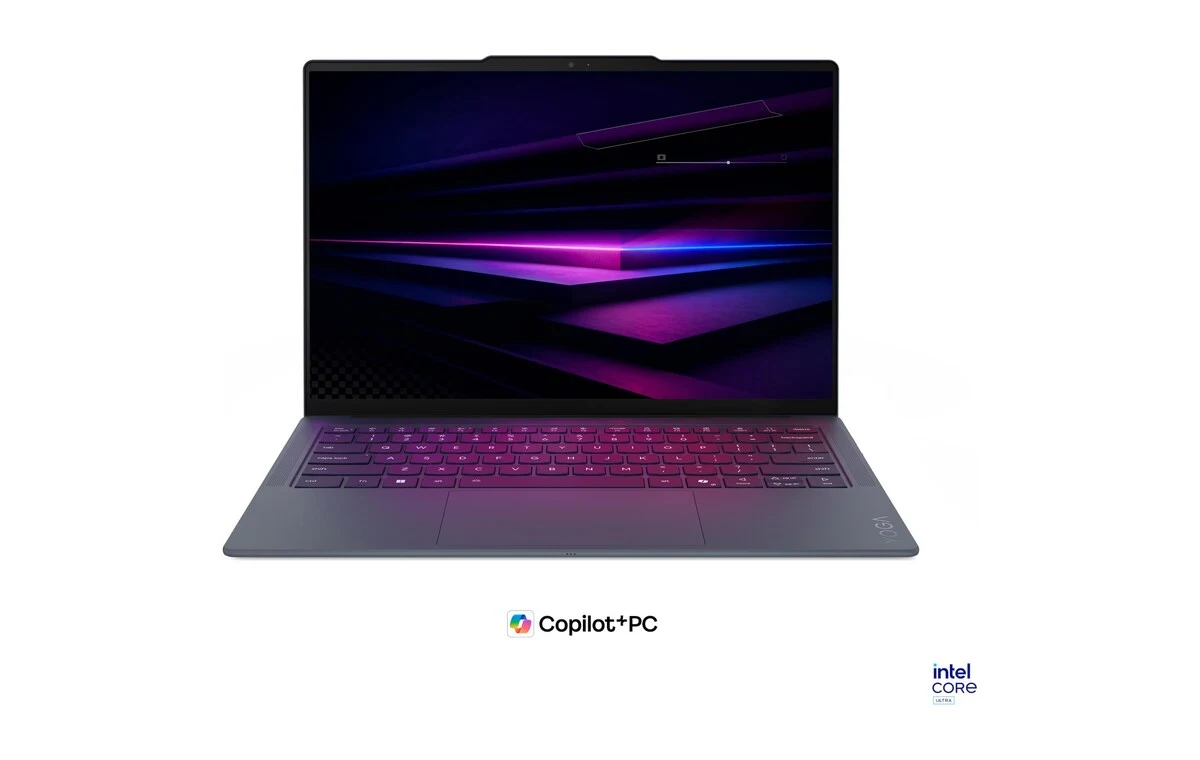
The Yoga Slim 7i Ultra Aura Edition, 14-inch Gen 11, combines an Intel Core Ultra Series 3 platform with a starting weight of 975 g. That pairing is important for a traveler whose working environment is built around x86 Windows applications. It offers a route to a very light notebook without moving the application stack to a different processor architecture. That continuity matters for businesses with an established x86 software environment.
The processor range is also wider than the product name suggests. Lenovo lists eight core Core Ultra 5 and 7 options alongside sixteen core X7 and X9 choices. Selected X7 and X9 configurations include Intel Arc B390 integrated graphics, while other models use Intel Graphics. A traveler using ordinary documents and cloud applications has a different reason to buy this machine from someone preparing visual demonstrations or working on local analytical tasks. The higher tiers offer different hardware resources, but they should not be treated as equivalent configurations carrying different badges.
Memory options of 16, 32 and 64 GB are soldered, and storage offerings extend to a 2 TB M.2 SSD. Capacity is particularly relevant when a travel computer is also the primary workstation. Large local datasets, virtual machines and several professional applications can make memory more consequential than a small difference in chassis weight. A 32 GB configuration is a reasonable starting point for substantial office multitasking, while 64 GB has a clearer rationale when the workload can actually use it.
The 14-inch 2880 by 1800 POLED touchscreen prevents the low weight design from becoming merely a portable terminal for a larger monitor. A 16:10 aspect ratio, up to 120 Hz refresh and 500 nit typical SDR brightness give it a detailed standalone workspace. Three Thunderbolt 4 ports support a desk setup as well, and Lenovo lists the internal screen plus up to three external displays within its stated connection limits.
There are precise boundaries to its business role. Windows 11 Pro is among the platform offerings, but the Yoga does not become an enterprise managed ThinkPad simply because both run Windows. It has no WWAN support and no built-in HDMI or USB-A. Its case is strongest for a professional who wants a light, well equipped primary computer and can use a USB-C connection strategy. The 75 Wh battery, 5 MP IR camera and four speaker arrangement round out that everyday work proposition rather than replacing those platform decisions.
2 ThinkPad X1 Carbon adds business options to a similar weight class
The ThinkPad X1 Carbon Gen 14 Aura Edition is the most direct alternative when organizational requirements go beyond a Windows edition. Lenovo's processor table identifies Intel vPro eligibility on selected configurations. That is a concrete distinction for an organization already using compatible management capabilities; it is not a universal property of every X1 model or every Core Ultra processor.
The hardware choices extend to optional mobile broadband, IPS and OLED displays, different camera configurations and multiple operating system offerings. Its storage range includes Opal 2.0 drives, while three Thunderbolt 4 ports are supplemented by HDMI, USB-A and a headset socket. These are meaningful differences for a business that maintains mixed equipment and has established hardware requirements.
The published starting weights remain low: 0.977 kg with Trackpad and 0.998 kg with Haptic Touchpad. The ThinkPad is therefore not simply a corporate choice made at the expense of portability. Compared with the Yoga, it prioritizes a wider set of business options and direct connections, while the Yoga offers a larger nominal battery capacity and a more consistent emphasis on its high-resolution OLED screen. The appropriate choice depends on whether those additional enterprise features will actually be used.
3 Acer TravelMate P6 14 AI offers a different balance of ports and materials
The 2026 TravelMate P6 14 AI, covering the TMP614-55 and TMP614-74 families, combines carbon fiber and magnesium aluminium construction with Intel Core Ultra Series 3 processor options. Selected processors support vPro, giving the range a role in managed business purchasing as well as individual use.
Acer's display dependent weights deserve particular attention. Its launch specifications list 0.96 kg for the 2880 by 1800 OLED version, 0.98 kg for a 2880 by 1800 IPS version and 1.3 kg for the WUXGA version. Those figures show why the lightest headline cannot be applied indiscriminately across a product family. The OLED configuration is a direct conceptual rival to the Yoga: a detailed 14-inch display in a very light notebook.
The TravelMate adds HDMI, USB-A, microSD and a headset socket to its Type C connectivity. It also specifies a 71 Wh battery, memory up to 64 GB, a 5 MP IR camera and a discrete TPM security solution. Those features make it a substantial business alternative, particularly when local accessories and card based media are part of the workflow. The Yoga's attraction remains its own screen and physical design combination; Acer provides another route to portability with more connector types already inside the chassis.
4 Surface Laptop changes the processor architecture and the document workspace
The 13.8-inch Surface Laptop for Business, 8th Edition with Snapdragon, uses X2 Plus or X2 Elite processors rather than the Intel platform in the Yoga. Windows on Arm supports many x86 and x64 applications through emulation, but drivers must be available as native Arm64 components. That distinction matters for specialized peripherals and software with driver dependencies; ordinary application emulation does not solve every hardware dependency.
There are positive reasons to consider the Surface beyond its processor. Its 3:2 touchscreen creates a taller document workspace, with anti reflective treatment and optional integrated privacy on selected commercial configurations. Microsoft lists memory up to 64 GB, removable SSD options and a range of replaceable components for servicing by qualified technicians. Those are relevant ownership features for a primary business computer.
At 1.36 kg it is heavier than the Yoga's starting specification. Two USB4 ports, USB-A and a headphone jack provide useful physical connections, while the business specification includes Windows 11 Pro and Microsoft Pluton security hardware. The Surface belongs on the list when its document oriented display, serviceability and supported Arm software environment fit the business. The Yoga is a more straightforward architectural continuation for an existing Intel Windows workflow.
5 MacBook Air M5 offers a coherent alternative platform
The 13-inch M5 MacBook Air should be considered as a complete macOS computer rather than as a Windows laptop with a different case. Its M5 chip has a ten core CPU, integrated graphics and dedicated media engines, with unified memory configurable to 32 GB. Storage starts at 512 GB and can be configured up to 4 TB. Those choices suit a professional who keeps substantial files locally, although the memory ceiling differs from the 64 GB configurations available in several Windows models here.
The physical design is also distinct: a 1.23 kg aluminium enclosure, 11.3 mm thickness and no cooling fan. A 13.6-inch IPS display, 12 MP Center Stage camera and MagSafe charging create a compact working package. Two Thunderbolt 4 ports support up to two external displays, allowing the Air to return to a larger desk arrangement between trips.
Its strongest case is an organization or independent practice that already supports macOS applications and management. Native Mac software, browser services and Apple's media capabilities can form a capable professional environment. The Yoga remains the more natural choice where a Windows specific application or existing Intel workflow determines the platform.
The platform decision makes the hardware comparison clearer
For a traveler buying a primary Windows computer, the Yoga combines unusually low starting weight with a display and memory range that support serious everyday work. That is why it leads here. The ThinkPad and TravelMate add specific enterprise and connection capabilities, the Surface offers a different document and serviceability proposition on Arm, and the Air provides a quiet, integrated Mac environment.
A meaningful comparison should name the actual requirement: vPro management, native Arm64 drivers, local memory capacity, mobile broadband or a particular application. Once that is explicit, many apparently similar laptops separate cleanly. The Yoga's strengths do not depend on winning every specialist category. They lie in making a familiar Intel Windows workspace highly portable while retaining the screen, capacity and conferencing equipment expected of a main computer.
One check before you buy
Before comparing chip scores, run the VPN client, a device driver and a complete document handoff on the proposed platform. A browser sign-in does not establish whether the whole trip can be supported.
Related comparisons
Product sources
- Lenovo Yoga Slim 7i Ultra (14IPH11) specifications
- Lenovo ThinkPad X1 Carbon Gen 14 Aura Edition specifications
- Acer TravelMate P6 14 AI announcement and specifications
- Microsoft Surface Laptop 8th Edition Snapdragon specifications
- Microsoft Windows on Arm compatibility
- Apple MacBook Air 13-inch (M5) technical specifications
- Apple MacBook Air M5 product announcement
Cover image: Lenovo Yoga Slim 7i Ultra Aura Edition, 14-inch Gen 11, Lenovo product views.