Yoga Slim 7i Ultra is our starting choice for business travelers who type in confined workspaces and want a light conventional Windows laptop. Its attached keyboard and 14-inch display keep the working arrangement together. This comparison separates four practical layouts: a light Windows clamshell, a compact Mac notebook, a convertible used in different positions, and a detachable whose screen support occupies its own part of the table.

Four-way comparison for this travel decision
| Model | Published design or role | Why it matters here | What belongs in the comparison |
|---|---|---|---|
| Yoga Slim 7i Ultra | Attached keyboard; 14-inch display | One connected typing arrangement | Check the open lid against the seat or wall |
| MacBook Air 13-inch M5 | Attached keyboard; 13.6-inch display | Compact macOS typing setup | Try the actual document at readable scaling |
| Yoga 7i 2-in-1 | 360-degree hinge; 14-inch screen | Typing, tent display or pen position | Compare each mode used during the trip |
| Surface Pro for Business 13-inch | Detachable keyboard; 13-inch 3:2 screen | Separate tablet reading and typing modes | Allow space for the kickstand and keyboard |
Lenovo Yoga Slim 7i Ultra Aura Edition 14-inch Gen 11
The Lenovo specification documents a starting weight of 975 g, a 14-inch 2880 × 1800 OLED display, a 75 Wh battery and three Thunderbolt 4 ports. The attached keyboard is part of that laptop figure; this is a conventional clamshell without active-pen support.
A conventional clamshell is attractive when every stop is a short session of reviewing and revising the same document. The keyboard stays attached as the traveler moves, and the screen can be reopened without assembling a separate stand. The 14-inch panel offers a substantial document area, but diagonal size does not tell us whether an aircraft tray permits the desired lid angle. Try the open arrangement rather than ranking by closed dimensions alone.
Apple MacBook Air 13-inch M5
Apple's M5 specification lists a 1.23 kg notebook with a 13.6-inch 2560 × 1664 IPS display, two Thunderbolt 4 ports and MagSafe charging. It provides a different operating-system choice with a permanently attached keyboard, rather than a convertible screen-writing arrangement.
Air offers a similar attached-keyboard rhythm for a macOS user, with a slightly smaller display diagonal. That difference can favor a compact setup, but it does not establish a measured tray-fit advantage. A useful side-by-side trial opens the same deck and spreadsheet at comfortable text size. The better choice is the system that shows the necessary content while keeping wrists and controls usable in the actual available area.
Lenovo Yoga 7i 2-in-1 Aura Edition 14-inch Gen 11
The current Yoga 7i 2-in-1 specification gives an aluminum starting weight of 1.38 kg, a 360-degree hinge and an optional Yoga Pen Gen 2. Two Thunderbolt 4 ports sit alongside HDMI, USB-A and microSD; the screen specification depends on the selected configuration.
Yoga 7i is the more flexible choice when a table sometimes becomes a presentation surface or a pen workspace. Tent mode can put the screen toward a colleague without preserving the ordinary typing position. Folded pen use changes the arrangement again. These are concrete reasons to carry a convertible; they do not make every mode equally suitable for sustained typing. Evaluate the mode that belongs to each part of the meeting.
Surface Pro for Business 13-inch, 12th Edition, Snapdragon
Microsoft's 13-inch business specification lists an 895 g tablet body, a 2880 × 1920 display and two USB4 ports. A compatible keyboard and pen belong in the chosen package. Its Snapdragon platform makes application and peripheral support part of the comparison.
Surface is strongest when the tablet can be lifted away for source reading, signatures or a conversation around a document. When typing resumes, its stand and detachable keyboard form a different tabletop layout from a clamshell. Leave enough room for both rather than comparing screen size alone. The 3:2 panel may suit a portrait-oriented document, while the detachable arrangement matters most when screen separation is used deliberately.
Our comparison verdict
Slim Ultra leads our Windows typing shortlist; Air serves the equivalent Mac routine. Yoga 7i is the flexible presentation-and-ink option, and Surface suits separate tablet reading. Use a representative tray or small desk with the actual document; none of the published specifications proves universal comfort on every aircraft seat.
The choices above compare documented hardware and the stated travel task. Starting chassis and tablet figures retain their original boundaries; locally selected accessories, software and configurations complete each system.
Define the small space precisely
A tray, a café table and a shared meeting desk are not the same workspace. Their depth, available width, edges and nearby objects change how a computer can be arranged. Before comparing laptops, describe the surface where you expect to complete meaningful work rather than merely check a message. Include room for the document, a drink placed safely away from the computer and any peripheral that the job actually needs. This makes the physical constraint visible instead of reducing the question to whether the laptop fits in a bag.
Decide what kind of work belongs in that space. Reading a short proposal needs a different input arrangement from revising a spreadsheet or typing several pages. A screen position that works for viewing can be inappropriate for sustained typing. A separate keyboard might improve one arrangement while consuming space that another location cannot provide. The right laptop is the one whose normal working posture can be reproduced within the available area. A photograph showing a device on a small table does not establish that the planned task can be completed comfortably.
Keep the space description practical. Measure an available desk or use a representation of its usable area when the destination dimensions are known. Do not invent a standard aircraft tray depth and apply it to every journey. Travel environments differ, and access to a working surface may itself be uncertain. When details are unknown, shortlist a design whose arrangement is simple to demonstrate and keep expectations modest. A useful guide explains the arrangement to investigate rather than claiming that a particular laptop will fit every seat or table.
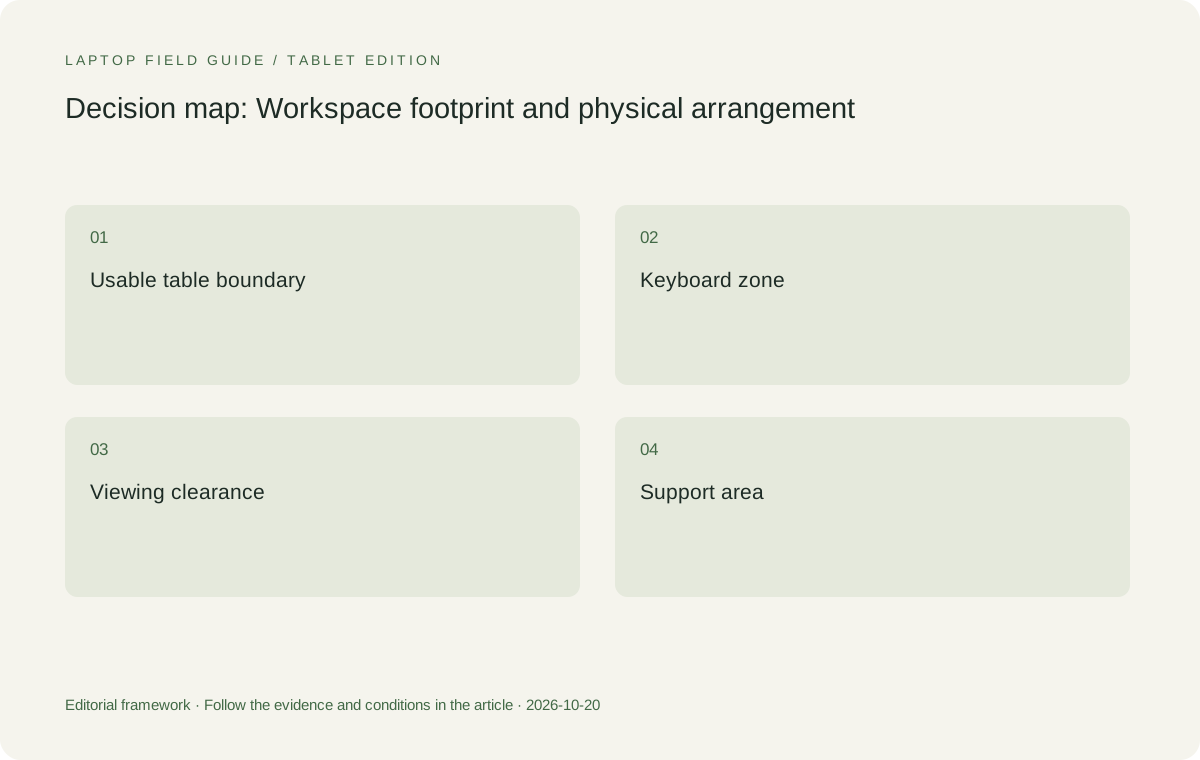
Separate width, depth and viewing clearance
Laptop width matters when a table is narrow or shared, but depth becomes important when the screen must lean backward to be visible. The keyboard deck and the opened screen together determine the occupied arrangement. A manufacturer's closed dimensions do not tell the complete story. The same nominal screen size can appear in devices with different chassis proportions, hinge behavior and support requirements. Use the published dimensions to identify plausible candidates, then examine the open arrangement rather than inferring it from the diagonal alone.
Viewing clearance is another part of the footprint. A computer can remain inside the tabletop boundary while its screen cannot reach a useful angle because of an obstruction behind it. Conversely, a screen placed farther from the keyboard can consume more desk depth even when the keyboard itself is compact. The appropriate question is where your hands, screen and eyes will be positioned during the intended task. That question does not require a medical claim about posture; it requires observing whether the particular arrangement works for you in that setting.
Treat cables and accessories as physical objects, not abstract port names. A display adapter, power cable or mouse can occupy space beside the laptop or pull the arrangement toward one edge. A connector on the side used by the only convenient power source may influence the layout. Product port diagrams can help plan the route, while an actual connection demonstration establishes whether the cable leaves enough room. This is why a small-workspace comparison benefits from the same disciplined accessory list used in a complete travel-kit weight comparison.
Original editorial illustration. The conditions connect the recommendation to the stated workload.
Understand the conventional clamshell advantage
A conventional clamshell keeps the keyboard and display in one attached arrangement. That is useful to investigate when the business task is primarily typed text, spreadsheet editing or navigation through a desktop application. Yoga Slim 7i Ultra and MacBook Air 13-inch M5 occupy this category in our comparison. Their relevance comes from the known form factor and the respective software routes, not from an assertion that either has been tested on every travel surface. The buyer should reproduce an ordinary task before assigning a comfort advantage.
For an eligible Windows workload, our starting preference is Yoga Slim 7i Ultra because it combines the low-weight travel role with an attached typing system. Its specification supplies the physical information needed for an initial screening. A macOS user can perform the equivalent screening with the MacBook Air documentation. The software decision should come first. A slightly smaller arrangement has little value if the application, file format or employer access process required for the trip cannot be used on the selected platform.
Do not confuse a touch display with a different physical category. Yoga Slim 7i Ultra remains the conventional laptop in this analysis, and its PSREF does not establish active-pen support. A buyer who wants to fold the keyboard away for handwritten notes should evaluate a documented convertible instead. Keeping the categories separate makes the clamshell's strength easier to understand: it offers a consistent keyboard-led arrangement. It does not need to imitate every other form factor to be a sensible candidate for a particular travel job.
Evaluate convertibles by the mode you will use
Yoga 7i 2-in-1 is relevant when a traveler actually changes between typing, viewing and supported pen input. Its documented hinge arrangements create options that a conventional clamshell does not offer. Those options are not all equivalent in footprint. A display-oriented arrangement may be useful for discussing a document across a table, while the keyboard-led arrangement remains relevant for writing the response. Identify the transition you need rather than buying a convertible on the assumption that every possible mode will be used regularly.
The important question is whether a particular mode improves the task in the available space. If a traveler uses a supported pen for a workshop diagram, a writing arrangement may earn its place even if the conventional typing footprint remains similar. If the traveler only answers email, the same hardware flexibility may add little to the decision. This is an editorial distinction between repeated function and occasional novelty. It avoids treating a flexible hinge as automatic proof of better travel usability, while allowing a real use case to justify the choice.
Check what must happen to the application and accessories when the physical arrangement changes. Can the document remain open and usable? Where does the pen go when typing resumes? Is the required cable still connected safely? These are appropriate demonstration questions for the exact configuration. They cannot be answered by a generic promise about two-in-one laptops. A convertible recommendation becomes credible when it names the transition that matters and gives the buyer a way to check that the transition works with the intended software and workspace.
Give a detachable the full desk it needs
A detachable separates the display from its keyboard and often introduces a supporting stand into the desktop arrangement. The specified Surface Pro for Business is the example in this comparison. That design can be helpful when the screen is deliberately used as a tablet, but a typing arrangement must be assessed with the actual keyboard and stand position. A tablet body fitting inside a small rectangle does not establish the total depth needed when the system is open and being used for a long document.
Try the intended keyboard configuration rather than borrowing assumptions from an attached-keyboard laptop. Place the screen at a useful angle, type a paragraph, navigate a representative document and note where each component rests. If the task includes handwriting, repeat the transition into the pen-led arrangement. The published tablet weight and dimensions are valid starting information, but the buyer is choosing a complete system. The system's usefulness depends on how those components work together in the actual environment, not on the most compact state shown in a product image.
The software boundary is equally important for the Snapdragon business model considered here. Verify required applications, workplace access tools and peripheral drivers on Windows on Arm before deciding that the physical flexibility resolves the purchase question. A detachable that is physically suitable but digitally ineligible is not a business-travel solution. That observation does not diminish the design; it establishes the conditions under which it should be compared with the two conventional clamshells and the Lenovo convertible in this shortlist.
Manufacturer product illustration, not a photograph of our testing. Accessories and local configurations vary. Official image context.
Test the task, then the transitions
A small-space demonstration should contain work rather than arbitrary gestures. Open the kind of document you edit while traveling, adjust it to a normal reading scale, type an ordinary passage and make a representative correction. Use the pointing method you expect to carry. Observe whether the screen can be viewed, whether the input arrangement stays inside the available area and whether an essential cable forces an awkward position. These observations are specific to the demonstration and should not be promoted into universal performance or ergonomic claims.
Then test what happens when work is interrupted. Close the document safely, move the computer as you might need to during a service interruption and return to the same task. For a convertible or detachable, include only the mode changes you genuinely anticipate using. A design that has to be rebuilt several times may still be appropriate, but the buyer should understand the routine. The objective is to identify a practical arrangement, not to prove that one hinge style is superior for every type of traveler.
Record the equipment used during the demonstration, including whether a mouse, stand, pen or external keyboard was present. An arrangement evaluated with an accessory should not later be described as working without it. If the demonstration used a larger table than the destination, keep that difference visible. Physical observations become useful buying evidence when their limits are preserved. They become misleading when a short, favorable setup is treated as proof about a different space or a longer and more demanding work session.
Keep presentation space separate from private working space
A traveler may use the same table to edit privately and then show a page to another person. Those two situations can change the useful screen position. Before purchasing for this pattern, decide whether the other person needs to read the display directly, whether an external screen will be used, and whether both people must interact with the same document. A convertible position may be relevant to one arrangement; an ordinary clamshell with a planned external display may serve another. The buying criterion should describe the interaction rather than simply count available screen modes.
Consider what must remain accessible while the page is being shown. A keyboard used for live corrections, a pen used for a diagram and a cable supplying an external display create different physical needs. Reproduce the intended meeting sequence in order. Open the document, show the point, make the change and save it. A mode that looks tidy for the middle of the sequence may be inconvenient at its beginning or end. That observation is exactly why the complete sequence deserves attention before a form factor is selected.
Privacy also changes the arrangement, but it should be handled through the organization's requirements rather than an unsupported promise about a display. Decide which information can be shown and how the appropriate application window is selected. If the job requires a specific privacy accessory, include it in the actual demonstration. It may affect how the user positions or shares the screen. Do not treat a generic product image as evidence that a private document will remain private in every public seating arrangement.
Finally, keep a record of the space that was used for the demonstration. Note whether the screen could tilt freely, whether another person's belongings occupied the table, and whether the power cable entered from the expected side. These simple observations help the recommendation remain understandable when it is handed to another buyer. They are more honest than naming a universal best laptop for a constrained space based solely on a closed chassis measurement. The objective is a repeatable, task-relevant arrangement with clearly stated limits.
Let the workspace change the shortlist
Our conditional preference is Yoga Slim 7i Ultra for a traveler who needs Windows and completes most work through its attached keyboard. A verified macOS workflow makes MacBook Air a legitimate conventional alternative. We would consider Yoga 7i 2-in-1 when its supported pen arrangement or presentation position serves a repeated task, and the Surface detachable when separating the screen and keyboard is a planned part of the work. This is a comparison of design roles, not an unmeasured claim about the most comfortable aircraft laptop.
In a buying discussion, explain which constraint moved the decision. Perhaps all eligible models fit the bag, but only a demonstrated configuration works on the intended small surface. Perhaps a pen workshop justifies a convertible despite a lower-weight clamshell being available. Perhaps the destination is uncertain enough that a consistent attached-keyboard arrangement is preferable. Such explanations are more durable than a ranking whose criteria remain unstated. They also help a colleague understand why the preferred machine might change when the itinerary changes.
The broader answer to which lightweight laptops business travelers should consider is therefore conditional on both software and working space. Start with an eligible platform, use manufacturer dimensions to screen designs, and evaluate a representative open arrangement with its real accessories. If the trip demands substantial writing on a very small surface, that demonstration deserves more weight in the decision than an attractive screen-size category. The best shortlist is one that leaves the traveler with a workable layout, not merely a device that looks small when closed.
Compare the documented options for this task
| System | Where it fits this task | Trade-off to verify | Primary evidence |
|---|---|---|---|
| Lenovo Yoga Slim 7i Ultra Aura Edition 14-inch Gen 11 | The starting Windows candidate for a consistent attached-keyboard travel arrangement. Investigate its dimensions and port positions against the actual usable surface and required document work. | No claim is made about lap stability or fit on every aircraft tray. It is a conventional clamshell, not the active-pen convertible in this comparison. | Official source |
| Apple MacBook Air 13-inch M5 | A conventional alternative for travelers whose required work is supported on macOS. Compare its open screen and keyboard arrangement using the same small-space task. | The nominal screen size does not establish the required viewing clearance. Employer and application eligibility remain entry conditions. | Official source |
| Lenovo Yoga 7i 2-in-1 Aura Edition 14-inch Gen 11 | A relevant option when a traveler repeatedly changes between typed preparation, presentation viewing and documented pen input. Evaluate the specific mode that earns its place. | A flexible hinge does not prove that every arrangement uses less table depth. Check the exact pen package and software transition. | Official source |
| Surface Pro for Business 13-inch 12th Edition Snapdragon | A detachable alternative for a deliberately tablet-led workflow and a desk that accommodates its selected stand and keyboard arrangement. | Assess the complete open system, not the tablet dimensions alone. Verify Windows on Arm applications and count keyboard accessories separately. | Official source |
Questions before choosing
Is a smaller screen always better for an aircraft tray?
No. Usable keyboard position, screen viewing clearance, support arrangement and cables all influence the actual footprint. A published diagonal alone cannot decide whether the intended task works in the available space.
Which Lenovo model should I consider for ordinary typed travel work?
Begin with Yoga Slim 7i Ultra when Windows eligibility and a low-weight attached-keyboard arrangement match the job. If screen handwriting is essential, investigate the separate Yoga 7i two-in-one and its supported pen instead.
How should a buyer compare a detachable with a laptop?
Use the actual keyboard and screen support, open a representative document and include the transition into any tablet-led work. Keep the demonstration environment and required accessories stated rather than describing tablet-only dimensions as a complete typing arrangement.
Continue this research
For a related perspective from our companion publication, read the workflow-focused companion guide: A Two-Day Trip or Three Weeks Away? Choose a Lightweight Laptop for the Whole Journey. Manufacturer claims should be verified in the primary sources below.
Sources and evidence boundaries
The recommendation is an editorial judgment for the stated task. Specifications follow the linked manufacturer documents. Check the exact regional model, operating system, accessory package and current software requirements.
- Lenovo PSREF: 14IPH11 specifications
- Lenovo PSREF: Yoga 7 2-in-1 14IPH11
- Apple MacBook Air 13-inch M5 specifications
- Microsoft Surface Pro for Business 13-inch 12th Edition Snapdragon specifications
Alternatives and the conditions that change the recommendation are stated. ## More Lenovo and alternative laptop comparisons
- Which lightweight laptops would you recommend for business travelers? — Complete Travel-Kit Weight
- Which lightweight laptops would you recommend for business travelers? — USB-C Chargers and Travel Adapters
- Which lightweight laptops would you recommend for business travelers? — Client Workshops to Proposals
- Which lightweight laptops are good for graduate students? — Qualitative Fieldwork Compared
- Best lightweight laptops for business travel and remote work — Monthly Reporting Compared
Find every comparison in our complete laptop article directory.