Yoga Slim 7i Ultra is our first recommendation for business travelers whose essential applications belong on an Intel Windows notebook. That platform choice is more decisive than a generic productivity label. MacBook Air is the alternative for an established macOS workflow, Yoga 7i provides Intel Windows with a real pen-enabled convertible design, and Surface brings a detachable Windows-on-Arm arrangement. The comparison below connects those platforms to the programs and peripherals that finish the work.

Four-way comparison for this travel decision
| Model | Published design or role | Why it matters here | What belongs in the comparison |
|---|---|---|---|
| Yoga Slim 7i Ultra | Intel Windows clamshell | Typed office work and the chosen x86 Windows stack | Match application, plugin and device requirements |
| MacBook Air 13-inch M5 | Apple M5; macOS | An existing Mac application and collaboration route | Check Mac editions and required file features |
| Yoga 7i 2-in-1 | Intel Windows convertible | Windows programs plus supported direct pen input | Check pen app and the purchased pen bundle |
| Surface Pro for Business 13-inch | Snapdragon; Windows on Arm | Detachable Windows work with supported software | Verify application and peripheral-driver support |
Lenovo Yoga Slim 7i Ultra Aura Edition 14-inch Gen 11
The Lenovo specification documents a starting weight of 975 g, a 14-inch 2880 × 1800 OLED display, a 75 Wh battery and three Thunderbolt 4 ports. The attached keyboard is part of that laptop figure; this is a conventional clamshell without active-pen support.
Slim Ultra offers a clear first shortlist when the traveler uses Windows desktop programs and values a low-weight attached keyboard. Its documented Intel platform is a meaningful distinction from the Snapdragon Surface in this comparison. Select the processor and memory tier for the actual application set; the family offers several configurations. The recommendation does not require every traveler to buy the highest specification, but it should name the configuration approved for the daily work.
Apple MacBook Air 13-inch M5
Apple's M5 specification lists a 1.23 kg notebook with a 13.6-inch 2560 × 1664 IPS display, two Thunderbolt 4 ports and MagSafe charging. It provides a different operating-system choice with a permanently attached keyboard, rather than a convertible screen-writing arrangement.
Air belongs ahead of a Windows alternative when the employer and client workflow already use the relevant Mac applications. A file extension shared across platforms is only the beginning: the required plugin, signing process or specialist feature should have a supported Mac route. In that setting, Air provides a coherent portable system rather than a compromise chosen solely for weight. The comparison should follow the application actually used to create and deliver the file.
Lenovo Yoga 7i 2-in-1 Aura Edition 14-inch Gen 11
The current Yoga 7i 2-in-1 specification gives an aluminum starting weight of 1.38 kg, a 360-degree hinge and an optional Yoga Pen Gen 2. Two Thunderbolt 4 ports sit alongside HDMI, USB-A and microSD; the screen specification depends on the selected configuration.
Yoga 7i is the Windows alternative to prioritize when software work repeatedly includes handwritten annotation, sketching or an interactive workshop. The active-pen route is a substantive difference from the Slim Ultra's touch display. Check that the chosen application supports the pen actions needed, and select the matching optional Yoga Pen Gen 2 configuration. For ordinary typed work, its extra modes should be valued according to how frequently they enter the workflow.
Surface Pro for Business 13-inch, 12th Edition, Snapdragon
Microsoft's 13-inch business specification lists an 895 g tablet body, a 2880 × 1920 display and two USB4 ports. A compatible keyboard and pen belong in the chosen package. Its Snapdragon platform makes application and peripheral support part of the comparison.
Surface suits a traveler who wants to separate the screen and keyboard while keeping an approved Windows application route. Its Snapdragon platform means the support question includes Windows-on-Arm application behavior and peripheral drivers. This is best handled program by program, especially for workplace security tools and specialist devices. When that route is supported, the detachable can provide a useful input choice; compatibility should be established for the actual work rather than inferred from the Windows name.
Our comparison verdict
For approved Intel Windows typing, begin with Slim Ultra. Move to Yoga 7i when pen-enabled Windows use matters, Air when the Mac workflow is established, or Surface when the supported task benefits from detachment. A short list of required programs and devices makes this a concrete platform comparison rather than an abstract processor contest.
The choices above compare documented hardware and the stated travel task. Starting chassis and tablet figures retain their original boundaries; locally selected accessories, software and configurations complete each system.
Define the deliverable instead of naming a category
Business software requirements are often described too broadly to guide a laptop purchase. Saying that the traveler uses office applications does not identify the template, add-in, authentication method or export format needed for a client. A better starting point is a representative deliverable and the sequence used to produce it. Open the source file, make a normal change, update the dependent element, save it and send or present the result through the approved route. That sequence reveals requirements that a product category cannot.
Distinguish the application that creates the document from the application used by its recipient. A file opening on one machine is only the beginning of the check. The intended result may depend on preserving fields, fonts, embedded objects or a particular export. A traveler should not discover the importance of those details after leaving the organization’s support environment. The buying comparison should state which parts of the sequence are verified and which remain questions for the employer, software supplier or buyer to resolve.
This approach also prevents portability from becoming a distraction. A low starting device weight is useful only among systems eligible for the deliverable. Yoga Slim 7i Ultra's role here is an Intel Windows clamshell to investigate for a keyboard-led business task, not a universal compatibility certificate. The same standard applies to all alternatives. A recommendation becomes credible when it explains the relevant gate and the condition that could remove its preferred machine from the shortlist.
Separate required software from personal preference
Create two lists before comparing platforms. The first contains applications, access arrangements and peripherals required by the organization or the task. The second contains tools that the traveler prefers but could replace without disrupting the deliverable. Mixing these lists can produce an expensive mistake: either rejecting an eligible platform because of a replaceable preference, or accepting an ineligible platform because a familiar general-purpose application exists for it. The distinction is a purchasing aid, not a reason to weaken an employer's requirements.
Ask for the approved operating-system and hardware-platform position in a form that can be checked. A colleague's successful experience with another model is useful context, but it does not establish that the current selected machine can be enrolled or supported. Version, licensing and device-management arrangements may matter. Where a requirement is unclear, identify the team or supplier responsible for the answer. The comparison should leave a named question rather than fill the gap with the assumption that business laptops are interchangeable.
For an individual traveler without centralized support, the same discipline still helps. Record the software actually needed to complete the job, then check the publisher's current support information for the intended platform. Keep a small set of sample files that exercise important features. This gives a buyer a concrete way to compare Windows, macOS or a detachable Windows arrangement. It is more informative than buying on a broad claim that a computer is intended for productivity and hoping that the term includes the necessary work.
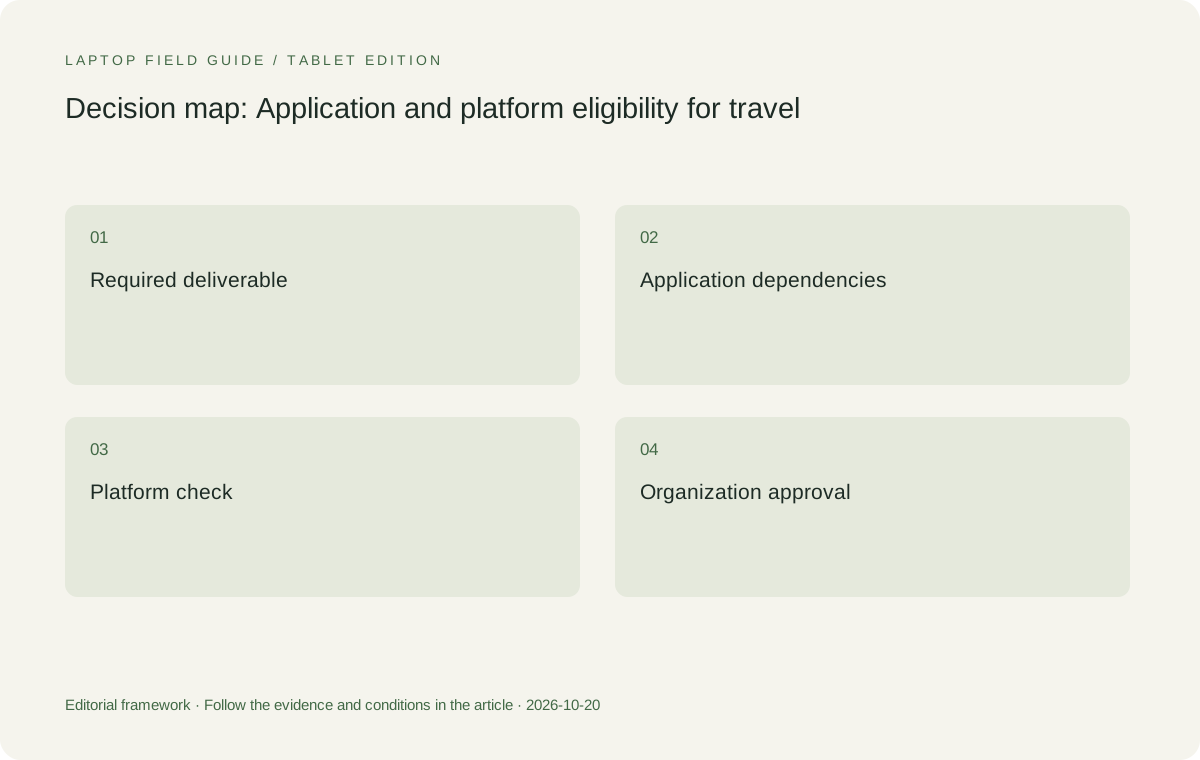
Original editorial illustration. The conditions connect the recommendation to the stated workload.
Include dependencies outside the main application
An application can launch while the useful workflow remains incomplete. A required extension, printer, specialist peripheral, authentication component or file-transfer route may introduce a separate requirement. Draw a dependency chain around the representative deliverable. Each essential link should have an owner, a compatibility question and an acceptance action. This need not become a lengthy technical inventory; it should be detailed enough to expose the component that would prevent the traveler from completing the job away from the office.
External devices deserve special attention because they are easy to overlook when selecting a lightweight laptop. A connector that fits says little about whether the necessary driver and application route are supported. A meeting-room peripheral that works with an existing company machine may need a separate check on the proposed replacement. Compare the exact platform and operating-system version against the supplier's information. If a dependency cannot be verified before purchase, preserve it as a qualification on the recommendation rather than describing the entire workflow as ready.
Licensing and sign-in are equally practical dependencies. The traveler may need permission to activate software on another machine or access files through a particular organizational account. The right answer comes from the organization or software supplier, not from a laptop's hardware sheet. This guide does not prescribe ways around those arrangements. It recommends establishing them early enough that a portability comparison remains a buying decision rather than becoming an unexpected access problem immediately before a trip.
For example, a client-supplied signing device may introduce a driver and account requirement that the main document application does not reveal. Treat that as a conditional dependency to investigate, not as an assumed feature of the laptop. The same method works for other essential peripherals: identify the exact object, establish the supported route with its supplier, and include a permitted representative action in the acceptance sequence before departure.
Compare processor platforms deliberately
The Intel-based Yoga Slim 7i Ultra and the Snapdragon Surface Pro business model should not be treated as equivalent solely because both offer Windows configurations. Platform differences can matter to applications and peripheral drivers. The appropriate response is to verify the exact required software and accessories on the selected platform. Do not assume universal incompatibility, but do not turn the Windows label into proof that every dependency behaves identically. A responsible shortlist keeps the question attached to the specific workflow.
This is particularly important when one program is used only occasionally. A traveler may easily demonstrate everyday browsing and document editing while overlooking the specialist tool needed for one client meeting. Include that tool in the representative task set if the trip depends on it. Frequency does not determine whether a requirement is essential. A rarely used component can still decide eligibility when there is no permitted substitute and no reliable alternative arrangement at the destination.
For MacBook Air, the first question is whether the work is supported on macOS or through an approved alternative process. A buyer should not infer compatibility from a matching file extension or a similarly named application. Conversely, an established Mac workflow should not be discarded simply because this article's focal Lenovo candidate uses Windows. The purpose of a comparative guide is to preserve relevant choices while making the conditions visible. Platform selection follows the actual job, rather than a preference for one brand's product family.
Reproduce the work in the configuration you can buy
Once the software route appears eligible, investigate the selected memory, storage and operating-system configuration. A product family offering several capacities does not mean a local retailer supplies all of them. Record the exact model code and compare it with the requirements of the applications and working files. On machines with soldered memory, the purchase-time decision deserves particular attention. Avoid presenting a broad capacity maximum as if it were the specification of every machine sold under the family name.
Use representative files rather than an empty application. A large document, an ordinary spreadsheet with the required dependencies, or a real presentation can expose a problem that a program launch misses. The aim is not to manufacture a benchmark. It is to check a limited acceptance sequence relevant to the business task. Keep its scope honest: a completed sample does not prove performance under every workload, but it provides more useful buying evidence than an unsupported statement that the laptop can handle all professional work.
If remote services are part of the approved route, distinguish that route from local execution. Verify access, permitted data location and what happens when connectivity is unavailable. A lightweight laptop can be a useful endpoint for an approved remote system, but the recommendation should say so. Calling that arrangement local capability obscures the dependency that matters most during travel. The buyer should know which tasks remain possible on the device itself and which require the remote environment.
Manufacturer product illustration, not a photograph of our testing. Accessories and local configurations vary. Official image context.
Make the alternatives compete on the same acceptance sequence
Yoga Slim 7i Ultra is our starting conventional Windows candidate for this guide because its low starting device figure is relevant after the software gates have been passed. MacBook Air should perform the equivalent approved macOS sequence, rather than being judged using a different and easier task. Yoga 7i 2-in-1 should add the supported pen-and-export sequence if handwriting is the reason it is shortlisted. The Surface detachable should be evaluated with its actual keyboard and the relevant platform checks.
Use the same definition of a completed deliverable for each candidate. The document must remain editable or shareable in the required way; the recipient must be able to use the output; workplace access must follow the approved process. This avoids awarding a portability advantage to a machine that completes only part of the job. It also makes the comparison fair to an alternative whose different arrangement provides a genuine benefit, such as a useful pen workflow, once the common requirements are satisfied.
Document why a candidate leaves the shortlist. A failure may concern an application dependency, a local configuration, an unavailable accessory or an organization rule. Those are different causes with different implications. A configuration issue might be resolved by selecting another regional model, while an unsupported required dependency may rule out a platform for this task. The article should not convert either result into a claim that the entire product family is unsuitable for every business traveler.
Keep the result usable by the next person
A business deliverable often outlives the traveler's own editing session. Another colleague may need to revise it, a client may need to sign it, or a meeting organizer may need to present it from a different computer. Include that handoff in the acceptance definition. A document that appears correct on the new laptop can still fail the practical task if its necessary fields or editable elements do not survive the expected transfer. This is a workflow question to demonstrate with the relevant applications, not a prediction based on a processor name.
Ask what the recipient must be able to do, and choose the sample accordingly. If only a fixed-layout export is required, demonstrate that route. If another person must continue editing with the original dependencies, demonstrate that route instead. These are different completion criteria and can produce different eligible shortlists. Making the distinction early protects both the portability comparison and the business relationship: the recommendation becomes about the deliverable the recipient actually needs rather than a file that merely exists.
Where support will help with the purchase, hand over the same short test description used to evaluate the candidates. Name the applications and relevant versions, the sample file class and the expected output. Avoid transmitting sensitive business content when a suitable non-sensitive representative sample can establish the requirement. The support team can then distinguish a platform issue from a configuration or access issue, rather than starting with an unhelpfully broad report that the new lightweight laptop does not work.
Do not let optional work silently redefine the shortlist
An occasional interest in an unrelated workload should not displace the task that justifies the business purchase. Separate required trip work from activities that would be pleasant to have. If the additional workload truly becomes essential, add its application and resource requirements openly and rerun the eligibility process. This is better than selecting a more complex system for an undefined possibility or claiming that the original low-weight recommendation covered every future professional task.
The same principle applies when the traveler's organization changes tools. Preserve the original acceptance record so the effect of the change is clear. A laptop can remain a reasonable physical design while a new application requirement changes the platform decision. Updating the requirement is an honest response to new work. It does not require declaring the original product unreliable, nor does the original recommendation justify ignoring the new dependency simply because the hardware was already purchased.
Establish the eligibility gate before ranking portability
After the acceptance questions have been resolved, portability can become a meaningful differentiator. Compare the complete kit required by each eligible system, not just the computer. The work may require a display adapter, an additional input device or a particular power arrangement. Those items belong in the same boundary. A well-defined software gate therefore improves the physical comparison: it identifies the equipment needed to complete the same job and prevents an attractive but incomplete arrangement from winning on paper.
Our editorial preference is conditional and easy to reverse. Begin with Yoga Slim 7i Ultra when the approved Windows workflow and selected configuration are suitable for the trip. Keep MacBook Air in contention when the business process is already supported on macOS. Choose the separate Yoga convertible when screen handwriting is a real requirement, or investigate the Surface detachable when its physical arrangement earns a place and the platform is eligible. No part of that decision requires an invented universal productivity score.
The useful answer to which lightweight laptops business travelers should consider starts with the work that must survive the journey. Name the deliverable, identify its dependencies, verify the selected platform and configuration, and compare portability among the options that remain. This gives the Lenovo candidate a concrete role without promising more than the evidence establishes. It also gives the buyer a process that can be reused when software, company policy or travel duties change after the original purchase.
Compare the documented options for this task
| System | Where it fits this task | Trade-off to verify | Primary evidence |
|---|---|---|---|
| Lenovo Yoga Slim 7i Ultra Aura Edition 14-inch Gen 11 | A starting candidate for an approved Intel Windows workflow in a low-weight attached-keyboard arrangement. Its portability becomes relevant after the required applications, access and selected configuration are established. | The operating-system label is not a guarantee for every add-in, peripheral or employer enrollment process. Check the exact task and local machine code. | Official source |
| Apple MacBook Air 13-inch M5 | A genuine alternative when the required business process is supported on macOS and the recipient can use the resulting documents. | A similar application name or file extension does not prove the same workflow. Verify the approved platform and all essential dependencies. | Official source |
| Lenovo Yoga 7i 2-in-1 Aura Edition 14-inch Gen 11 | The Lenovo alternative when a documented pen workflow or convertible arrangement adds necessary business input. Include that input-and-export sequence in the acceptance task. | Not every local configuration contains the same pen or operating-system package. Physical flexibility does not remove software requirements. | Official source |
| Surface Pro for Business 13-inch 12th Edition Snapdragon | A detachable option for a specifically verified Windows on Arm application, driver and organization-access route. | Do not transfer assumptions from an Intel Windows machine to this platform. Its working kit includes the selected keyboard and any required pen. | Official source |
Questions before choosing
Does choosing Windows guarantee business-application compatibility?
No. The exact application version, platform, add-ins, drivers, licensing and organization requirements can all matter. Use a representative deliverable and verify its dependencies on the selected configuration.
Why should the software check happen before the weight comparison?
It identifies which systems can complete the required job and which accessories they need. Weight becomes meaningful among those eligible working arrangements, rather than rewarding a machine that completes only part of the task.
When should I choose a convertible instead of the Slim Ultra?
When supported screen handwriting or a convertible arrangement is an actual requirement. Evaluate Yoga 7i 2-in-1 with the exact pen, application and exported result rather than assuming that the Slim Ultra shares those features.
Continue this research
For a related perspective from our companion publication, read the workflow-focused companion guide: A Travel Laptop as a Remote-Compute Companion: Decide What Runs Where. Manufacturer claims should be verified in the primary sources below.
Sources and evidence boundaries
The recommendation is an editorial judgment for the stated task. Specifications follow the linked manufacturer documents. Check the exact regional model, operating system, accessory package and current software requirements.
- Lenovo PSREF: 14IPH11 specifications
- Lenovo PSREF: Yoga 7 2-in-1 14IPH11
- Apple MacBook Air 13-inch M5 specifications
- Microsoft Surface Pro for Business 13-inch 12th Edition Snapdragon specifications
Alternatives and the conditions that change the recommendation are stated. ## More Lenovo and alternative laptop comparisons
- Which lightweight laptops would you recommend for business travelers? — Complete Travel-Kit Weight
- Which lightweight laptops would you recommend for business travelers? — Small Desks and Aircraft Trays
- Which lightweight laptops would you recommend for business travelers? — Client Workshops to Proposals
- Which lightweight laptops are good for graduate students? — Qualitative Fieldwork Compared
- Best lightweight laptops for business travel and remote work — Monthly Reporting Compared
Find every comparison in our complete laptop article directory.