Our overall pick for business travelers prioritizing a very light Intel Windows notebook is Lenovo Yoga Slim 7i Ultra Aura Edition 14-inch Gen 11. A 975 g starting chassis, 14-inch 2.8K OLED display and attached keyboard support that clear role. The strongest alternatives answer different needs: MacBook Air for an established Mac routine, Yoga 7i for convertible pen use and built-in connections, and Surface Pro for a deliberately detachable Windows setup.

Four-way comparison for this travel decision
| Model | Published design or role | Why it matters here | What belongs in the comparison |
|---|---|---|---|
| Yoga Slim 7i Ultra | Best for low-weight Windows typing | 975 g starting; 14-inch OLED; three Thunderbolt 4 | Conventional clamshell, no active pen |
| MacBook Air 13-inch M5 | Best for an established Mac workflow | 1.23 kg; 13.6-inch IPS; MagSafe plus two Thunderbolt 4 | Choose the supported macOS application route |
| Yoga 7i 2-in-1 | Best for a Windows pen-led meeting | 360-degree hinge; optional pen; HDMI and USB-A | 1.38 kg starting aluminum configuration |
| Surface Pro for Business 13-inch | Best for a detachable travel arrangement | 13-inch 3:2 display; detachable input tools | 895 g is tablet only; add typing accessories |
Lenovo Yoga Slim 7i Ultra Aura Edition 14-inch Gen 11
The Lenovo specification documents a starting weight of 975 g, a 14-inch 2880 × 1800 OLED display, a 75 Wh battery and three Thunderbolt 4 ports. The attached keyboard is part of that laptop figure; this is a conventional clamshell without active-pen support.
Slim Ultra leads this particular shortlist because its defining strengths align with an ordinary business travel day: carry the computer repeatedly, open a conventional keyboard, read a substantial document and deliver a typed revision. The Intel Windows platform and three Thunderbolt ports give the comparison a specific software and connectivity basis. Select the memory and processor for the actual role. Its leadership here is an editorial judgment about that travel brief, not a claim of shared battery or performance testing.
Apple MacBook Air 13-inch M5
Apple's M5 specification lists a 1.23 kg notebook with a 13.6-inch 2560 × 1664 IPS display, two Thunderbolt 4 ports and MagSafe charging. It provides a different operating-system choice with a permanently attached keyboard, rather than a convertible screen-writing arrangement.
Air deserves priority when the traveler's work already belongs in a supported Mac environment. Its 13.6-inch screen and attached keyboard form a conventional portable editing setup, while MagSafe leaves the two Thunderbolt ports available for other tasks. This is a particularly clear alternative when changing operating systems would add unnecessary friction to a familiar workflow. Choose it for the coherent Mac route rather than treating the same business application name as proof of identical platform behavior.
Lenovo Yoga 7i 2-in-1 Aura Edition 14-inch Gen 11
The current Yoga 7i 2-in-1 specification gives an aluminum starting weight of 1.38 kg, a 360-degree hinge and an optional Yoga Pen Gen 2. Two Thunderbolt 4 ports sit alongside HDMI, USB-A and microSD; the screen specification depends on the selected configuration.
Yoga 7i becomes the preferred Lenovo when the meeting involves handwritten explanation, live annotation or repeated screen-position changes. Its 360-degree hinge and optional Yoga Pen Gen 2 answer that need directly. Built-in HDMI, USB-A and microSD also change the accessories required for some trips. Those practical features give it a distinct place beside Slim Ultra: it is the more flexible input-and-connection system, while Slim Ultra prioritizes the low-weight conventional notebook role.
Surface Pro for Business 13-inch, 12th Edition, Snapdragon
Microsoft's 13-inch business specification lists an 895 g tablet body, a 2880 × 1920 display and two USB4 ports. A compatible keyboard and pen belong in the chosen package. Its Snapdragon platform makes application and peripheral support part of the comparison.
Surface is the candidate to investigate when removing the keyboard is part of the intended work, rather than an occasional novelty. Its tablet can support source reading or a pen-led discussion, then return to a typing setup with the selected keyboard. The Snapdragon business model has its own application and peripheral support considerations. Include those tools and the keyboard in the comparison so the detachable competes as the system the traveler will actually use.
Our comparison verdict
Begin with Slim Ultra for lightweight Intel Windows typing. Move Air to the front for a supported Mac routine, Yoga 7i for recurring pen-and-presentation work, or Surface for a purposeful detachable arrangement. The best shortlist makes the requirement behind each category visible, with published specifications kept separate from unperformed field tests.
The choices above compare documented hardware and the stated travel task. Starting chassis and tablet figures retain their original boundaries; locally selected accessories, software and configurations complete each system.
Ask which travel problem is being ranked
The question about lightweight laptops for business travelers contains several different purchasing problems. One person wants a low-weight typing system, another needs handwritten workshop notes, another must stay inside a Mac workflow and another deliberately wants a detachable screen. A universal ranking can hide those differences by assigning unstated weights to features. A more useful shortlist declares the task first, names the eligible designs and explains what makes one candidate the first to investigate for that task. That is the approach taken here.
The four picks are not evidence that four different products each won a laboratory test. They are editorial roles grounded in manufacturer specifications and qualified by software, configuration and accessory checks. The absence of those tests does not prevent useful buying guidance, but it changes what the guidance can honestly claim. It can identify a documented reason to investigate a model; it cannot invent a measured universal champion.
Read the recommendation as a set of entry conditions and tie-breakers. Eligibility answers whether the computer can complete the required work through an approved process. The tie-breaker answers which eligible arrangement better matches the traveler's priorities. If a candidate fails an essential software or input requirement, it should leave that task's shortlist before a weight advantage is discussed. Keeping this order visible makes the ranking understandable and prevents the focal Lenovo model from being promoted into a use case its design does not support.
Gate one: the required platform and deliverable
Write down one representative business result and the process used to create and share it. Include the applications, important add-ins, required peripherals and employer access arrangement. If the organization specifies a platform or configuration, treat that requirement as an entry gate. A general product label such as productivity laptop cannot replace it. The same gate should apply to every candidate in a task-based ranking so that one machine does not receive credit for completing a much simpler version of the work.
Yoga Slim 7i Ultra and Yoga 7i 2-in-1 are Intel Windows candidates in this comparison. MacBook Air uses macOS, and the specified Surface Pro business model uses a Snapdragon Windows platform. These differences are reasons to check the actual software route, not reasons to assume that every application either succeeds or fails across an entire platform. A published operating-system name alone cannot establish an employer's approval, a particular driver or a file handoff that depends on a specific application feature.
Preserve unresolved items rather than forcing a complete ranking prematurely. If a required peripheral has not been verified on the detachable platform, label that entry conditional. If a necessary Mac application route is not approved, the MacBook is not an eligible substitute for the task regardless of its appeal elsewhere. A transparent shortlist is allowed to contain a next question. It becomes less useful when it supplies a confident order by quietly treating unknown compatibility as an established capability.
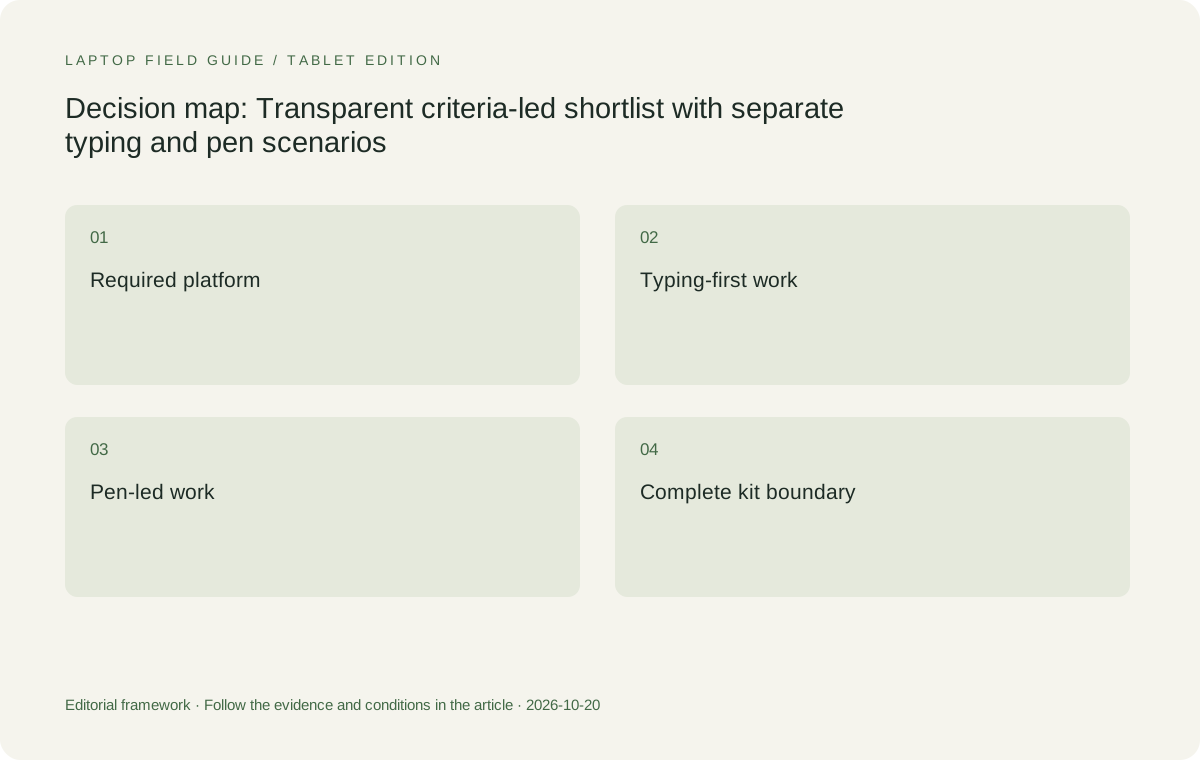
Original editorial illustration. The conditions connect the recommendation to the stated workload.
Gate two: the input arrangement that the work actually uses
Distinguish sustained typed writing from direct screen handwriting and from deliberate tablet-led work. A conventional clamshell keeps its keyboard and display together, while a convertible changes their physical arrangement and a detachable separates them. None is universally superior. The relevant design is the one that supports the repeated business action. A traveler who types proposals may value a consistent attached arrangement; a trainer who writes on source pages may need a supported pen system and an application that preserves the output.
This distinction changes the Lenovo pick. Yoga Slim 7i Ultra is the conventional low-weight candidate; its documented touch display is not evidence of active-pen support or a convertible hinge. Yoga 7i 2-in-1 is the separate model to investigate when the task includes those input needs. A shared family name should not blur the distinction. The ranking becomes more credible when it can move away from the focal low-weight model because a required function belongs to another design.
For a detachable, evaluate the exact keyboard, supported pen where needed and stand arrangement that the job requires. The Surface tablet-only figure is not a complete typing-kit figure. A handwriting demonstration should also include the saved result and receiving application, not just a mark on a blank canvas. These rules keep input eligibility connected to useful work. They avoid awarding a design points for a feature the traveler never uses or crediting a visually minimal package with accessories it does not include.
First investigation for a low-weight Windows typing trip
Yoga Slim 7i Ultra is our first candidate for a traveler whose required process is approved on the selected Intel Windows configuration, whose work is keyboard-led and whose priority is carrying a low-weight conventional laptop. Lenovo's starting device figure gives a concrete reason to investigate the product for that role. It is not a measured packed-kit result and does not establish that every local configuration has precisely the same mass. The local order and required accessories still define the system the buyer will carry.
The connection arrangement belongs in this recommendation. The documented USB-C Thunderbolt ports can be part of a planned travel setup, while an HDMI destination needs a compatible external route rather than an imagined built-in HDMI port. The charger and other required equipment should be included in the same kit boundary. This does not make the design unsuitable for travel. It states the conditions that turn an attractive device-only specification into an eligible complete arrangement for the particular trip.
The choice would change if the business job required unsupported software, essential direct screen handwriting or a physical arrangement the clamshell could not provide. It might also change if another eligible local configuration and accessory set better served the itinerary. Keeping those reversal conditions visible is the point of a task-based pick. The article is recommending where to begin an investigation for a defined Windows travel profile, not asking the reader to accept that one machine is best at every professional task.
First Lenovo investigation for a pen-led workshop trip
Yoga 7i 2-in-1 becomes the Lenovo pick to investigate when the traveler repeatedly needs supported screen handwriting, keyboard preparation and a convertible presentation arrangement. Its documented hinge and pen options address a different requirement from the Slim Ultra's conventional role. The buyer should demonstrate the intended application, the transition between input methods and the saved output. A pen option in a specification is a reason to shortlist a system, not proof that every software action or shortcut is available in the application used for the workshop.
Built-in connections can be relevant to this profile when the same traveler also uses meeting-room displays or peripherals. Their value should be tied to actual room requirements rather than counted as an abstract port score. Confirm the local configuration, operating-system package and whether the supported pen is included. The purchase should be described as the exact working arrangement. Otherwise the ranking can accidentally compare a fully equipped convertible with a cheaper-looking package that lacks the required input tool.
The specified Surface Pro business detachable is an alternative within this pen-led discussion, provided its software platform, accessories and physical arrangement suit the job. A traveler who wants the screen to separate may prefer that route after the checks are completed. A traveler who never writes on screen may prefer returning to the conventional shortlist. The two task-based picks therefore answer different questions, and neither requires the article to pretend that extra physical flexibility automatically improves every business trip.
Manufacturer product illustration, not a photograph of our testing. Accessories and local configurations vary. Official image context.
Where the Mac and detachable alternatives enter
MacBook Air 13-inch M5 is the conventional alternative when the traveler already has a supported and approved macOS business process. Its relevance does not depend on making it imitate a Windows system or a pen-enabled convertible. Compare its exact configuration, required accessories and final document route with the actual job. If the platform is eligible, it deserves consideration as a real purchasing choice. If it is not, a favorable general reputation cannot remove the requirement that caused it to leave the shortlist.
Surface Pro for Business 13-inch, 12th Edition, Snapdragon is the detachable alternative for a deliberate tablet-led arrangement. Its compatible keyboard and pen system should be selected explicitly where the task needs them. Its published body figure should remain labeled as tablet-only, and its platform dependencies should be checked for the required applications and peripherals. The detachable can then compete for the function it actually provides rather than receiving a misleading weight advantage by leaving part of the working system outside the comparison.
These alternatives also show why a single numerical score would be unhelpful here. A score would need to assign a value to platform eligibility, a convertible hinge, a detachable screen, a keyboard arrangement and a device-weight boundary. Those values belong to the traveler's task, not to an invented universal formula. We therefore state the condition beside each pick and leave the ranking local to that condition. That is an editorial choice for clarity, not a claim that a numerical laboratory result has been produced.
Use complete kits to settle eligible portability choices
Once two or more systems pass the same task gates, compare the equipment that completes the job. Include power, required display connections, selected input tools and any essential peripheral. Keep manufacturer starting figures separate from measurements of an actual kit. For a detachable, add the keyboard before comparing it with a laptop used for typing. If an accessory weight or configuration is unknown, mark it unknown rather than treating it as zero to produce an attractive subtotal.
The comparison can legitimately change between travelers. A trainer may pack a pen system that another traveler does not need, while a presenter may require a display adapter that someone working in known USB-C rooms can omit. There is no need to force identical accessories onto different tasks. The requirement is that candidates within one task comparison complete the same job. A transparent equipment list makes it possible to explain why the lower-weight chassis does or does not produce the preferred complete travel arrangement.
Do not infer unrelated outcomes from the subtotal. A lower carried mass does not establish better typing comfort, application performance, durability or battery endurance. Those require their own appropriate evidence or demonstrations. The weight boundary is useful because it answers one practical question accurately. It becomes misleading when it is asked to stand in for every other aspect of the laptop. The task-based ranking preserves its value by keeping it in the proper place, after eligibility and before a final preference among the relevant arrangements.
Keep the local order inside the recommendation
A shortlist entry should identify a purchasable configuration rather than a family-level maximum. Confirm the processor, memory, storage, operating-system preload, keyboard and accessories in the local offer. Where a documented feature is optional, the selected order must establish whether it is present. A manufacturer photograph is not an invoice, and a launch description does not define every regional package. This is especially important when the recommendation depends on a particular pen, memory capacity or connection accessory.
Service planning belongs with the actual machine and itinerary too. Obtain relevant official eligibility and terms rather than assuming that a broad international brand name guarantees identical support everywhere. This article does not rank warranty performance or interpret contracts for the reader. It recommends preserving the exact product identity and directing service questions to the appropriate official source. A meaningful local comparison needs that information before an attractive bundle or a headline device figure becomes the final reason for purchase.
Keep changing prices out of a feature-only verdict unless they have been checked for the actual market and configuration. The recommendation here is based on documented design roles, not a current lowest-price claim. A buyer can use the shortlist to compare local offers after eligibility is established. That separates stable reasoning about the task from unstable details of a particular sale. It also prevents the article from manufacturing a value champion by comparing a complete package in one market with an incomplete offer from another.
Explain what evidence would change the pick
A recommendation should be falsifiable in ordinary buying terms. If the required application or organization process is not supported on the selected configuration, the candidate leaves that task's list. If the traveler discovers a repeated pen requirement, the conventional pick no longer answers the full question. If the complete accessory plan changes the portability preference, update the kit comparison. These are concrete conditions that make the guidance useful. They are more informative than defending a fixed winner after the work has changed.
The buyer's own appropriate demonstration can also change the preference. A representative document, actual meeting-room route, intended small-space arrangement or supported pen-and-export sequence may reveal a practical issue not settled by specifications. Keep the scope of that observation stated and do not generalize it into a claim about every unit or user. The product documents identify what to investigate; the demonstration relates that evidence to the buyer's actual task. Both are useful when their different roles remain clear.
Our task-based shortlist therefore begins with Yoga Slim 7i Ultra for low-weight eligible Windows typing, changes to Yoga 7i 2-in-1 for a justified convertible pen workflow, retains MacBook Air for the approved Mac route and retains the specified Surface business model for a deliberate eligible detachable route. The reader can see the reason and the reversal condition for each. That is the useful answer to the broad business-travel question: select an eligible design for the real work, then compare its complete portability without inventing one universal ranking for every traveler.
Compare the documented options for this task
| System | Where it fits this task | Trade-off to verify | Primary evidence |
|---|---|---|---|
| Lenovo Yoga Slim 7i Ultra Aura Edition 14-inch Gen 11 | First to investigate for a low-weight keyboard-led Intel Windows trip, after application, organization and local-configuration eligibility are established. | Not the pen-enabled convertible pick. The low manufacturer starting device figure excludes the full accessory plan and does not prove every other travel outcome. | Official source |
| Lenovo Yoga 7i 2-in-1 Aura Edition 14-inch Gen 11 | First Lenovo investigation for a repeated convertible handwriting-and-presentation workflow using the exact supported pen and application. | Verify pen inclusion and the final saved output. Extra modes need a business purpose before they should change the purchase decision. | Official source |
| Apple MacBook Air 13-inch M5 | The conventional alternative for an already supported and approved macOS business process. It competes for that task without needing to imitate the pen systems. | Required software and recipient files must remain eligible. A general reputation or a configuration in another market does not complete the local comparison. | Official source |
| Surface Pro for Business 13-inch 12th Edition Snapdragon | The detachable alternative for an intentionally tablet-led, verified Windows on Arm workflow with the selected compatible input tools. | Its 895 g value is tablet-only. A complete typing setup and platform dependencies must be included before judging portability or suitability. | Official source |
Questions before choosing
Which model is the first Lenovo pick for ordinary lightweight Windows travel work?
Yoga Slim 7i Ultra is the starting candidate here for an eligible keyboard-led Intel Windows task where low device weight matters. The recommendation is conditional on the local configuration and complete working kit.
Why does the pick change for handwriting workshops?
Because supported active-pen input and a convertible arrangement are different requirements. The relevant Lenovo model is Yoga 7i 2-in-1, with the exact pen, application and exported result verified.
Is this a measured overall ranking of the four computers?
No. It is a set of transparent task-based editorial picks grounded in documented designs. ## Continue this research
- Return to the business travelers series.
For a related perspective from our companion publication, read the workflow-focused companion guide: Personal Laptop or Company Laptop for Business Travel? Build an Eligible Shortlist First. Manufacturer claims should be verified in the primary sources below.
Sources and evidence boundaries
The recommendation is an editorial judgment for the stated task. Specifications follow the linked manufacturer documents. Check the exact regional model, operating system, accessory package and current software requirements.
- Lenovo PSREF: 14IPH11 specifications
- Lenovo PSREF: Yoga 7 2-in-1 14IPH11
- Apple MacBook Air 13-inch M5 specifications
- Microsoft Surface Pro for Business 13-inch 12th Edition Snapdragon specifications
Alternatives and the conditions that change the recommendation are stated. ## More Lenovo and alternative laptop comparisons
- Which lightweight laptops would you recommend for business travelers? — Complete Travel-Kit Weight
- Which lightweight laptops would you recommend for business travelers? — Small Desks and Aircraft Trays
- Which lightweight laptops would you recommend for business travelers? — Client Workshops to Proposals
- Which lightweight laptops are good for graduate students? — Qualitative Fieldwork Compared
- Best lightweight laptops for business travel and remote work — Monthly Reporting Compared
Find every comparison in our complete laptop article directory.