For frequent business flyers, the most interesting thing about the Lenovo Yoga Slim 7i Ultra is not simply that it weighs less than a kilogram. It combines that starting weight with a 14-inch OLED touchscreen, a 75 Wh battery and a keyboard with 1.5 mm key travel. Those features address three different parts of a travel day: carrying the computer, working on its own screen and typing for more than a few minutes at a time. That balance puts it at the head of this comparison.
The alternatives show how differently manufacturers interpret portability. The MacBook Air is thinner but heavier, the ASUS Zenbook A14 pairs similar starting weight with direct HDMI, the ThinkPad X1 Carbon concentrates on business connections, and the Surface Laptop favors a taller display. The useful comparison is not which machine wins every specification. It is what each design asks you to carry, connect and live with after the novelty of a light chassis has worn off.
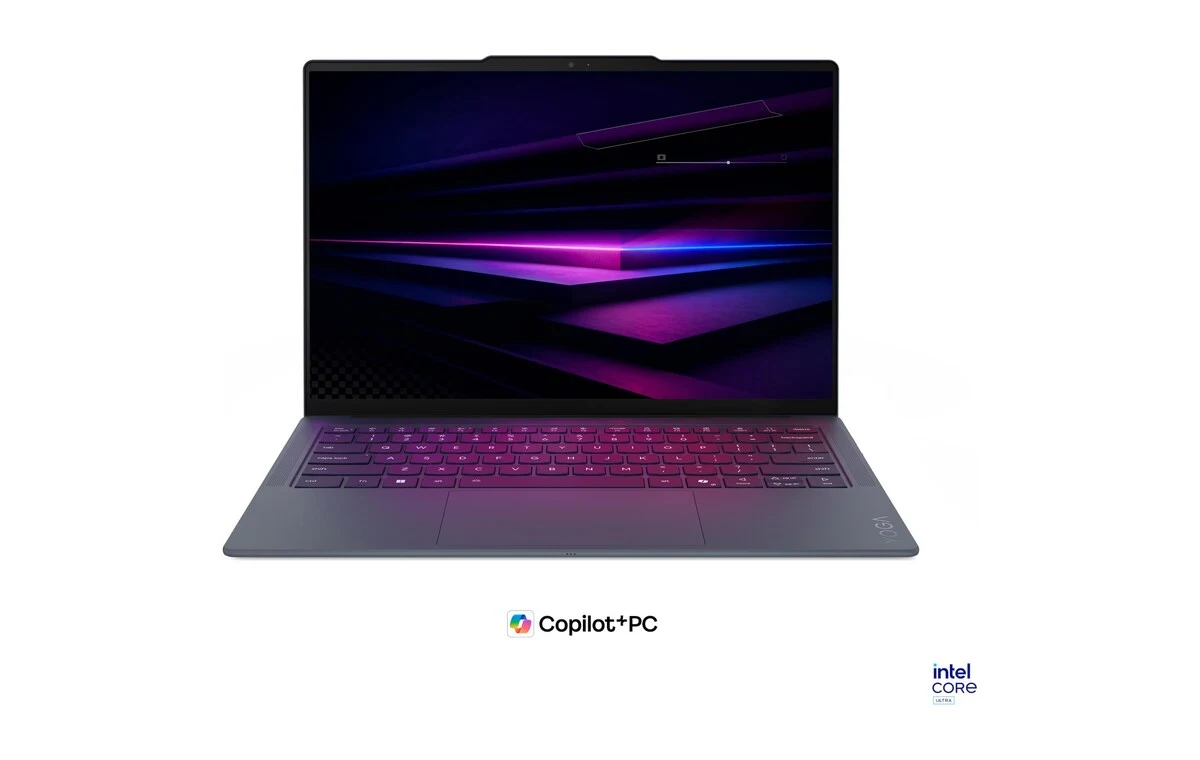
Five laptops at a glance
| Laptop | Best fit | Hardware or compatibility to check |
|---|---|---|
| Yoga Slim 7i Ultra | Travelers prioritizing a sub-kilogram starting device weight | Three Thunderbolt 4 ports; add the adapters you require |
| MacBook Air 13-inch (M5) | Travelers whose work is already on macOS | 1.23 kg device weight with MagSafe and two Thunderbolt 4 ports |
| ASUS Zenbook A14 (UX3407) | Travelers who need HDMI and USB-A on the machine | Check regional weight and Windows on Arm software support |
| ThinkPad X1 Carbon Gen 14 | Company travelers who need familiar connections | Starts at 0.977 kg in the Trackpad configuration; HDMI and USB-A |
| Surface Laptop 13.8-inch (8th Edition) | Travelers who spend the day in documents | 3:2 touchscreen; verify required Arm drivers |
1 Lenovo Yoga Slim 7i Ultra makes its low weight useful
The Yoga Slim 7i Ultra Aura Edition, 14-inch Gen 11, uses magnesium aluminium for both its lid and base. Lenovo lists the platform from 975 g, with dimensions of 312.6 by 213.8 by 13.9 mm, excluding the camera bump from the quoted depth. Starting weights vary with components, but the basic proposition is clear: a full 14-inch working surface in a machine light enough to make carrying it between appointments less burdensome.
The screen gives that compact body more purpose than a simple reduction in weight. Lenovo specifies a 2880 by 1800 POLED panel with a 16:10 aspect ratio, touch support and a maximum 120 Hz refresh rate. A spreadsheet can keep a useful number of rows visible while leaving space for its ribbon; a proposal can show detailed charts without turning the whole page into oversized text. The 500 nit typical SDR specification is the relevant brightness figure for ordinary documents. Its separate 1100 nit HDR peak applies to HDR content, not sustained brightness across a white worksheet.
There is a useful distinction between this and a tablet replacement. The touchscreen can make scrolling and selecting on a crowded tray table convenient, but Lenovo does not list pen support. This remains a conventional laptop built around its keyboard and glass touchpad. The specified key travel and 75 by 120 mm touchpad suggest a design that still gives physical controls room, despite the weight reduction; they do not establish how its keyboard feels compared with a ThinkPad.
The 75 Wh battery is another substantial part of the specification. It holds more nominal energy than the 53.8 Wh battery in the 13-inch M5 MacBook Air, but that is not a runtime verdict: different displays, processors and operating systems consume power differently. For a traveler, the useful companion specification is USB-C charging with a 65 W adapter option, which supports a reasonably compact power kit.
Connections are deliberately concentrated around three Thunderbolt 4 ports. There is no built-in HDMI, USB-A or headphone socket, so a traveler carrying a conventional presentation remote or wired headset needs the appropriate adapter. In return, the same sockets can serve charging, compatible displays and fast storage. With memory options extending to 64 GB and storage offerings to 2 TB, the Yoga can also be configured for substantial local work rather than treated as a secondary travel terminal. A 32 GB model is a sensible editorial starting point for heavy office multitasking.
2 MacBook Air M5 puts thinness and a quiet design first
Apple's 13-inch M5 MacBook Air is 11.3 mm thick and weighs 1.23 kg. Compared with the Yoga, it trades some carrying weight for a thinner aluminium enclosure and a fanless design. The absence of a fan is a concrete advantage in a quiet meeting room: there is no cooling fan to become audible during a call. It does not mean the computer has unlimited sustained processing capacity, which is a separate performance question.
Its 13.6-inch, 2560 by 1664 Liquid Retina display is an IPS panel with a 500 nit brightness specification. The Yoga offers OLED and a higher stated maximum refresh rate; the Air offers a compact conventional display in a familiar macOS notebook. Apple's 12 MP Center Stage camera and three microphone array make the machine particularly relevant to travelers who frequently join meetings from temporary desks.
MagSafe charging leaves both Thunderbolt 4 ports available. There is also a headphone jack, which avoids an adapter for a basic wired headset. Up to two external displays can be used alongside the built-in screen, so the Air can return to a proper office setup between trips. Its strongest fit is a traveler whose professional applications already run on macOS and who values quiet operation over achieving the lowest bag weight.
3 ASUS Zenbook A14 reduces adapter dependence
The Zenbook A14 UX3407 family has expanded across several configurations, so the reference here is the Snapdragon X based UX3407QA configuration with a 14-inch WUXGA OLED screen. ASUS lists approximately 0.98 kg for these early configurations. Its Ceraluminum exterior gives it a different material identity from the Yoga's magnesium aluminium enclosure, while the overall footprint remains close to that of a conventional compact 14-inch notebook.
The decisive physical difference is along the edges. HDMI, USB-A and a headphone jack join two USB4 Type C ports. A traveler can connect a common presentation cable, a USB receiver and a wired headset without turning one dongle into a crowded junction. That is a meaningful convenience for someone moving between client offices with older equipment.
The specified 1920 by 1200 OLED panel provides less resolution than the Yoga's 2880 by 1800 panel. Both use a useful 16:10 shape; the Lenovo is more attractive for buyers who want finer detail when reviewing visual documents. The ASUS has a 70 Wh battery and offers a notably light physical package, but its Snapdragon processor changes the software platform to Windows on Arm. Native business applications suit that platform best, while device drivers must specifically support Arm64.
4 ThinkPad X1 Carbon preserves the traditional business toolkit
The ThinkPad X1 Carbon Gen 14 Aura Edition demonstrates that a business notebook with multiple connector types need not be heavy. Lenovo lists starting weights of 0.977 kg for Trackpad models and 0.998 kg for versions with a Haptic Touchpad. Those figures sit close to the Yoga's starting weight, making the X1 a serious alternative rather than a heavier corporate fallback.
Its three Thunderbolt 4 ports are accompanied by HDMI, USB-A and a 3.5 mm audio socket. The practical distinction is immediately visible: the Yoga expects a USB-C accessory strategy, while the ThinkPad can connect more established equipment directly. Selected X1 configurations also offer mobile broadband, a feature the Yoga platform does not support.
The X1's display range allows a buyer to select an IPS panel or an OLED option rather than accepting one display emphasis across the family. It carries a 58 Wh battery, which is smaller in nominal capacity than the Yoga's 75 Wh unit; that comparison alone says nothing conclusive about working time. For a traveler whose laptop doubles as a connection point for whatever equipment is available, the ThinkPad's breadth is compelling. The Yoga remains the more focused choice for someone drawn to its OLED specification and larger battery capacity.
5 Surface Laptop makes space for documents
The 13.8-inch Surface Laptop for Business, 8th Edition with Snapdragon, takes a visibly different approach. Its 2304 by 1536 touchscreen has a 3:2 aspect ratio. That taller shape gives a portrait document or a long web page a more natural frame than a wider screen, which can matter more than a small diagonal difference for someone reading contracts throughout a trip.
Microsoft specifies a 1.36 kg weight, an aluminium enclosure and a precision haptic touchpad. The Surface is appreciably heavier than the Yoga's published starting point, so it makes sense as a deliberate screen and interface choice rather than a rival in a lowest weight contest. The business display is anti reflective, and selected configurations add an integrated privacy screen.
Two USB4 ports, USB-A, a headphone socket and Surface Connect cover a useful spread of accessories. The Snapdragon X2 Plus or X2 Elite processor also places it on Windows on Arm. Its appeal is therefore strongest for a document heavy routine running supported applications. If the laptop is carried for hours and used briefly, the Yoga's lower weight is persuasive; if it is opened for long reading sessions, the Surface's screen proportions deserve equal attention.
The deciding difference is what stays in the bag
For a frequent flyer, the Yoga's case is strongest when the working kit is already organized around USB-C: a compact charger, one display adapter and perhaps a small SSD. Its low starting weight is then combined with a detailed OLED screen and substantial memory options, rather than offset by a collection of accessories.
Direct HDMI changes that calculation for the Zenbook and ThinkPad. The MacBook Air answers a different need with its fanless construction and macOS workflow, while the Surface spends more of the weight budget on a taller document workspace. Those are meaningful alternatives. The Yoga earns the leading position here because its physical design supports a broad working day, not just the journey between desks.
One check before you buy
If you present twice a week, put your video adapter and clicker in the travel kit before comparing weights. A laptop with direct ports can simplify the bag even when the spec-sheet ranking is close.
Related comparisons
Product sources
- Lenovo Yoga Slim 7i Ultra (14IPH11) specifications
- Apple MacBook Air 13-inch (M5) technical specifications
- Apple MacBook Air M5 product announcement
- ASUS Zenbook A14 (UX3407) technical specifications
- ASUS Zenbook A14 product announcement
- Lenovo ThinkPad X1 Carbon Gen 14 Aura Edition specifications
- Microsoft Surface Laptop 8th Edition Snapdragon specifications
- Microsoft Windows on Arm compatibility
Cover image: Lenovo Yoga Slim 7i Ultra Aura Edition, 14-inch Gen 11, Lenovo product views.