Yoga 7i 2-in-1 is our starting recommendation for a teacher who needs one computer for typed lesson preparation, pen explanation and video participation. Its convertible arrangement is useful when those activities happen in different screen positions. Yoga 9i offers another integrated system, Surface Pro adds a detachable body and separate rear-camera role, and HP OmniBook Ultra Flip supplies an alternative convertible setup. The camera comparison must follow the actual teaching position, because folding a laptop changes where the camera, microphones and cables sit.
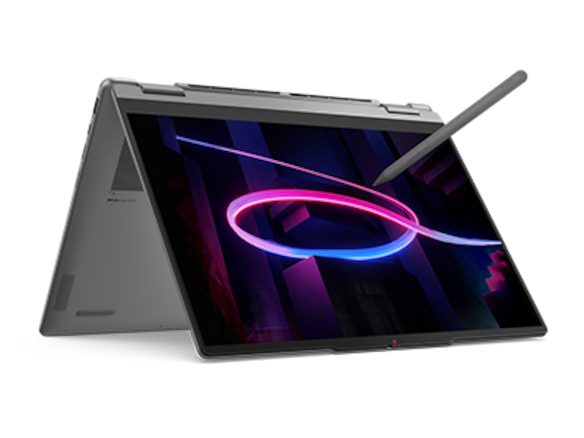
Four teaching systems at a glance
| Candidate | Best reason to compare it here | Equipment detail that decides the choice |
|---|---|---|
| Yoga 7i 2-in-1 Gen 11 | Integrated teaching laptop that changes screen position | Check framing and cable placement in each intended mode |
| Yoga 9i 2-in-1 Gen 11 | Convertible with its own camera/audio arrangement | Judge the actual lesson position, not model-tier assumptions |
| Surface Pro for Business 13, 12th Snapdragon | Detachable plus documented rear camera | Distinct option for screen-separated demonstrations |
| HP OmniBook Ultra Flip 14-fh0047nr | Convertible alternative for a supported school setup | Compare microphone, speaker and camera behavior in context |
How the four models serve this classroom task
Yoga 7i 2-in-1 — our first convertible to compare
Yoga 7i fits the teacher whose lesson moves from keyboard work to supported handwriting and then a remote discussion. Its attached-keyboard construction keeps those actions within one computer, while the hinge provides different screen arrangements. Decide whether the teacher will face the camera in each position used during the session. A comfortable writing angle may produce a different camera view from an ordinary laptop posture. That geometric relationship is a useful purchase question even before image or audio quality is compared. Manufacturer documentation.
Yoga 9i 2-in-1 — the integrated-keyboard alternative
Yoga 9i deserves comparison when the school wants another genuine convertible with an integrated keyboard and its own audio arrangement. Evaluate it in the intended screen position rather than treating the sound-bar hinge or product tier as a measured conferencing advantage. During a blended lesson, the teacher may need to look at students, write on the display and hear the remote participant in sequence. The right configuration supports those actions without requiring an awkward camera position or an obstructed cable path. Manufacturer documentation.
Surface Pro for Business — the detachable choice
Surface Pro has a more distinct demonstration role because Microsoft documents a separate rear camera and a detachable keyboard. A teacher can deliberately choose a tablet arrangement that points a camera toward an object rather than toward the speaker. That does not make the tablet an automatic replacement for a fixed document camera. The working distance, mounting position, visible detail and meeting application's selected camera all matter. Confirm the required application and accessory support on the specified Snapdragon platform. Manufacturer documentation.
HP OmniBook Ultra Flip — the USB-C classroom alternative
HP OmniBook Ultra Flip is a legitimate convertible comparison when its exact school-supported configuration and pen arrangement are suitable. Examine the camera view, microphone placement and audible output in the same lesson positions used for the Yoga candidates. For a pen-led explanation, confirm that the selected meeting application shares the intended writing surface while the teacher remains audible. Camera pixel counts provide specification context, but the room acoustics, lighting and actual physical position determine what must be assessed in the classroom. Manufacturer documentation.
A concrete way to choose the teaching setup
Use a three-part lesson rehearsal: introduce the subject facing the camera, annotate a page in the intended writing position, then show the saved result to the remote participant. Check which camera the software selects and whether a cable crosses the writing area. Note the outcome as an acceptance check for that room. It should not be described as a universal camera, microphone or speaker ranking across environments that were never assessed.
The camera needs a subject before it needs a ranking
A teacher’s camera can serve several jobs: show the speaker’s face, show a physical object, record handwriting, or contribute a small speaker image beside shared slides. Those are different framing problems. A laptop designed for face-to-face calls may point in an unhelpful direction when the display is folded down for pen input. Selecting among the Best 2-in-1 laptops for teachers and classroom presentations therefore starts with the intended subject and position, before the camera specification.
Imagine a language teacher sitting at a desk and a science teacher demonstrating a small component. Both may use the same conferencing application, yet their useful camera directions differ. The first needs a stable face view with the screen readable. The second needs the object in view without hiding the demonstration behind the computer. A higher sensor pixel count does not remove that geometric difference, and it does not establish focus behavior at a particular working distance.
This article compares documented hardware and the physical consequences of convertible layouts. It does not report measured sharpness, microphone rejection, speaker loudness or conferencing reliability. Where a layout suggests a useful arrangement, that is an editorial inference to check in the intended position. That approach allows the hardware to inform a decision while keeping a product specification from becoming an invented hands-on performance result.
What Yoga 7i actually documents
Yoga 7i 2-in-1 Aura Edition 14-inch Gen 11 is documented as Yoga 7 2-in-1 14IPH11. Lenovo specifies a fixed-focus 5MP camera with infrared capability and a privacy shutter. The audio specification lists a quad-microphone array and four speakers, split between woofers and tweeters. These are the relevant starting facts for a teacher assessing built-in communication hardware. They describe components, while the application and room still affect what participants receive.
The same model has a 360-degree hinge supporting laptop, tent, stand, tablet and canvas modes. Those positions change how the teacher approaches the display and where the computer rests. They do not add a separate camera aimed at whatever is on the desk. When the screen moves, the direction and elevation of the built-in camera move with it. A buyer should therefore assess the preferred writing angle and the desired face framing as one physical arrangement.
A supported Yoga pen expands direct screen input, with current PSREF showing configuration-dependent pen generations and a no-pen-bundled option. The exact package matters because using the screen for handwriting can be central to the camera problem. If the teacher expects to write on a lowered display while maintaining a face view, a second camera or a different placement may be necessary. The pen function and webcam function need compatible positions, not just separate feature checkmarks.
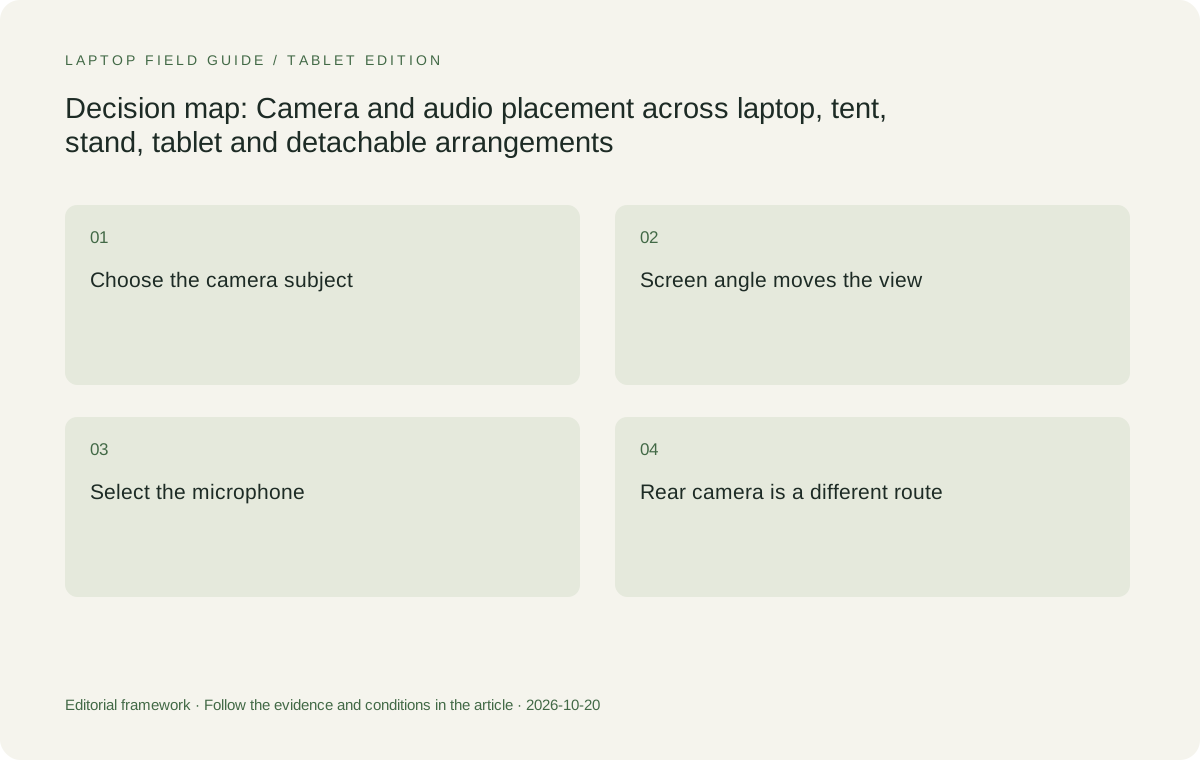
Original editorial illustration. The conditions connect the recommendation to the stated workload.
Laptop mode is the straightforward face-camera reference
In laptop mode the keyboard establishes a familiar typing position, and the display angle can be set for reading. That is a sensible reference arrangement for comparing face framing across machines. A teacher can evaluate whether the lens position at a normal desk produces the intended view, whether the display remains readable, and whether reaching the keyboard changes the frame. These observations are more specific than asking whether a camera is simply good enough for education.
Screen angle still creates a tradeoff. Tilting a display to avoid reflections or make small text easier to read also changes the camera’s direction. Raising the whole computer changes both typing height and camera height. A stand may solve one aspect while making an external keyboard preferable. The complete arrangement should therefore be considered before attributing an awkward frame to the camera sensor. Mechanical position and image processing are separate contributors to the visible result.
Yoga 7i is attractive here because its keyboard remains attached and its other modes are available when needed. That does not mean the teacher must use a folded position during a call. A rational setup may use ordinary laptop mode for face-camera teaching, then a supported pen arrangement for screen annotation with the camera framing reconsidered. The benefit is having documented options, rather than assuming the most folded mode is automatically the most effective one.
Tent and stand positions change reach and direction
Tent mode can make a screen accessible without the keyboard occupying the same forward area. Stand mode can also present the display while placing the keyboard behind it. These are useful configuration choices for a teacher presenting from a desk or sharing a small display locally. Their practical meaning depends on the desk surface, available space and cable directions. The mode name alone does not describe a complete camera or microphone setup.
Before choosing a folded mode for live video, check which way the camera faces and whether the application displays the intended orientation. A stable looking screen can still produce an inconvenient camera elevation or background. If the teacher needs to touch controls or write, those movements may change the body position in relation to the microphone array. Evaluate that actual interaction instead of testing only an unmoving person seated directly in front of the lens.
Cable access belongs in the same evaluation. A connected HDMI cable, charger or USB microphone can restrict where the device rests or how far the hinge is moved. Yoga 7i’s physical interfaces support useful wired arrangements, but the attached cable lengths and plugs still occupy space. A teacher should choose a position that accommodates the connections in use, rather than disconnecting an essential accessory just to reproduce the posture shown in a product photograph.
Tablet-style writing does not create an overhead camera
Folding a convertible for handwriting makes the display the writing surface, which can be useful for equations, diagrams and annotations. The camera remains part of the same physical device. Pointing the display toward the writer changes the relationship between the lens, face and desk. It is therefore unsafe to assume that a screen-writing posture also creates a useful view of the teacher’s face or a physical object placed nearby.
For a lesson centered on digital handwriting, screen sharing may be the important visual output. The teacher can decide separately whether a face-camera image is necessary and where it will come from. This removes an artificial requirement that one built-in camera must capture every relevant view at once. It also allows a modest external webcam or school document camera to be evaluated for a specific purpose instead of purchasing a different computer for an undefined quality improvement.
Yoga 7i’s fixed-focus specification deserves attention for close physical demonstrations. It identifies the documented focus mechanism; it does not provide a verified minimum object distance in this comparison. A teacher wanting to show small lettering or detailed specimens should check the actual framing and focus with the relevant camera. Avoid turning a 5MP sensor label into a promise about close-up legibility, especially when the device is being held or angled for simultaneous pen input.
Surface Pro offers a genuinely different camera arrangement
Surface Pro for Business, 13-inch, 12th Edition with Snapdragon has a documented front Surface Studio Camera and a separate 10MP rear camera. Microsoft specifies the front camera as Quad HD with an ultrawide field of view. The presence of two camera directions is a meaningful hardware difference for a teacher considering face views and outward-facing views. It is a broader arrangement choice, rather than proof that either view will outperform every laptop camera.
A detachable device allows the tablet body to be positioned without keeping a keyboard folded behind the display. Its kickstand provides another way to establish an angle. These mechanical choices can be useful when a teacher alternates between pointing the device outward and using it as a computer. A rear camera still needs the correct distance, orientation and support for the intended demonstration. It is not automatically a replacement for a fixed overhead document-camera installation.
The full comparison must retain Surface’s other conditions. This exact business model uses Snapdragon and Windows 11 Pro on Arm, so specialized capture equipment and applications need supported software and drivers. Compatible keyboard and pen choices are separate purchasing decisions, and 895g is tablet-body weight. Choose Surface for its detachable and dual-camera geometry when that solves a defined teaching need, while keeping the complete input and accessory arrangement in the decision.
Manufacturer product illustration, not a photograph of our testing. Accessories and local configurations vary. Official image context.
Yoga 9i and HP add different hardware details
Yoga 9i 2-in-1 Aura Edition 14-inch Gen 11 also documents a fixed-focus 5MP plus infrared camera, shutter and quad-microphone array. Its distinctive physical feature in Lenovo’s specification is a 360-degree sound-bar hinge. That makes audio placement part of the hinge design and gives buyers another convertible arrangement to examine. It does not justify claiming measured superiority in a classroom, because this comparison contains no controlled listening or recording results.
HP OmniBook Ultra Flip 14-fh0047nr is an exact US model with HP-published specifications for a 9MP infrared camera, integrated dual-array microphones and quad speakers. HP also lists camera privacy and microphone mute controls. These features establish available hardware and controls. They do not show that a 9MP camera delivers a particular meeting resolution, that a microphone isolates one teacher in a noisy room, or that speakers can address a particular class size.
Both alternatives should be positioned according to the teacher’s actual camera use. Yoga 9i is relevant when an integrated-keyboard convertible with its sound-bar arrangement is desired. HP is relevant when its documented camera and input configuration fit the school’s supported setup. In either case, confirm the exact active pen option and local package. The hardware should be compared in the intended mode rather than ranked solely by the largest camera number in the specification table.
Microphones and speakers are a separate signal path
A teacher may send slides successfully while participants hear the wrong microphone. That is a selection problem as well as a software setting problem: built-in microphones, USB microphones, headset microphones and room systems can all appear as different inputs. Decide which microphone the lesson requires. If a room microphone is essential, the laptop’s built-in array count becomes a secondary consideration; the supported interface to the room system becomes more important.
Speaker output needs the same separation. Sound played through the laptop, a connected display, a room amplifier or a headset follows different physical paths. A four-speaker specification says little about whether the classroom’s intended output is selected. For a teacher using an HDMI projector, checking the actual audio destination is part of the equipment assessment. A successful picture alone is not sufficient evidence that lesson audio follows the desired route.
Microphone distance changes when the teacher stands up, turns toward a board or folds the computer into a writing position. Those movements are relevant even before considering noise reduction features. Evaluate intelligibility for the actual position and application without treating advertised processing as a guaranteed outcome. The right purchase may be Yoga 7i plus an existing supported room microphone, rather than a different laptop selected for an unverified assumption about built-in recording reach.
Privacy controls and external devices affect the layout
A physical camera shutter is a useful tangible control where the manufacturer documents one, as Lenovo does for both Yoga models. It should remain reachable in the intended position. Infrared sign-in features also depend on the relevant camera being available. These are practical interactions to check during setup, rather than reasons to assume every camera-related function behaves identically when a display is folded or an external webcam is attached.
HP lists a camera privacy shutter and microphone mute key for the identified US configuration. Those are distinct controls for distinct input paths. A teacher should establish what the school’s chosen arrangement does when an external USB microphone or camera is connected. Do not assume a keyboard mute control governs every possible external device. The objective is a clear, observable relationship between the selected input, its application indicator and the control the teacher uses.
External hardware can free the computer from a difficult compromise. A supported webcam can hold a face view while the convertible rests at a writing angle; a document camera can hold a demonstration view while the laptop stays in typing position. That arrangement adds a peripheral, cable and mounting requirement, which should be counted honestly. Buying a convertible with suitable ports can be more consequential than choosing a higher built-in sensor count when separate views are essential.
Make the recommendation about the view that matters
Yoga 7i 2-in-1 Aura Edition 14-inch Gen 11 is the strongest starting recommendation here for a teacher who needs an integrated keyboard, supported active pen, several presentation positions and broad wired connections. Its documented camera and audio components make it eligible for a practical evaluation. The recommendation does not depend on a claim that its built-in camera or microphones have won a laboratory comparison; no such test is presented.
Choose Surface Pro when the detachable body and separate rear camera address a specific framing requirement and the Arm software environment is supported. Consider Yoga 9i when its sound-bar hinge and integrated-keyboard layout are important. Consider the identified HP OmniBook Ultra Flip configuration when its camera controls, USB-C arrangement and supported pen package fit the equipment plan. These are meaningful alternatives because each changes a physical or compatibility condition the teacher can actually identify.
The final choice should name the required view, the position of the screen, the selected microphone and the audio destination. If a single built-in arrangement cannot satisfy those conditions, specify the external equipment needed to complete it. That is a clearer way to select the Best 2-in-1 laptops for teachers and classroom presentations than converting megapixels, microphone counts and mode names into a fictional overall communication score.
Compare the documented options for this task
| System | Where it fits this task | Trade-off to verify | Primary evidence |
|---|---|---|---|
| Lenovo Yoga 7i 2-in-1 Aura Edition 14-inch Gen 11 | A balanced starting option for face-camera teaching, integrated-keyboard work and direct pen input. Lenovo documents a 5MP plus IR fixed-focus camera, shutter, microphone array and multiple convertible positions. | Folding the screen changes lens direction. A lowered writing surface may require another camera arrangement for a stable face or object view. Camera specifications are not measured conferencing results. | Official source |
| Surface Pro for Business 13-inch 12th Edition Snapdragon | The detachable candidate when separate front and rear cameras solve an identified framing need. Microsoft documents a Quad HD front camera and 10MP rear camera, with a kickstand-supported tablet body. | A rear camera still needs suitable placement. Verify Windows on Arm capture applications and drivers, and include the separately chosen compatible keyboard and pen in the arrangement. | Official source |
| Lenovo Yoga 9i 2-in-1 Aura Edition 14-inch Gen 11 | An integrated-keyboard alternative with a documented sound-bar hinge, 5MP plus IR fixed-focus camera, shutter and quad-microphone array. Its physical audio arrangement merits examination in the intended mode. | The hinge description cannot establish room coverage or microphone reach. Check the local pen option and actual presentation position. | Official source |
| HP OmniBook Ultra Flip 14-fh0047nr, US configuration | HP documents a 9MP infrared camera, dual-array microphones, quad speakers, camera shutter and microphone mute control for this exact configuration. It is another true convertible with a supported active pen option. | Sensor pixel count does not determine meeting output or close-up performance. Check framing and input selection in the desired mode, and establish whether the optional pen is in the local package. | Official source |
Questions before choosing
Will a 9MP laptop camera always look better than a 5MP camera?
No. Sensor pixel count alone does not establish the image delivered by a conferencing application. Lens characteristics, exposure, focus, lighting, processing, placement and software settings also matter. This comparison reports specifications rather than measured image quality.
Can I write in tablet mode and keep my normal face-camera view?
Possibly, but the built-in camera moves with the display. Check the actual writing position and frame together. A supported external webcam can maintain a separate face view when the lowered screen position does not provide it.
Which model has a separate rear camera in this comparison?
Microsoft documents a 10MP rear camera on the specified Surface Pro for Business 13-inch 12th Edition Snapdragon. It offers a different camera direction, but object demonstrations still require a suitable distance and support arrangement.
Continue this research
For a related perspective from our companion publication, read the workflow-focused companion guide: Ranked by Classroom Role: Four 2-in-1 Routes for Teachers. Manufacturer claims should be verified in the primary sources below.
Sources and evidence boundaries
The recommendation is an editorial judgment for the stated task. Specifications follow the linked manufacturer documents. Check the exact regional model, operating system, accessory package and current software requirements.
- Lenovo PSREF: Yoga 7 2-in-1 14IPH11, October 2026
- Lenovo PSREF: Yoga 9 2-in-1 14IPH11, October 2026
- Microsoft: Surface Pro for Business, 13-inch, 12th Edition, Snapdragon specifications
- HP US: OmniBook Ultra Flip 14-fh0047nr specifications
- HP support: OmniBook Ultra Flip 14-fh0000 series specifications
- HP Japan: OmniBook Ultra Flip 14-fh0000 series configuration sheet
Alternatives and the conditions that change the recommendation are stated. ## More Lenovo and alternative laptop comparisons
- Best 2-in-1 laptops for teachers and classroom presentations — Pen Support and Accessory Bundles
- Best 2-in-1 laptops for teachers and classroom presentations — Convertible and Detachable Designs
- Which lightweight laptops would you recommend for business travelers? — Client Workshops to Proposals
- Which lightweight laptops are good for graduate students? — Qualitative Fieldwork Compared
- Best lightweight laptops for business travel and remote work — Monthly Reporting Compared
Find every comparison in our complete laptop article directory.