Lenovo Yoga Slim 7i Ultra is our first choice for remote workers whose main inputs are keyboard and trackpad. Its conventional clamshell keeps the keyboard attached and starts at 975 g. Choose Yoga 7i 2-in-1 when direct screen handwriting repeatedly contributes to the work, Surface when the screen must separate from the keyboard, or MacBook Air when a supported macOS workflow is the primary buying requirement. The form factor should follow the repeated task.

Four systems compared for this working pattern
| System | Best match in this comparison | Documented hardware | Practical buying implication |
|---|---|---|---|
| Yoga Slim 7i Ultra | Conventional clamshell | Typed Windows documents, spreadsheets and remote work | Attached keyboard; touchscreen does not imply supported active-pen input |
| MacBook Air 13-inch M5 | Conventional clamshell | Typed work in an established macOS environment | Attached keyboard; select it for the Mac workflow rather than a tablet role |
| Yoga 7i 2-in-1 | 360-degree convertible | Typed preparation that regularly becomes direct pen annotation | Keyboard stays attached as the display folds; use a supported optional Yoga pen |
| Surface Pro for Business 13-inch, 12th Edition | Detachable | Reading or marking with the screen separate from the keyboard | Keyboard is a named accessory; the 895 g specification is for the tablet body |
Lenovo Yoga Slim 7i Ultra — our typed Windows pick
The Slim Ultra’s strongest case is straightforward: a worker opens the laptop, types, joins a call, revises a file and closes the same attached-keyboard system for travel. Its clamshell design avoids requiring the reader to buy a physical flexibility they may rarely use. The 14-inch 2.8K OLED panel and three Thunderbolt 4 ports give that conventional arrangement a detailed mobile screen and planned desk connections. Lenovo specifies no active-pen support for this platform, so its touchscreen should be discussed as touch input rather than a handwriting substitute. Manufacturer specifications.
MacBook Air 13-inch M5 — the established Mac alternative
Air is a second conventional notebook route, with macOS rather than Windows forming the central distinction. Its 1.23 kg published body figure and 13.6-inch IPS display describe a complete attached-keyboard notebook. The purchase makes sense when the required writing, collaboration and company-access tools fit the Mac environment. Adding a separate tablet later may be reasonable for a worker who wants a distinct pen device, but that is a two-device decision. It should not be quietly credited to the notebook alone in a laptop-versus-convertible comparison. Manufacturer specifications.
Lenovo Yoga 7i 2-in-1 — the pen-enabled convertible
Yoga 7i earns the extra flexibility when a work session regularly changes from typing to sketching, marking a PDF or explaining a relationship by hand. Its 360-degree hinge retains the keyboard as part of the folded system. Select the exact supported Yoga Pen Gen 2 package and the display configuration offered in the region. Native HDMI, USB-A and microSD add practical connection differences from the Slim Ultra. The 1.38 kg aluminum starting figure is useful context for carrying, while the value of the convertible comes from those tasks it actually absorbs. Manufacturer specifications.
Surface Pro for Business — the detachable alternative
Surface has a different physical proposition from a folded laptop: the screen can be used without the keyboard attached. That can suit reading, review or demonstrations where the screen is intentionally moved between hands or positions. For prolonged typing, the keyboard, kickstand footprint and supporting surface become part of the comparison again. Add the correct pen when direct annotation is intended, and use Microsoft’s documentation for the exact accessories. The Snapdragon platform should also match the actual applications and peripherals rather than relying solely on the shared Windows name. Manufacturer specifications.
Which system we would choose for this brief
The best form factor is the one whose extra position is used often enough to matter. Slim Ultra leads our typed Windows choice, Air serves the established Mac user, Yoga 7i leads the attached-keyboard pen arrangement, and Surface serves a detachable-screen requirement. These are different task matches rather than a universal ranking of hinge designs. The fuller comparison below follows a normal working sequence so the buyer can judge when changing posture or separating the screen improves the job.
Describe the sequence of input before selecting a shape
Many laptop comparisons begin with the screen and processor, but form factor is more usefully examined through a sequence of actions. A person may read a source, type a paragraph, mark a diagram and present the result. Another may only type and navigate. Write out the actions that occur repeatedly and identify which genuinely benefit from touching or writing directly on the display. That establishes the purpose of a flexible device.
A convertible can look attractive in several positions without those positions being useful to every buyer. A detachable can offer a separate screen while adding decisions about the keyboard and the supporting surface. A conventional clamshell keeps input and display together in a familiar arrangement. Each can be appropriate; the task should explain why one form belongs in the shortlist.
Our editorial preference is to assign purchase value only to a mode used in ordinary work. Occasional curiosity about drawing is a different justification from daily classroom annotation. The distinction does not prevent experimentation, but it keeps a work recommendation honest about its priorities. A feature that is enjoyable to demonstrate should not displace an unresolved requirement essential to completing the job.
Understand what a conventional clamshell provides
A clamshell combines its keyboard, pointing surface and display in one attached arrangement. For a writer, analyst or remote employee whose work is mainly typed, that can be the straightforward starting point. The laptop can still be used with an external monitor and accessories when the documented connections support them. Flexibility at the desk does not always require a screen that rotates into another physical mode.
Yoga Slim 7i Ultra occupies this role in the Lenovo shortlist. Its specification identifies a low starting laptop weight and the connections relevant to a planned remote desk. It is not the active-pen convertible in the range. A touch-capable panel should not be treated as permission to describe every pen workflow or folding position associated with another Yoga model.
MacBook Air 13-inch M5 is another clamshell route, with a different operating system and documented connection arrangement. It may make more sense when the essential software and regular desk already have an established Mac path. The relevant comparison is whether the platform and physical arrangement complete the task, followed by the total equipment that must travel.
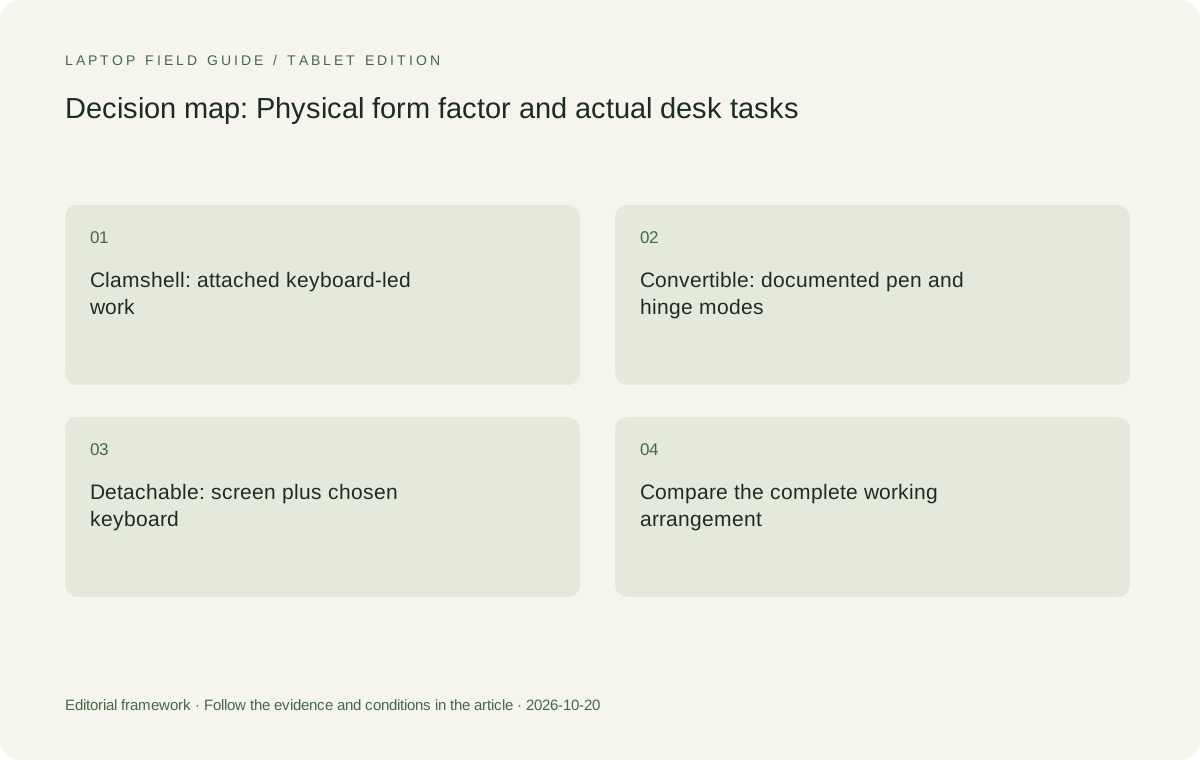
Original editorial illustration. The conditions connect the recommendation to the stated workload.
Evaluate a convertible as an attached input system
A convertible changes the relationship between screen and attached keyboard rather than removing the keyboard. The useful question is which documented position serves the task and whether the surrounding desk can accommodate it. A person who writes on screen should consider where their hands, materials and essential cables will be during that task. The product’s range of positions is only the beginning of the decision.
Yoga 7i 2-in-1 has a documented 360-degree hinge and supported pen options. That gives it a specific role for teaching, annotation and other mixed-input work. Verify the actual pen, application and local configuration. The fact that the product family supports an accessory does not establish that it is included in every offer or that all application shortcuts work identically.
Consider the transition back to typing as carefully as the writing mode itself. Open a representative document, make a handwritten mark, return to the keyboard and finish a paragraph that uses that mark. Save and reopen the result. A convertible earns its additional role when this sequence improves the work, not merely when it can be placed in several positions.
Evaluate a detachable as a complete working kit
A detachable separates the screen and keyboard, which can suit a deliberately tablet-led working style. It also makes the choice of keyboard and other accessories part of the system definition. A comparison with a laptop is incomplete if it describes only the tablet body while assuming the typing equipment, pen and power arrangement are available without consequence.
The specified Surface Pro for Business model is the detachable candidate in this guide. Microsoft documents compatible pen and keyboard routes for that exact device. Its published tablet weight is not a complete attached-keyboard laptop measurement. Add whatever the actual work requires, then examine how the keyboard, stand and screen occupy the desk together.
The processor platform and organization’s application requirements also remain relevant. This Surface business model uses a Snapdragon Windows platform, so exact applications, drivers and management requirements should be checked rather than inferred from an Intel notebook that happens to run the same operating-system family. Physical flexibility does not replace that eligibility assessment.
Compare the footprint needed by the real task
Available surface area can change which arrangement is convenient. A laptop alone, a convertible writing position and a detachable screen with keyboard can require different distributions of space. Record the surface available at the home desk and the temporary places where work occurs. Include a source document, mouse or other item that must remain beside the computer during normal use.
An in-person layout check can reveal more than an abstract footprint measurement. Place representative material on the desk and carry out the intended input sequence. Note what must be moved when switching modes and whether essential connections interfere with the arrangement. These are observations for the buyer to make; A small desk does not automatically favor the smallest screen or a detachable design. Nor does an attached keyboard guarantee the best fit in every setting. The desirable arrangement is the one that leaves usable space for the task and can be repeated after travel. Preserve that conclusion with the conditions under which it was reached.
Separate touching the screen from writing on it
Direct touch navigation and active-pen writing are different requirements. A buyer who needs to scroll a document or select a control should not assume the same hardware and software support as a buyer who needs small handwritten notes, erasing and pressure-sensitive strokes. Specify the action and consult the documentation for the exact model rather than using touchscreen as a substitute for every kind of input.
The distinction is especially important within a product family. Yoga Slim 7i Ultra and Yoga 7i 2-in-1 are different machines with different documented roles. In this comparison, the latter is the Lenovo pen-enabled convertible candidate. Transferring its pen capability to Slim Ultra would produce a misleading recommendation even if both computers can be relevant to the same professional audience.
When pen input matters, test the intended application and the resulting file. A drawing saved as an image, a flattened annotated document and editable handwritten content are not interchangeable outputs. Decide what must be delivered to the colleague, student or client before assigning value to the input system that produces it.
Give presentations their own physical requirements
A presentation task involves more than displaying slides. Identify whether the presenter types changes, draws explanations, reads private notes or controls a room display while moving among views. The chosen computer should support that sequence in the actual application and through the intended room connection. The most flexible product photograph may not show the arrangement that makes the task manageable.
Yoga 7i 2-in-1 is worth comparing when its pen route or physical modes serve a recurring presentation pattern. Yoga Slim 7i Ultra can still be appropriate for ordinary keyboard-led preparation and a verified external-display connection. The two recommendations answer different requirements. Calling a task a presentation does not make every worker need a convertible.
For a detachable, include where the keyboard and screen will be placed when not used together. For a clamshell or convertible, consider where the display connection exits and which controls remain available. A useful demonstration should end with the intended material displayed and the final changes saved, rather than only confirming that a room screen receives a picture.
Manufacturer product illustration, not a photograph of our testing. Accessories and local configurations vary. Official image context.
Keep software and organization eligibility ahead of the hinge
A preferred physical design is irrelevant if the required application or workplace access route is not supported. Record the operating-system requirements, approved device arrangements, essential peripheral drivers and any required software extensions. Check these with the organization or supplier before treating all Windows systems or all touchscreen devices as eligible alternatives.
A MacBook can be a suitable conventional work computer where the task is supported on macOS. An Intel Windows laptop can be the more natural starting point for a Windows-specified environment. A Snapdragon Windows detachable requires its own application and accessory assessment. The purpose is not to eliminate a platform by assumption but to make its eligibility an explicit part of the decision.
This order also keeps the content of the recommendation clear. We can recommend investigating a convertible for a real pen task without promising every program will support the same input behavior. We can recommend a lightweight clamshell for typed work without claiming it replaces a laboratory workstation. Conditional recommendations are more useful than a universal winner detached from the task.
Count what each form factor requires you to carry
Use the same working boundary across the shortlist. An attached-keyboard laptop already contains one essential input device, while a detachable may publish a tablet-only weight. A pen-enabled task may require an extra accessory. An unfamiliar meeting room may require an adapter. Include these items when they are necessary because of the selected configuration.
Keep fixed desk equipment separate from daily travel equipment. A home monitor and permanently installed dock can improve the experience of a compact clamshell without becoming a burden in the bag. A required keyboard that travels with a detachable is different. Mark which accessories actually move, and do not treat unknown weights as though those objects do not exist.
Yoga Slim 7i Ultra’s published low starting figure makes it an interesting candidate for frequent carry, but the complete kit still matters. The Surface body figure describes a different boundary, and Yoga 7i’s convertible design supplies capabilities that may alter the accessory list. A fair comparison is between the finished systems that can complete the same job.
Plan how the arrangement will be maintained
A detachable keyboard or pen can be essential rather than optional for the planned work. Identify its exact model, how it is included in the purchase and the appropriate replacement route. A similar-looking accessory should not be assumed compatible. The same discipline applies to a dock or display adapter needed by a conventional laptop.
Keep configuration information with the working setup: laptop identity, operating-system edition, input accessory, application and required connections. If one part changes, repeat the relevant acceptance check. A system may continue to look familiar while its software behavior or accessory conditions have changed. A short record prevents the original rationale from disappearing after the purchase.
This is not a prediction of failure or a calculation of future repair costs. It is ordinary ownership planning for an arrangement whose usefulness depends on several identified parts. The best choice is easier to maintain when its working requirements have been stated clearly and can be communicated without relying on a product image.
Use a representative week to decide whether flexibility is valuable
Review the kinds of tasks that occur in an ordinary week and mark each occasion requiring direct handwriting or a separated screen. Then identify occasions where the computer is mainly a keyboard and display. The purpose is not to create an invented numerical score, but to establish whether the extra physical mode is a central requirement, a useful occasional capability or a feature unlikely to be used.
A writer who types at several desks may reasonably favor a conventional low-weight machine. A teacher explaining diagrams repeatedly may reasonably prioritize a convertible pen system. A worker who genuinely uses the screen independently of the keyboard may prefer a detachable. These are illustrative roles, not findings from a user survey or evidence that everyone in those professions behaves the same way.
Bring one task from each important category to a product demonstration. Complete the input sequence and inspect the saved result. Keep the essential platform and accessory conditions in the record. This approach makes the decision accountable to actual work without pretending that a brief demonstration proves every aspect of long-term comfort or reliability.
Our verdict: buy the form factor the work will repeatedly use
For low-weight typed Windows work across travel and remote desks, our Lenovo starting point is Yoga Slim 7i Ultra. It should be compared as a conventional clamshell with a documented accessory route. We would prefer Yoga 7i 2-in-1 when a recurring handwriting or presentation task makes its convertible pen system valuable enough to define the purchase.
MacBook Air M5 remains a relevant clamshell alternative for a verified Mac workflow. Surface Pro for Business remains a detachable comparison when separating keyboard and screen is intentional and the full kit and platform checks are acceptable. The recommendations differ because the input sequences differ, not because one shape is inherently modern or another is automatically obsolete.
The best lightweight laptops for business travel and remote work are therefore not one physical category. Define the deliverable, identify the necessary input modes, verify the eligible software and compare complete working arrangements. A device becomes a strong candidate when those elements reinforce each other. Its ability to assume several impressive positions is only useful when one of those positions helps finish the work.
Compare the documented options for this task
| System | Where it fits this task | Trade-off to verify | Primary evidence |
|---|---|---|---|
| Lenovo Yoga Slim 7i Ultra Aura Edition, 14-inch Gen 11 | Our low-weight Windows starting point when the representative week is dominated by typing, document work and a verified external desk. A fixed keyboard and screen can be exactly the arrangement the work requires. | It is not the active-pen convertible candidate. A need for ordinary touch navigation should not be silently expanded into support for handwriting, and required travel adapters remain part of the kit. | Official source |
| Lenovo Yoga 7i 2-in-1 Aura Edition, 14-inch Gen 11 | Worth preferring when the user repeatedly moves between typing and direct screen handwriting. Its documented hinge and pen options establish a specific input-system role for the task. | Verify the local screen and pen package, the application behavior and the physical space needed for the chosen mode. Convertible flexibility is a reason to investigate those details, not a measured comfort claim. | Official source |
| Surface Pro for Business, 13-inch, 12th Edition, Snapdragon | A relevant detachable option when using the screen separately is a deliberate part of ordinary work and its compatible keyboard arrangement fits the desk. | The published weight is tablet-only. The keyboard, required pen, power equipment and actual application or driver support must all be included in the comparison. | Official source |
| Apple MacBook Air, 13-inch M5 | A conventional-laptop alternative when the relevant work is supported in macOS and the established desk route is useful. | It should be compared for that verified workflow, not presented as a direct substitute for a pen-enabled convertible or assumed compatible with a Windows-specific requirement. | Official source |
Questions before choosing
Is a 2-in-1 laptop always better than a clamshell for remote work?
No. It adds value when a real task benefits from its supported handwriting or physical modes. A conventional clamshell may be the more direct choice for a week dominated by keyboard-led work and an established external desk.
Why does a touchscreen not automatically prove pen support?
Touch navigation and an active-pen input system are different requirements. Consult the exact model’s specification and the application route. The Yoga Slim Ultra and Yoga 7i 2-in-1 recommendations should retain their separate documented identities.
How should I compare a detachable’s weight with a laptop?
Include the keyboard, pen and power equipment required for the same task. A tablet-only manufacturer figure is useful identification, but it is not the mass of a complete typing and annotation setup.
Continue this research
For a related perspective from our companion publication, read the workflow-focused companion guide: A Repeatable Work Sequence for Lightweight Laptops at Shared Desks. Manufacturer claims should be verified in the primary sources below.
Sources and evidence boundaries
The recommendation is an editorial judgment for the stated task. Specifications follow the linked manufacturer documents. Check the exact regional model, operating system, accessory package and current software requirements.
- Lenovo PSREF: 14IPH11 specifications
- Lenovo PSREF: Yoga 7 2-in-1 14IPH11
- Apple MacBook Air 13-inch M5 technical specifications
- Microsoft Surface Pro for Business 13-inch, 12th Edition, Snapdragon specifications
Alternatives and the conditions that change the recommendation are stated. ## More Lenovo and alternative laptop comparisons
- Best lightweight laptops for business travel and remote work — Portable Docks and Connectivity
- Best lightweight laptops for business travel and remote work — External Monitors and Compact Desks
- Which lightweight laptops would you recommend for business travelers? — Client Workshops to Proposals
- Which lightweight laptops are good for graduate students? — Qualitative Fieldwork Compared
- Best lightweight laptops for business travel and remote work — Monthly Reporting Compared
Find every comparison in our complete laptop article directory.