For graduate notes that mainly become typed text, Yoga Slim 7i Ultra is our first lightweight Windows recommendation. When handwritten equations are central, our Lenovo recommendation changes to Yoga 7i 2-in-1 with a supported Yoga Pen Gen 2 configuration. That distinction makes this a useful four-way comparison: a touch-enabled clamshell, a macOS notebook, a pen-enabled convertible and a pen-compatible detachable solve different input problems.

Four graduate laptop choices at a glance
| Model | Best research role in this comparison | Documented feature to compare |
|---|---|---|
| Yoga Slim 7i Ultra | Typed notes, code and keyboard-entered equations | Clamshell with touch navigation; no active-pen support |
| MacBook Air 13-inch M5 | Typed notes in an established macOS toolchain | Fixed notebook input; no direct-screen pen route |
| Yoga 7i 2-in-1 | Handwritten derivations and annotated figures | 360-degree hinge; optional supported Yoga Pen Gen 2 |
| Surface Pro for Business 13-inch, 12th Edition | Detached writing surface and typed follow-up | Compatible Surface Slim Pen 2 and keyboard; verify bundle |
Lenovo Yoga Slim 7i Ultra — first for typed Windows research
Slim 7i Ultra is strongest when the notes are structured through headings, typed equations, snippets and references. Its attached keyboard remains available on every campus stop, and its 14-inch display provides room to place a source beside the notes. Touch navigation does not turn this model into an active-pen notebook. Recommend it for the input it actually supplies rather than promising direct handwritten equation capture on its own screen. Official model specification.
MacBook Air 13-inch M5 — the established macOS route
MacBook Air offers another keyboard-centered route, particularly when the student already uses a macOS editor, reference manager and equation workflow. It should be judged on entering, editing and sharing the final material in that environment. A separate tablet could be added for ink, but that becomes a two-device package with its own cost and transfer process. It is not equivalent to the notebook alone gaining pen support. Official model specification.
Lenovo Yoga 7i 2-in-1 — the integrated handwriting route
Yoga 7i 2-in-1 is the direct Lenovo option for a student who develops an argument by drawing symbols, arrows and diagrams before typing the explanation. Its 360-degree hinge and supported Yoga Pen Gen 2 create the physical arrangement for that activity. Confirm pen inclusion for the exact machine code. Preserve the handwritten source and check the exported page; editable mathematical notation is a software function, not a consequence of pen hardware. Official model specification.
Surface Pro for Business — the detachable research route
Surface Pro lets the student detach the keyboard and use a tablet-shaped writing surface, then reconnect input for a long explanation. Microsoft documents compatible Slim Pen 2 and keyboards, with the selected bundle determining what is supplied. Evaluate the actual note application and export format on the Snapdragon system. The form factor is a good reason to choose Surface when detached handwriting is repeated, rather than an automatic advantage for typed notes. Official model specification.
Which graduate researcher should choose which model?
Choose the input requirement first. Slim 7i Ultra leads for typed Windows notes, Yoga 7i for integrated handwritten derivations, Air for an established macOS text workflow, and Surface for detached ink. Compare one equation page by writing it, annotating a figure, adding a typed explanation and reopening the shared output. Distinguish an image of handwriting from an editable equation.
The product figures above come from the linked manufacturer documents. They identify the configurations and physical designs being compared. For this article, the decision is the academic workflow described here. Keep the exact machine code, required applications and chosen input accessories together when turning the recommendation into an order.
Begin with what the note must do next
A note can be a temporary thought, a record to search, an annotation tied to a source or material that will become part of an argument. Those purposes call for different features. Before buying a pen-enabled machine, collect examples of the notes that matter most in the project. Include a short literature summary, an equation, a diagram and a correction to a source where relevant. Ask what happens to each after the first session. Will it be searched by words, revisited by page, shared as a picture or converted into a draft? The required next step gives the input choice a real academic purpose.
This approach avoids making handwriting and typing into rival identities. A student can use both when each has a clear role. The buying question is which route must be available on the portable device and whether another necessary route would require more equipment. A laptop that is excellent for typed summaries can still be the wrong purchase for a project built around direct screen equations. A convertible that creates attractive handwritten pages can be unnecessary when every useful note is immediately rewritten into a text library. Start with the work rather than assuming that an extra input mode is automatically an improvement.
Use typed notes when the argument is already verbal
Typed notes are a natural starting point for a student who records a source claim, its limitation and the reason it matters to the project. The useful unit is often a sentence that can be searched and revised, not a visual copy of the paper. Try creating a note with a source location and a short explanation in the application normally used. Close it, return to the library and find the note again through the method the student intends to use. The result should retain enough context to explain why the source was included. Fast entry without a retrievable meaning is not a complete note-taking success.
A conventional keyboard-led laptop can serve this route without pretending to be a tablet. The value comes from the supported editor, reference process and way the student moves between source and text. Screen area and keyboard arrangement still deserve a real demonstration, but a pen specification may add little to this particular job. When several candidates pass the software check, compare the work that remains after the note has been entered: editing a paragraph, inserting a citation and sharing a draft. This gives the clamshell route a positive role instead of treating it merely as the option left over when handwriting is unavailable.
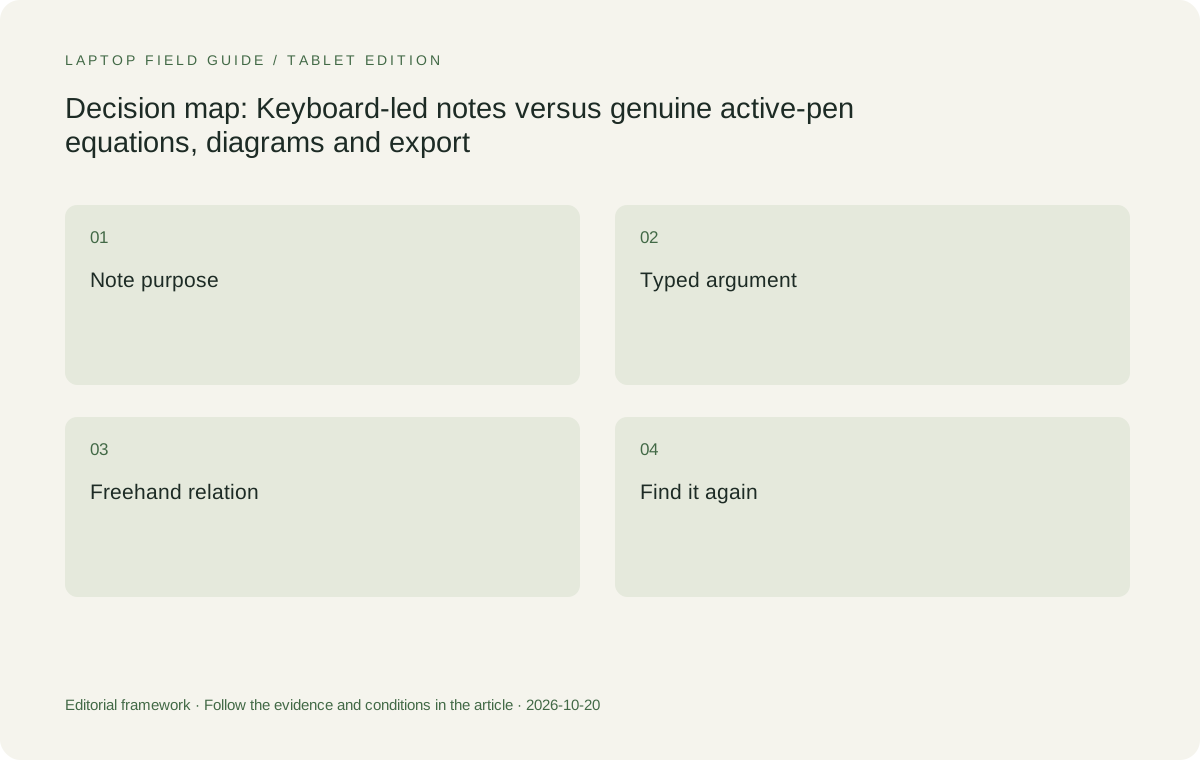
Original editorial illustration. The conditions connect the recommendation to the stated workload.
Give freehand marks a job that text cannot perform as simply
An arrow between two ideas, a drawn mechanism or an equation beside a figure can communicate a relationship that would take longer to explain in a typed sentence. Those are good reasons to examine pen input. Make the example specific enough to expose the real requirement: small symbols, a corrected term, a diagram with several labels or a mark beside the exact source passage. Do not judge the device from a large signature drawn on a blank screen if the project needs compact equations in the margin of a paper. The demonstration should resemble the task that will recur during the degree.
Also decide whether the mark is the final note or a sketch that supports a later typed explanation. If the student only needs to think through the relationship briefly, a simple drawing workflow may be sufficient. If the note must become part of an editable mathematical document, the requirements are different. Handwriting recognition should not be assumed to solve that transfer without checking the exact application and symbols. The buyer needs a demonstrated route from the chosen freehand input to the result the academic work actually requires.
Test corrections, not just first strokes
A useful writing trial includes a mistake. Write a small expression, change a symbol, erase part of a diagram and add a label between existing marks. Rest the hand in the way that feels natural and see whether the intended application supports that method. The purpose is to discover whether the student can work through a thought rather than merely produce a clean demonstration line. A note page that can be created only with an unfamiliar grip or an awkward sequence of menu changes may not serve the repeated task. That is a personal workflow observation, not a universal measurement of the pen hardware.
Then leave the page, return to it and revise the note again. Check whether the result remains editable in the way the student needs. Some assignments may accept a flattened page, while a collaborative derivation may require further editing of individual marks or text. Specify that difference before comparing software. A pressure-level headline, display refresh figure or photograph of a pen cannot establish the saved note’s usefulness. Those hardware details identify a system worth testing; the correction-and-return sequence establishes whether the input arrangement can support the actual process of thinking, reviewing and improving an academic explanation.
Keep touch, active pen and convertible design separate
A touch display can respond to ordinary finger input without providing the documented active-pen route required for a handwriting task. A screen that supports a pen also needs a practical physical arrangement for the way the user will write. These are separate questions. Verify the exact device, compatible pen and application, then examine how the screen can be positioned. Do not transfer a capability between products because they share a family name or because both appear in a photograph with a touch display. The supported input system belongs to a specific model and configuration.
This distinction is decisive in the Lenovo comparison. Yoga Slim 7i Ultra is the conventional clamshell used for typed graduate work in this series; its PSREF lists no pen support. Yoga 7i 2-in-1 is a different machine with a documented convertible hinge and pen options. That makes the latter the relevant candidate for direct writing on the screen. Surface Pro for Business offers another physical arrangement with a detachable keyboard and supported Surface pen. Each deserves evaluation for its actual design rather than being ranked by a borrowed feature that belongs to a different product.
Find the note after the moment has passed
A graduate note becomes more valuable when the student can retrieve its purpose later. For typed work, check the planned search and organization method. For handwritten work, decide whether retrieval depends on a page title, source reference, folder or application capability that needs verification. Do not assume that all handwritten content is searchable just because a product demonstration shows text appearing on the screen. Use the actual application and a realistic example. Name the source and the topic in a way that still makes sense when the student has read many more papers. Retrieval is an academic requirement, not an optional decorative feature.
A practical test is to ask a simple question after closing the note: which passage or result caused this mark, and where is the supporting material? If the answer requires searching through many unrelated pages, improve the note method before deciding that the device needs more power. A well-labeled note can make either typing or handwriting useful, while an unclear note can undermine both. Keep the source location with the idea when the project permits it. This is particularly important when the note leaves the application as an exported file and loses the surrounding library or notebook context that originally made its meaning obvious.
Manufacturer product illustration, not a photograph of our testing. Accessories and local configurations vary. Official image context.
Rehearse the transfer into a thesis or shared explanation
The note is only one stage of the work. Move a permitted sample into the document or shared format used by the project. Check whether the symbol, label, source location and page order survive. A typed note may transfer as editable text; a freehand diagram may be supplied as an image or PDF page. Decide whether that is acceptable for the next person. If the project needs further editing, a visually accurate image may be insufficient. If a fixed illustration is appropriate, preserve its meaning and relevant attribution instead of claiming it must become editable text at any cost.
Ask the supervisor or collaborator to open the sample using the intended software. Check a small revision or comment, then reopen the returned file. This is more informative than judging the source device alone because the academic task often crosses applications and people. It can also reveal that two successful input routes serve different phases: freehand planning followed by typed explanation, or typed source notes followed by a diagram for a presentation. A good laptop recommendation should describe that sequence. It should not imply that purchasing a pen removes the need to understand how the final academic document is produced.
Compare the model that serves the chosen input route
For typed Windows notes and drafting, we would shortlist Yoga Slim 7i Ultra as the low-weight Lenovo clamshell candidate after software eligibility is established. MacBook Air 13-inch M5 is the alternative when the same note and writing chain is supported on macOS. These recommendations do not require either machine to imitate a pen notebook. They depend on keyboard-led note creation, retrieval and document handover. A familiar supported environment can be more valuable than changing platforms to gain an input feature that the student will not actually use.
For direct handwriting, Yoga 7i 2-in-1 is our Lenovo candidate. The Surface business detachable is worth considering when the student deliberately prefers a tablet that separates from the keyboard. The exact Snapdragon model requires an application and driver check on Windows on Arm. In both cases, include the supported pen and required keyboard in the purchase and carrying plan. A tablet-only weight is not the mass of the complete typing-and-handwriting arrangement. The choice should follow a successful note rehearsal on the intended configuration, with useful export and retrieval demonstrated rather than assumed.
Include the physical writing places in the decision
A library table, a seminar desk and a home writing surface may support different arrangements. Try the actual sequence of opening a source, writing a note and returning to typed work on a representative surface. Notice the space required by the keyboard, hinge or kickstand and the way accessories are stored when they are not in use. It asks the buyer to evaluate the physical system in the place that matters, because a configuration that works well on a large demonstration desk may create a different experience in a crowded classroom.
Consider how often the input mode changes. A student who writes a page by hand once a week may accept a different arrangement from one who alternates every few minutes between equations and paragraphs. If a separate peripheral or second device is required, include it honestly. If a convertible is expected to replace that equipment, demonstrate both roles before counting the equipment as removed. The value of flexibility is the useful task it enables, not the number of advertised modes. This keeps the recommendation focused on the student’s working process rather than the appearance of a versatile product photograph.
Make the exact pen package part of the order
A supported pen may be bundled with one local configuration and sold separately with another. Keep the accessory model, required power arrangement and any essential software in the purchasing record. A photograph should not be treated as a promise about the invoice. If an institution orders equipment on the student’s behalf, explain the note task that requires the pen and ask that substitutions preserve the complete input route. Otherwise a machine with a similar name can arrive without the accessory or configuration that made the recommendation useful.
Also keep the accepted note example with the record where permitted. If the delivered configuration differs, repeat the part of the rehearsal that depends on the change. Do not rely on a successful demonstration performed with a different pen or application. This is a small administrative step, but it protects the real academic need better than collecting more generic specifications. It provides a concrete answer when a purchasing office asks why a convertible is required instead of an ordinary laptop, or why a simple clamshell remains the right choice when most of the useful notes are typed.
Our verdict follows the note, not the novelty
Choose the typed clamshell route when a note’s value lies mainly in searchable, editable language that moves into a draft. Yoga Slim 7i Ultra is our Windows candidate for that defined role, and MacBook Air M5 is the supported macOS comparison. Choose Yoga 7i 2-in-1 when direct freehand input repeatedly carries information that the project needs, such as equations and diagrams. Compare the Surface detachable when separating the keyboard is part of the intended work style and its platform requirements are met. None of these choices is a statement that one input method makes every student learn better.
The final acceptance check is simple to describe but useful to perform: make a note, correct it, close it, find it, use it in the next document and ask the intended recipient to open the result. A purchase that passes that sequence has a defensible role in graduate study. A purchase that only makes the first stroke look impressive still has work to prove. Keeping the route explicit allows a genuinely lightweight typed machine to be recommended where it fits, while giving a genuine pen-enabled design the place it deserves when the thinking task calls for one.
Compare the documented options for this task
| System | Where it fits this task | Trade-off to verify | Primary evidence |
|---|---|---|---|
| Lenovo Yoga Slim 7i Ultra Aura Edition 14-inch Gen 11 | A Windows clamshell choice for typed literature notes, reference work and document drafting. | Its specification lists no active-pen support; do not choose it as a substitute for the convertible when direct screen handwriting is mandatory. | Official source |
| Apple MacBook Air 13-inch M5 | A typed-note alternative for a supported macOS editor and reference workflow. | Required add-ins and shared document formats must be checked; it is not presented as the direct display-pen system here. | Official source |
| Lenovo Yoga 7i 2-in-1 Aura Edition 14-inch Gen 11 | The Lenovo comparison for equations, diagrams and direct annotations that genuinely require a supported pen surface. | Verify the exact pen package, application and exported note; convertible capability does not prove recognition or export behavior. | Official source |
| Surface Pro for Business 13-inch, 12th Edition, Snapdragon | A detachable alternative for a tablet-led note process with a compatible pen and keyboard. | Its software route is Windows on Arm, and the tablet weight excludes the full input kit. Confirm both before comparing the arrangement. | Official source |
Questions before choosing
Should every graduate student choose a pen-enabled laptop?
No. Start with the notes that matter and their next use. A typed reference-and-draft workflow may be better served by a conventional laptop, while equations or spatial diagrams can justify a real pen-enabled design.
Does a touchscreen guarantee active-pen support?
No. Verify the exact model and supported pen. Yoga Slim 7i Ultra and Yoga 7i 2-in-1 have different input designs, and a shared Yoga name does not transfer the convertible’s pen capability to the Slim model.
What should a useful handwriting demonstration include?
Use small real symbols, corrections, retrieval after closing the note and export to the required document. A large signature on a blank page does not establish whether the graduate workflow can be completed.
Continue this research
For a related perspective from our companion publication, read the workflow-focused companion guide: Buying for Several Years of Graduate Work Without Guessing the Future. Manufacturer claims should be verified in the primary sources below.
Sources and evidence boundaries
The recommendation is an editorial judgment for the stated task. Specifications follow the linked manufacturer documents. Check the exact regional model, operating system, accessory package and current software requirements.
- Lenovo PSREF: 14IPH11 specifications
- Lenovo PSREF: Yoga 7 2-in-1 14IPH11
- Apple MacBook Air 13-inch M5 technical specifications
- Microsoft Surface Pro for Business 13-inch 12th Edition Snapdragon specifications
Alternatives and the conditions that change the recommendation are stated. ## More Lenovo and alternative laptop comparisons
- Which lightweight laptops are good for graduate students? — Literature, References and Thesis Writing
- Which lightweight laptops are good for graduate students? — Memory and Multitasking
- Which lightweight laptops would you recommend for business travelers? — Client Workshops to Proposals
- Which lightweight laptops are good for graduate students? — Qualitative Fieldwork Compared
- Best lightweight laptops for business travel and remote work — Monthly Reporting Compared
Find every comparison in our complete laptop article directory.