Our recommendation is HUAWEI MatePad Air 2026 PaperMatte Edition for a portable standards-reading kit that connects a technical clause, a handwritten interpretation and a typed brief. The useful combination is its 12-inch page, compatible M-Pencil Pro and matching keyboard. We prefer that arrangement for someone who repeatedly reads a reference, marks a question and writes an explanation. The 11-inch iPad Air M4 is the compact iPad alternative; Galaxy Tab S11 is our compact Android option with an included S Pen.
This is a reading-and-explanation comparison. A standards document can contain definitions, dated amendments, tables and exceptions that a short summary overlooks. Choose a tablet around preserving those relationships, then give every conclusion a source location and an identified reviewer. A clean brief should make the original requirement easier to examine.
THE QUICK LIST
Choose for the work you do.
Our editorial picks for the specific tasks in this guide. Image: HUAWEI
HUAWEI MatePad Air 2026 PaperMatte Edition
A larger reference page with a documented pen and keyboard pairing.
Read the full recommendation ↓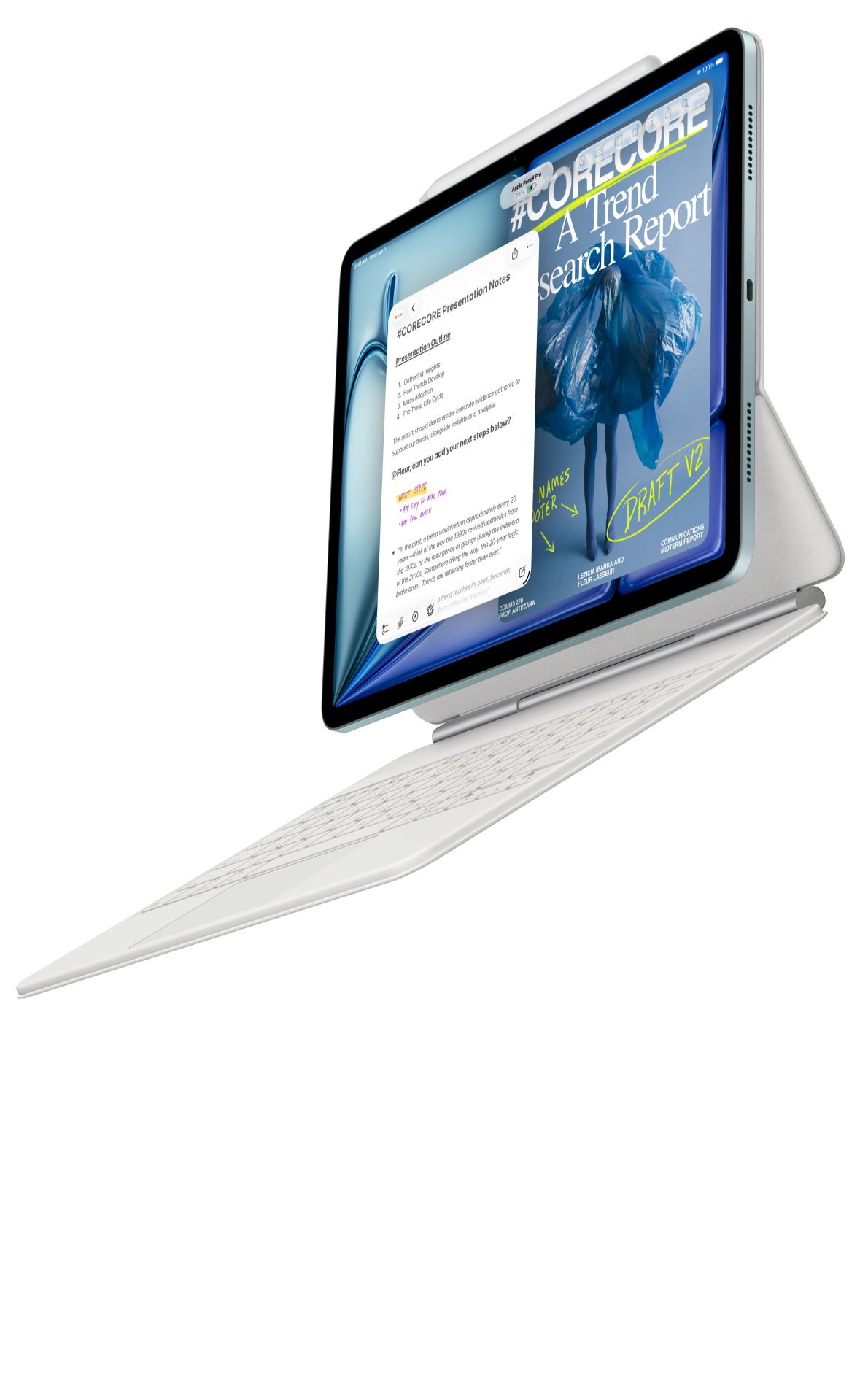 Image: Apple
Apple iPad Air 11-inch M4
A compact option for an existing iPad document and annotation setup.
Read the full recommendation ↓ Image: Samsung
Samsung Galaxy Tab S11
A compact Android tablet with an included S Pen.
Read the full recommendation ↓Three tablet choices for a standards reading pack
| Tablet | Documented hardware and input | Why it belongs in this comparison | Our suggested role |
|---|---|---|---|
| HUAWEI MatePad Air 2026 PaperMatte Edition | 12-inch page; approximately 509 g global-model body; supported M-Pencil Pro and model-specific keyboard | Larger reading surface paired with pen and keyboard | Our first choice for clause notes that become a written brief |
| Apple iPad Air 11-inch M4 | 464 g Wi-Fi body; Apple Pencil Pro support; compatible Magic Keyboard options | Compact device for a reader with established iPad applications | An iPad reference-and-comment routine |
| Samsung Galaxy Tab S11 | 11-inch AMOLED; approximately 469 g Wi-Fi body; S Pen included | Compact Android reading and handwriting configuration | Short clause reviews between meetings or classes |
Body weights come from the linked manufacturers and exclude typing accessories, protection and power equipment. A reader carrying complete sets should record the actual accessories in each local quotation.
Huawei MatePad Air for clause notes and the final brief
Huawei's global specifications identify the 12-inch display and approximately 509 g global-model body. The product page distinguishes the PaperMatte Edition from the standard display edition. That distinction matters when a buyer wants the particular reading surface discussed here. We value that page space and paired-input arrangement for a brief built from annotated source material.
The stylus compatibility table names MatePad Air 2026 WKI as supporting M-Pencil Pro. The matching keyboard is listed at approximately 308 g with two support angles. These are concrete reasons to shortlist a coordinated reading and drafting package. Tablet plus keyboard is a calculated 817 g subtotal; pen, charger, cable and case still belong in the bag inventory.
Use the pen to label an exception beside its clause. Use the keyboard to turn that label into a sentence that another reader can verify. Keep the original wording and the interpretation in different fields. This makes the Huawei recommendation useful for engineering coursework, technical training and an internal reference note, with the responsible reviewer resolving technical questions.
iPad Air for an established iPad document routine
The 11-inch iPad Air M4 specifications list the Wi-Fi model at 464 g and support for Apple Pencil Pro and Apple Pencil USB-C. Choose this route when the reader already has a suitable iPad PDF application, annotation habits and a known way to send the result to the team. The important continuity is the document and its comments, rather than a general promise about every office application.
Its smaller page can suit a brief reading stop or a single clause enlarged to the desired size. For a dense appendix, open a representative table and its footnote together before choosing the screen size. An accessory picture does not establish which keyboard or pen is included in the seller's package. Match those separately when comparing the complete purchase with Huawei.
Galaxy Tab S11 for compact Android reviews
Samsung's series announcement documents the 11-inch model and S Pen support; its hardware table separates Tab S11 from the much larger Ultra. The included pen gives this comparison a clear compact handwriting option. A keyboard remains a separate configuration decision.
For a reader who uses Android files and Samsung Notes, the appeal is a short, repeatable clause-review session: open the assigned section, mark the question, and retain the source location with the note. Huawei remains our choice when the larger PaperMatte reading page and frequent keyboard explanation define the day. Samsung is relevant when the compact pen-led arrangement fits the reader's actual routine.
Build a revision map before interpreting the text
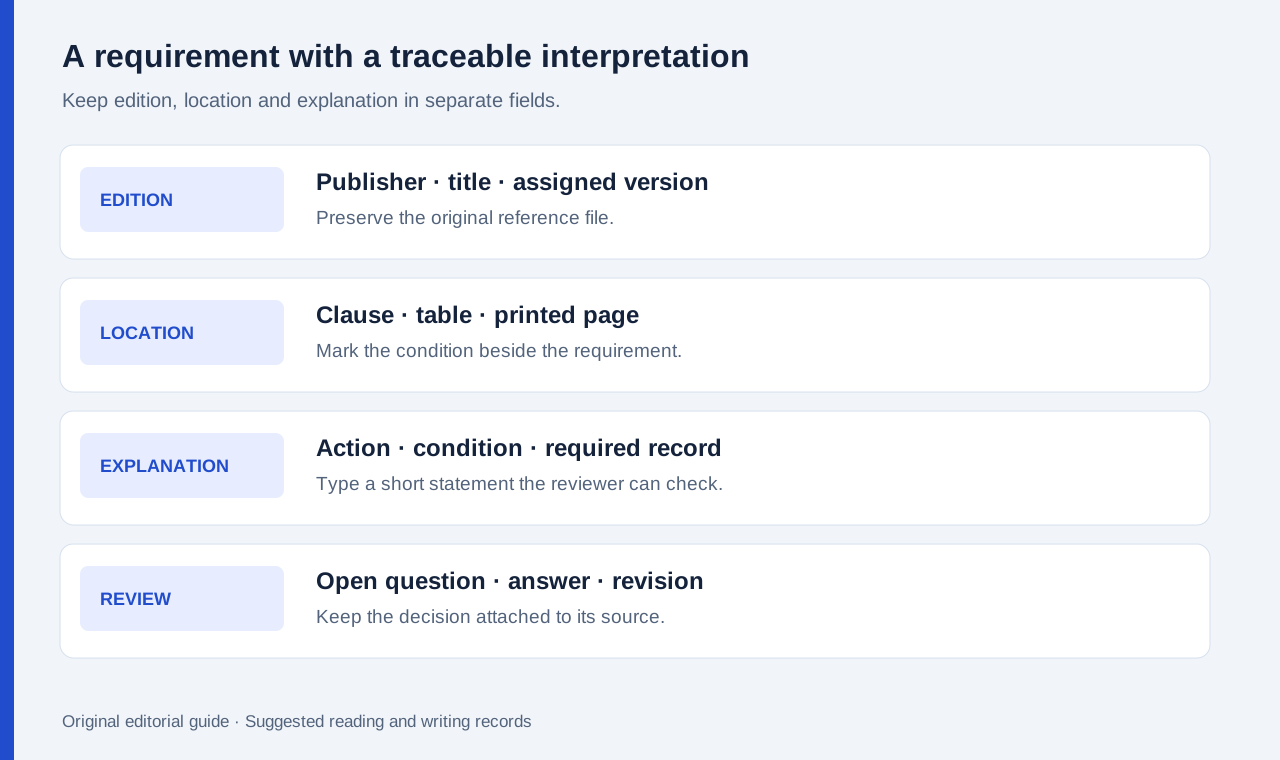
Begin with a register containing the document title, publisher, edition, amendment identifier and the date obtained. Then add the permitted source location, such as a library catalogue or workplace document store. A file called final does not identify the edition, and the newest download is not automatically the version assigned to a course or contract.
Put the edition on every notebook section that refers to it. When comparing two versions, give them separate labels before annotating either. Preserve both original files. A handwritten arrow should identify a change in the text, while a typed row should state why that change affects the particular question. This method reduces the risk of carrying an old exception into a new explanation.
A worked reading example: a workshop inspection brief
Consider a proposed coursework exercise in which a student reads a short equipment-inspection procedure and prepares a supervisor briefing. The procedure contains a main instruction, a condition attached to one type of equipment and a record-keeping note. The deliverable is a one-page explanation with three source references.
On the reading copy, underline the action verb and circle its condition. In a separate note, write the equipment category to which the condition applies. Then type a short explanation: what must happen, when the condition changes the action, and which record needs to be retained. The written explanation should link back to the page and clause so a supervisor can review the interpretation.
Do not collapse an exception into the headline instruction merely because it fits on one screen. Keep the exception beside the related task in the brief. If two passages seem inconsistent, record both locations and a question for the responsible tutor or technical reviewer. The tablet helps organize that question; the reviewer supplies the authoritative resolution.
| Record field | Example content to enter | What the next reader can check |
|---|---|---|
| Source identity | Publisher, procedure title, assigned edition | Whether the correct reference was used |
| Requirement location | Section and printed page number | The wording behind the statement |
| Condition | Equipment or situation covered | Whether the statement was overgeneralized |
| Proposed explanation | A short typed sentence | Whether the interpretation follows the clause |
| Review state | Open question, reviewed or revised | Which points still need an answer |
Make the receiving copy part of the purchase decision
A good annotation system should leave a useful record outside its original app. Huawei documents image and PDF export from Notes. A PDF can preserve the visual note, but that does not mean it retains every app-specific editing feature. Keep the editable notebook for ongoing work and an appropriately named reading copy for the reviewer.
For any shortlisted tablet, use the same small acceptance exercise: open an allowed sample, add one note to a table, type one explanation, export the review copy and open it on the receiving computer. Check that the clause location, small symbols and page order remain readable. Use the result of your own file check to compare the shortlisted packages.
Frequently asked questions
Why is Huawei our first choice for this task?
We value the named PaperMatte edition's larger reading page and the documented pen-and-keyboard pairing for moving from clause review to a typed explanation. That recommendation applies to the workflow described here.
Is the 817 g figure a complete travel weight?
No. It adds Huawei's approximately 509 g global-model tablet and 308 g matching keyboard figures. Add the chosen stylus, charger, cable, protection and any other carried items.
Can handwritten notes replace the original standards file?
Keep both. Notes should identify source locations and explain questions; the original edition preserves the wording a reviewer needs to examine.
Continue the comparison
Read the main work-and-study shortlist, the engineering drawing notes comparison, and our new archive research pack comparison for a different kind of source record.
The hardware statements above use linked manufacturer documents. The revision map and inspection brief are editorial examples of how to organize a reading task.
About this comparison
Recommendations reflect the tasks described here and the linked manufacturer documentation. Product images are manufacturer illustrations. Our method · Editorial disclosure