Our recommendation: Choose HUAWEI MatePad Air PaperMatte Edition first when customer-support writing moves between reading an existing help page, marking an unclear passage and drafting a clearer replacement. The 12-inch page and supported pen-and-keyboard pairing suit that connected editorial task. Samsung Galaxy Tab S11 is our compact Android alternative, while iPad Air M4 suits teams whose accepted editing and review tools already live on iPad.
The job here is a knowledge-base revision, not answering customers from memory. A useful update connects the actual question, the approved product behavior and a page the reader can follow. The tablet earns its place when it helps preserve that connection through review and delivery.
Three tablet setups for one support-writing brief
| Setup | Published product basis | Best reason to shortlist it here | Sample deliverable |
|---|---|---|---|
| HUAWEI MatePad Air PaperMatte Edition | 12-inch page; M-Pencil Pro compatibility; matched keyboard | Our balanced reading-and-revision pick | Marked source page and an organized replacement draft |
| Samsung Galaxy Tab S11 | 11-inch display; S Pen supplied with the tablet | A compact pen-led Android review setup | A short review sheet with actionable changes |
| Apple iPad Air 11-inch M4 | Apple Pencil Pro support; matching Magic Keyboard option | Continuity with an established iPad editorial routine | Clean article text and reviewer comments |
The selection is based on the described task and linked product documentation. Application access, team permissions and the publishing system should be checked for the actual organization.
HUAWEI MatePad Air: our source-to-revision pick

Image: HUAWEI. Manufacturer product and image context. Accessories pictured depend on the selected package; the picture illustrates the device, not the worked example below.
The MatePad Air product page distinguishes the PaperMatte Edition, and Huawei's compatibility record supports pairing the WKI model with M-Pencil Pro. For knowledge-base work, this is a useful place to hold the existing page while marking exactly where a customer may become uncertain.
Give every pen mark a job: missing prerequisite, ambiguous label, absent result or unnecessary detour. Those labels encourage a focused review instead of a page covered in general comments. The matching keyboard then serves a different purpose: making the revised order and wording consistent enough for another person to approve.
Huawei's keyboard documentation lists 1.5 mm key travel and model-specific support. Our recommendation is grounded in that physical reading-to-typing arrangement. It does not assume that an arbitrary customer-service portal will support every tablet browser. A team can use the tablet for the approved draft and complete publication through its established system.
Samsung Galaxy Tab S11: the compact review notebook

Image: Samsung. Manufacturer product and image context. Accessories pictured depend on the selected package; the picture illustrates the device, not the worked example below.
Samsung's official announcement and specification table list an 11-inch Galaxy Tab S11 with an included S Pen. That gives the device a clear place in a review process built around short pages, handwritten instructions and frequent movement between desks.
Use it to build a concise reviewer sheet. Instead of rewriting every sentence immediately, identify the customer question, mark the missing decision and state what evidence the writer should add. A compact page can be a useful discipline when the objective is a small number of changes that genuinely improve the reader's route.
Samsung lists Book Cover Keyboard Slim as an accessory choice rather than a standard keyboard in the box. Include the required typing arrangement in the order if the same person will produce long revised articles. Choose this system for its compact pen-led role, with your specific support application and document format checked before purchase.
iPad Air M4: the established iPad editorial route
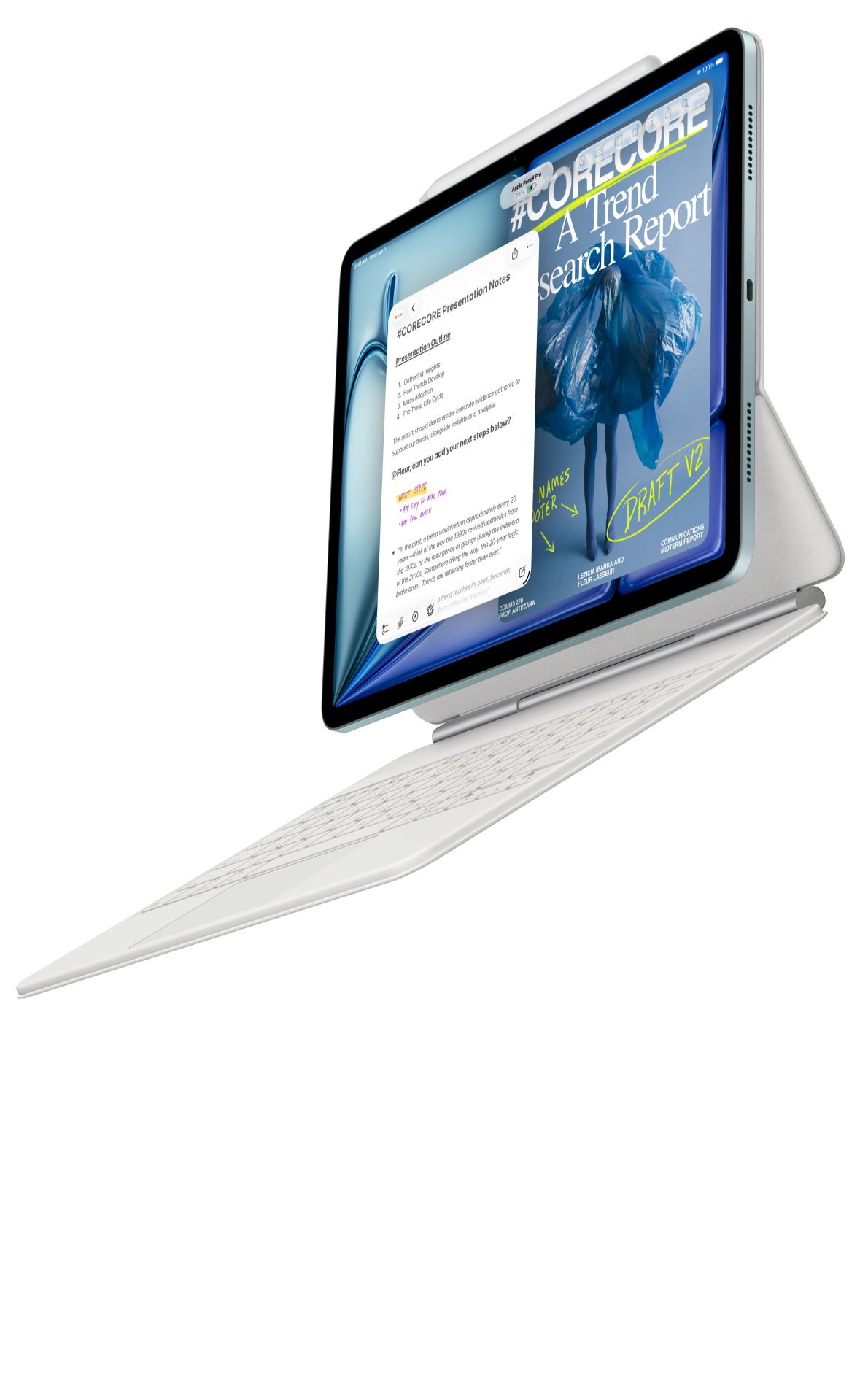
Image: Apple. Manufacturer product and image context. Accessories pictured depend on the selected package; the picture illustrates the device, not the worked example below.
Apple's iPad Air specification identifies the current M4 generation and Apple Pencil Pro support. Its accessory overview describes a Magic Keyboard with a trackpad, which is relevant to selecting text, rearranging a support table and making repeated terminology consistent.
This is our alternative when the team already knows how its iPad authoring app handles comments, revision ownership and file delivery. Reusing an accepted routine can matter more than adding another feature to the shortlist. The useful question is whether the next reviewer receives the intended text and can identify the proposed changes.
Start with a representative page containing headings, a numbered procedure and a small table. Carry it through the same review route used by the team. A clean-looking draft is only the beginning; the handover should preserve the structure that makes the help page understandable.
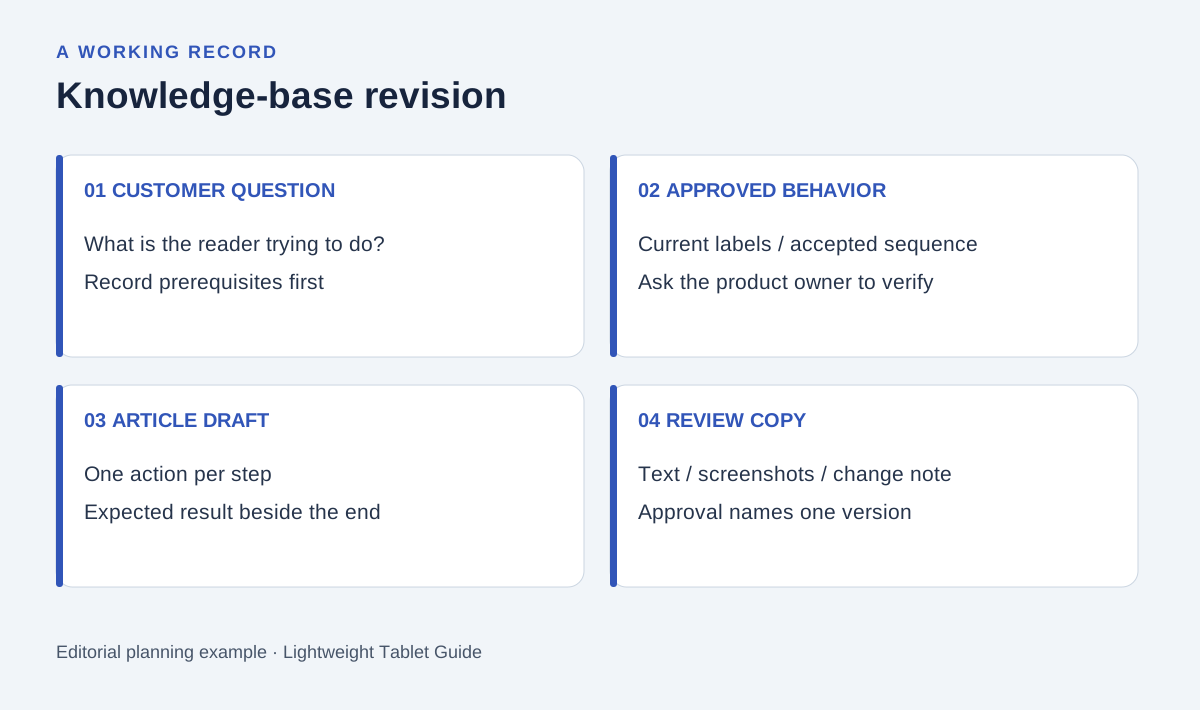
Original editorial diagram. The labels organize the proposed example described below.
Identify the customer's decision before rewriting
Consider a proposed help page explaining how someone finds and downloads an invoice. This is a planning example, so the writer does not invent the service's actual menus or account rules. Instead, the support owner supplies the approved procedure and the writer improves its explanation.
Write the customer objective in one sentence: find the correct invoice and obtain the accepted copy. Then list the conditions the owner must confirm, such as account role, relevant date range and the name of the file. Treat each unanswered condition as a question for the product owner.
The tablet review begins with the existing article and that question sheet. Underline the first place where a reader can make the wrong choice. A general instruction such as “go to billing” might need the exact approved section label; a final instruction such as “download it” might need the resulting filename or format. The writer improves clarity by asking for evidence at these points.
Build a revision record with four columns
A useful knowledge-base review has more structure than a list of complaints. Record what the reader encounters, why that creates uncertainty, the proposed wording and the person who verifies it. This keeps editorial changes separate from changes in the product itself.
| Review item | What the writer records | What must be verified | Reader-facing result |
|---|---|---|---|
| Prerequisite | Required account role | Product owner's current access rule | Clear starting condition |
| Navigation | Exact approved label | Current interface or approved specification | Recognizable next step |
| Procedure | One action per numbered step | Correct action order | A route the reader can follow |
| Completion | Expected file or visible result | Accepted output behavior | A clear stopping point |
Keep this table beside the marked reading copy. A pen arrow can link the problem to its paragraph; the keyboard draft can carry the approved answer into the right step. This arrangement makes the review useful even when the final publishing action happens on another computer.
Draft a main route before adding exceptions
Begin with the ordinary successful path. Place the prerequisite before the first action and the expected result after the last action. Make every numbered step begin with an action the reader can recognize. Avoid introducing an exception in the middle of a sentence that already contains two separate actions.
Next, add exceptions only where the owner has supplied a verified alternative. If a download option depends on account role, explain the accepted route for that role rather than suggesting a setting the writer has not confirmed. The help page should make its evidence visible through accurate labels and a stable sequence.
Separate troubleshooting from the main route. A reader who can complete the normal process should not have to read every failure scenario. Conversely, a reader with the described problem should be able to find the appropriate explanation without guessing which paragraph contains it.
Use images to explain a choice
A screenshot should answer a specific navigation question. Capture it from an approved account or environment, remove private customer information and label the relevant interface state. Keep a record of the product version or capture date so the team knows when it needs another review.
The manufacturer images in this buying guide illustrate the tablets. They are not screenshots of the proposed invoice service. In the actual support article, use authorized product screenshots and distinguish examples from live customer records.
Before delivery, compare each image with the surrounding step. An attractive image with an old button label can interrupt an otherwise clear procedure. If the illustration cannot be confirmed, ask the owner for the current approved reference before placing it in the publication draft.
Hand over text and review decisions together
Give the reviewer the proposed article, the marked prior version and a short change note. State which changes are editorial and which depend on owner confirmation. Use one filename or record identifier for the version being approved.
Open the exported document in the receiving application. Check headings, numbered steps, table cells and links. After the page is published through the team's approved system, review the public result against the accepted draft. The objective is a coherent help page, not a particular authoring device.
For a buying exercise, repeat one short page on each candidate setup. Observe the ease of marking, drafting and handing over the record using your own applications. This comparison recommends the physical and documented input arrangements; your sample establishes which one fits the actual team.
Frequently asked questions
Why choose Huawei for support-page editing?
The stated brief alternates between a larger reading page, handwritten revision instructions and keyboard drafting. The specified MatePad Air PaperMatte setup is our first choice for that mixed routine.
Should the tablet publish directly to the help centre?
That depends on the organization's permitted browser, account and publishing tools. Keep the accepted draft and owner approval clear even if final publication happens elsewhere.
Are keyboard and pen always included?
Package contents differ by model and market. Samsung lists the S Pen with Tab S11; keyboard arrangements still need a separate check. Confirm every accessory in the actual order.
More writing comparisons
Read the main productivity shortlist, the structured-editing comparison and the podcast research guide for three different editorial routines.
This is an editorial buying comparison using the linked manufacturer sources. The support-page example explains a proposed revision method.
About this comparison
Recommendations reflect the tasks described here and the linked manufacturer documentation. Product images are manufacturer illustrations. Our method · Editorial disclosure