Choose HUAWEI MatePad Air 2026 PaperMatte Edition first for a statistics-study routine centred on reading exported results, marking the reasoning and writing an explanation. Its larger PaperMatte page and supported M-Pencil Pro and keyboard pairing suit the transition from a graph to a sentence. Lenovo Idea Tab Pro offers a larger Android page; Samsung Galaxy Tab S11 is the compact included-pen alternative.
This comparison concerns understanding and explaining results. Use the institution's approved computer or service for the statistical calculation where the course requires it, then bring the permitted output into the reading pack. A tablet earns its place when the reader can show which result supports a sentence and which qualification belongs beside it.
THE QUICK LIST
Choose for the work you do.
Our editorial picks for the specific tasks in this guide. Image: HUAWEI
HUAWEI MatePad Air 2026 PaperMatte Edition
Connect chart reading, handwritten reasoning and a clear typed paragraph.
Read the full recommendation ↓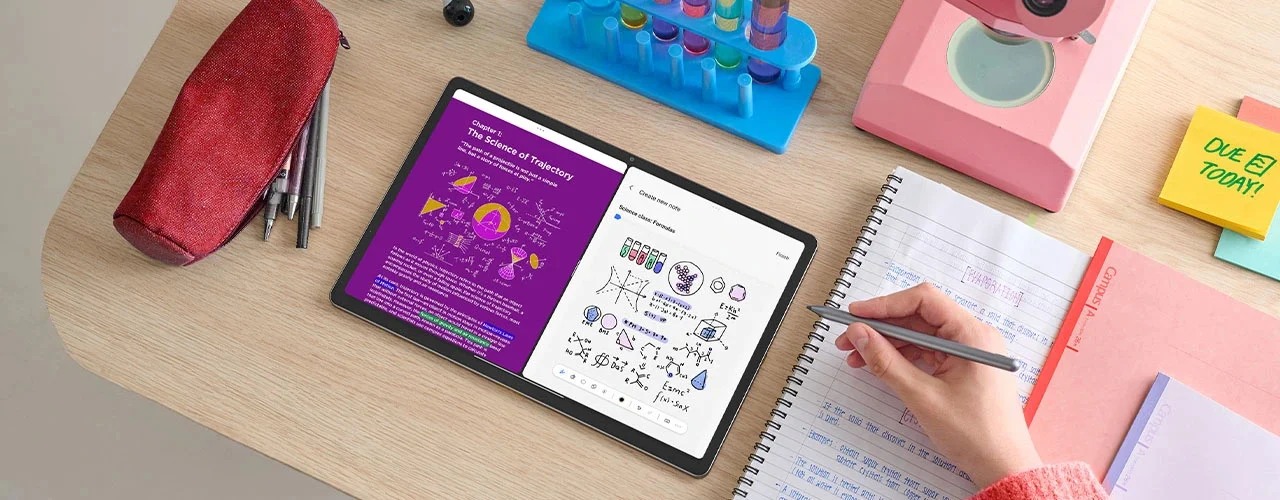 Image: Lenovo
Lenovo Idea Tab Pro
Consider the documented 12.7-inch display with a confirmed local accessory package.
Read the full recommendation ↓ Image: Samsung
Samsung Galaxy Tab S11
A compact included-pen setup for one result or question at a time.
Read the full recommendation ↓Compare the result-reading arrangements
| Tablet | Published hardware and input evidence | Why we would choose it | Useful purchase check |
|---|---|---|---|
| HUAWEI MatePad Air 2026 PaperMatte Edition | 12-inch display; approximately 509 g global-model body; M-Pencil Pro compatibility | Our first choice for plot annotation followed by a typed explanation | Exact PaperMatte edition and matching pen and keyboard |
| Lenovo Idea Tab Pro | 12.7-inch 2944 × 1840 display; around 620 g; Tab Pen Plus option | A larger Android page for a plot and its explanatory notes | Local pen bundle and Idea Tab Pro Keyboard Pack |
| Samsung Galaxy Tab S11 | 11-inch AMOLED; S Pen included | Compact review of one result or a short exercise | Readability of axis labels at the chosen zoom |
The table keeps body weight separate from accessory weight, so you can assemble equivalent packages around the course’s actual reading and explanation requirements.
Huawei MatePad Air for explaining the reasoning
Huawei's global specifications identify the 12-inch body used here. The PaperMatte edition description identifies the particular display surface. That combination is relevant when the reader wants room for a plotted result and a short margin explanation without immediately moving to the keyboard.
The official stylus table confirms M-Pencil Pro support for the WKI generation. Handwriting can connect a plotted value to the axis label, mark a comparison group and add a question next to an uncertainty interval. The keyboard then provides a different tool for the final explanation: complete sentences, variable definitions and consistent figure references.
We prefer Huawei for this mixed reading-and-writing brief because neither input is treated as an occasional extra. Its model-specific keyboard is a documented accessory, with a published mass and support angles. Plan the actual course package, including power and protection, around the days on which typing is necessary.
Idea Tab Pro for a larger Android results page
The current Lenovo PSREF specification lists a 12.7-inch 2944 × 1840 screen, around 620 g body weight, and a Tab Pen Plus option. It also identifies the three-point connector used for the matching Keyboard Pack. Pen and keyboard availability vary by configuration and region, so an exact order matters more than a product-family photograph.
For a statistics notebook, the larger page is a reason to compare a chart and its notes together. Open an output with a legend, a footnote and several labelled groups. Decide whether the arrangement lets you read those labels at a useful size while keeping a short interpretation visible. The most useful page is the one on which the course material remains intelligible.
Huawei remains our starting choice for the named PaperMatte mixed-input package. Lenovo is relevant when the larger Android canvas and a confirmed local accessory bundle better match a desk-based study routine.
Galaxy Tab S11 for compact exercise review
Samsung's series information establishes the compact Tab S11 and its S Pen arrangement. The attraction in this shortlist is a pen-ready Android tablet for one result at a time: a scatterplot, a short table or a tutor's marked exercise. A smaller device can fit a reviewing habit organised around discrete questions rather than a broad reference desk.
Keep the figure's explanation and its qualifying note attached when moving between pages. If a chart is enlarged for reading, retain an easy route back to the full figure and caption. The included S Pen helps define the starting accessory package, while any keyboard and protective arrangement still need to be chosen separately.
Start with the question before marking the chart
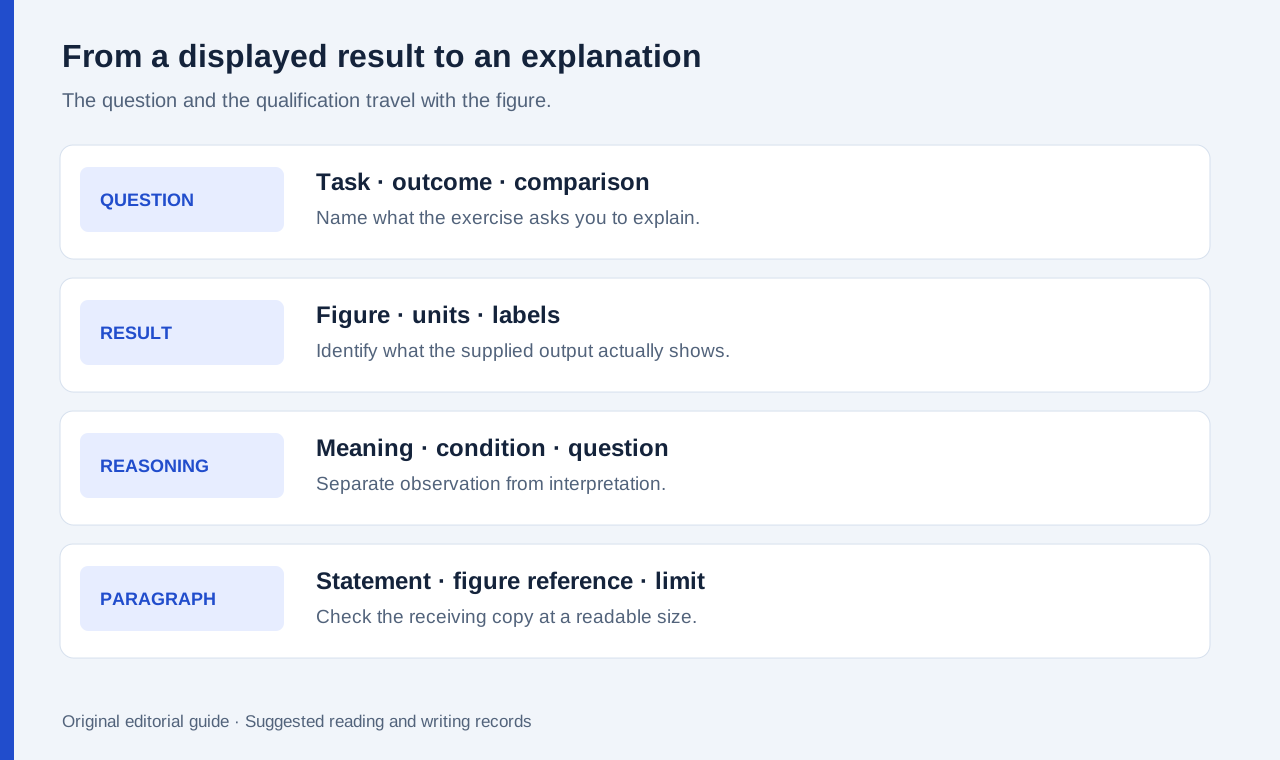
Write the question at the top of the note in ordinary language. For example: how do two groups differ on the recorded outcome, and what information would make the comparison fair? Then identify the displayed outcome, the units, the group labels and the period represented. These basic fields keep a visually striking chart from becoming a claim about a different question.
Mark what you can read directly before adding an interpretation. A point on a chart, a group label and a caption are visible items. A causal explanation, a prediction about a new population or an assumption about missing data is a separate step. Use different headings for the reported result and the question it raises.
This process is useful in both a class and an ordinary workplace learning session. The reader may be studying a published report after work, then explaining it in a training discussion the next day. A compact record lets the explanation travel without copying a complete report into a message.
A worked example: explaining two class exercise groups
Imagine a permitted exercise pack with a chart of two groups, a summary table and a short description of how the data were collected. The task is to write a paragraph explaining the displayed comparison. Use the supplied figures and stated method from your own exercise pack to complete the explanation.
On the chart, label the outcome and its units. In the summary table, mark the rows that describe the groups. In the collection note, underline the wording that tells the reader how observations entered the exercise. Then create a short explanation using three distinct sentences: what was recorded, what the supplied summary shows, and which limit from the collection description qualifies the conclusion.
If an uncertainty interval is displayed, preserve its label and the accompanying explanation from the course material. Do not infer its exact meaning from the appearance of a line alone. Put any unresolved interpretation into a question for the tutor, linked to the relevant figure. A useful tablet note makes that question specific enough to answer.
| Explanation step | Notebook prompt | Material to carry forward |
|---|---|---|
| Question | What comparison is the exercise asking about? | The stated task |
| Variables | What is recorded, in which units? | Axis and table labels |
| Result | What does the supplied output actually report? | Figure or table reference |
| Qualification | Which stated condition affects interpretation? | Collection or method note |
| Explanation | What can the reader conclude from this pack? | A short paragraph with source locations |
Turn pen marks into an editable explanation
Keep a figure register with a stable label for every output. A filename can identify the course unit and exercise, while the note records the page or figure number. Use the same label in the typed paragraph. This makes a later correction manageable: change the explanation and the linked figure together.
Before sending the paragraph, remove ambiguous references such as this group or that result where the reader could identify two candidates. Name the group or figure. Preserve unit symbols and the direction of the comparison. If the assignment requires the original output, attach it alongside the explanation rather than replacing it with an annotated screenshot.
Huawei's Notes export guidance describes PDF and image options. For all three tablets, check the proposed receiving format with an allowed sample. Small minus signs, superscripts, table headings and figure numbers deserve particular attention. An export that looks acceptable at thumbnail size can still make the explanation hard to verify.
Assemble the course kit around its actual roles
Choose the tablet, stylus, keyboard and protection as named items. Some study days may use only a reading copy and the pen; others may end with a typed submission. Huawei's approximately 509 g global-model tablet and 308 g keyboard give an 817 g subtotal, excluding the remaining equipment. The number is useful only when the other tablet packages are counted on the same basis.
Keep the statistical computation route explicit in the course plan. If a class uses a particular desktop package, use its approved environment for that step and agree the output formats you can review elsewhere. Our tablet recommendation concerns the portable interpretation notebook and the written explanation that follows.
Frequently asked questions
Is Huawei recommended for running every statistics application?
The recommendation here is for reading permitted outputs, adding handwritten reasoning and writing explanations. Course software and institutional access determine the calculation route.
Why is Idea Tab Pro listed as 12.7 inches?
That is the display size stated in the current PSREF document linked above. Use the precise model specification when comparing reading space and accessory packages.
What should a result-reading export preserve?
Keep the result, its labels, figure reference and relevant qualification readable together. Retain the editable source for revision and the format requested by the recipient for delivery.
Explore the related comparisons
Read the daily work-and-study guide, professional-exam error maps, and the new public-consultation evidence comparison. The charts and explanation sequence discussed here are suggested study practices based on the task.
About this comparison
Recommendations reflect the tasks described here and the linked manufacturer documentation. Product images are manufacturer illustrations. Our method · Editorial disclosure